
Find iPhone Camera Repair Near You
As of September and October 2026, 66 shops in California, New Jersey, New York, Pennsylvania, and Texas have iPhone camera repair on their website service lists. The price range as of September and October 2026 is $25 to $250, based on what 23 shops post on their own sites. Advance booking isn't needed at 63 shops, whose own sites invite people to walk in.
Phone repair in Houston, TXiPhone repair in Los Angeles, CAiPhone repair in Queens, NYiPhone camera repair in New JerseyiPhone camera repair in Pennsylvania
Common iPhone camera problems
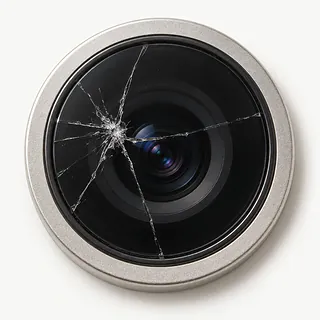
Black preview in Camera
A dark preview alone doesn't identify a broken part. Uncover the lenses, remove camera attachments and compare selfie mode with the back camera. Check the flashlight separately through Control Center.
Find a repair near you: Black preview in CameraCamera stopped working
Software trouble can stop an otherwise working camera. Restart before trying a software update, and check if another photo app behaves differently. Describe where it fails rather than asking for a particular part.
Find a repair near you: Camera stopped working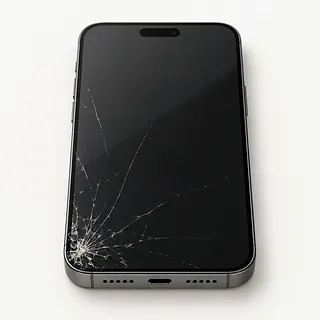
Rear lens cover has cracks
Broken camera glass and a broken camera are separate repairs. An impact may crack just the cover, or harm what's behind it too. A shop can test picture quality before quoting glass alone.
Find a repair near you: Rear lens cover has cracksFront camera won't take pictures
Selfie trouble doesn't mean the rear cameras need replacement. Note if the front preview is blank, frozen or simply out of focus, and tell the repairer about previous camera work.
Find a repair near you: Front camera won't take picturesCamera pictures aren't sharp
Smudges and lens attachments can soften photos. Use clean microfiber to wipe exposed lenses and remove accessories for another test. Continued focus trouble can point to the camera itself.
Find a repair near you: Camera pictures aren't sharpPortrait photos won't focus
A subject left partly blurry in Portrait mode can be a sign of a non-genuine or poorly installed camera. If the change followed a repair, show the repairer an example picture.
Find a repair near you: Portrait photos won't focus


What iPhone camera repair involves
A shop should test focus and look for a blank or stuck preview before taking the iPhone apart. Each camera needs a check, along with the flashlight. Removing a magnetic accessory may clear up blur without replacing anything.
Replacing a cracked lens cover leaves the working camera underneath in place. When that camera has failed, the internal module gets replaced instead. Ask about the source of the part, and have the technician explain any camera notice or incomplete installation shown in Settings on supported models.
After the work, take pictures of something close and something farther away, then record a clip. Try any photo app that was failing and Portrait mode if available. The shop should renew sealing adhesive disturbed by opening the phone, though that doesn't make it waterproof.
Deciding whether to keep your iPhone
A cracked lens cover is worth fixing if you're otherwise happy with the phone. Clear pictures suggest the camera beneath it may still work. Before agreeing to the job, confirm which part needs replacing and that the repairer can get it.
Count the other things that bother you, such as a battery that keeps dying or touch that misses taps. A camera repair leaves those faults in place. On an older model, check whether Apple still supplies security fixes and whether your banking and messaging apps still work.
Save photos and messages somewhere else while they're accessible. Another phone won't retrieve pictures left only on this one. If you can't open files you want to keep, ask about saving them before deciding to retire the iPhone.
What to ask about the replacement camera
Can you record which camera views work?
A working selfie camera doesn't prove the rear camera works. Compare sample pictures at drop-off and pickup, including close focus, video recording and any supported Portrait setting.
What happens if the replacement won't focus?
Read the written warranty for repeat camera trouble and faults caused by the repair. Ask who handles another check and what charges could apply.
Are you quoting for the lens cover or the camera?
Shops use camera lens to mean the outer glass. Replacing that cover won't fix a failed camera module underneath.
Where will the camera part come from?
Have the estimate identify a new Apple part, a previously used Apple camera or an aftermarket replacement. Discuss any expected message in Settings.
Who will unlock the iPhone during camera tests?
Arrange access before handing it over. Typing your code at the counter may be an option.
Is there a fee if testing finds something else?
Request the testing charge in writing. Require permission before the shop replaces additional parts.
What to do before camera work
Save photos before leaving
Make an iCloud or computer backup and confirm it completed. Tell the shop about anything that isn't saved elsewhere.
Keep examples of the camera trouble
Save a blurry picture or note which camera shows black. Record when it started and any drop or splash just before it.
Arrange the camera tests
The shop may need your passcode to test the repair. Discuss entering it yourself for those checks.
Check account access
Know your Apple Account password. Disable Find My only if the shop or Apple requests it, then turn Find My on again afterward.
Remove camera accessories
Take off detachable lens attachments and the case if safe. Leave unrelated accessories at home and ask about keeping a removable SIM.
Related repairs
All iPhone repairAll phone repairiPhone camera repair cost across the US
iPhone Camera Repair: common questions
Who can give me an estimate for iPhone camera repair?
What you pay depends partly on which model you have. Give its full name when asking for a quote, and explain the problem too.
When can I expect my iPhone back?
Tell the shop what happened to your iPhone and ask when the work might be finished. The damage and workload can change that estimate.
Should I repair or replace my iPhone?
If several things are broken, tell the person preparing your quote. Before deciding, compare that estimate with how old the device is, what you'd use it for and how much you care about the files it holds.
What should I check about backups and accessories before iPhone camera repair?
Write a note naming the exact model and the trouble you've noticed, then back up whatever the device still lets you access. Ask the person you call whether to pack the charger, remove the case or change any passcode.
Why is my iPhone camera showing a black screen?
A black preview doesn't prove the camera needs replacing. Remove anything covering the lens or placing a magnet nearby, restart the iPhone and update iOS. Check both cameras and test the flashlight through Control Center before seeking service.
Why is my iPhone camera blurry?
A dirty lens or an accessory can blur your photos. A microfiber cloth can clear fingerprints, and taking off the case or lens converter lets you compare pictures without it. Restart and update the phone, then ask for focus testing if nothing changes.
Can cracked iPhone camera glass be replaced?
Cracked outer camera glass is a separate repair from an internal camera replacement. Before agreeing to the work, ask the shop to test whether the camera underneath still focuses and takes pictures.
Why does my iPhone back camera not work when the front camera does?
Your selfie camera can still work with a broken rear camera. Check the back camera without its case or lens attachments, then try restarting and installing any iOS update. A working front view doesn't settle what's wrong behind the phone.
Why does my iPhone say Unknown after camera repair?
Your iPhone may show Unknown for an unfinished camera install or a non-genuine replacement. For iPhone models starting with iPhone 12 and running iOS 15.2 or newer, check Settings, then General and About. That notice doesn't change how the phone or its camera works.
Can an iPhone camera replacement cause problems in other apps?
Yes, a badly installed replacement or a camera that isn't genuine Apple can leave other apps with a frozen preview or make them quit. Apple names these among possible camera problems, so note which app fails and what appears on its screen.