
Find iPhone 16 Screen Replacement Near You
On their own sites, 7 shops list iPhone 16 screen replacement. Pick the state where you want to search, then a city nearby.
iPhone 16 Screen Replacement by city
Signs your iPhone 16 screen needs repair
iPhone screen black but phone works
Calls can still arrive after the OLED stops displaying anything. Try a force restart before assuming the panel broke. If sound continues without an image, a shop can connect another display to check the cause.
Find a repair near you: iPhone screen black but phone works
Touch screen not working
A failed touch layer can leave you looking at a message you can't open. Dry your fingers and the glass, then restart. Taps that fail along the same strip after a fall suggest screen damage.
Find a repair near you: Touch screen not working
iPhone camera screen is black
Camera trouble usually needs a different fix if menus and saved photos still appear normally. Reopen Camera and compare its front and rear views. A blank preview alone isn't a reason to replace the display.
Find a repair near you: iPhone camera screen is black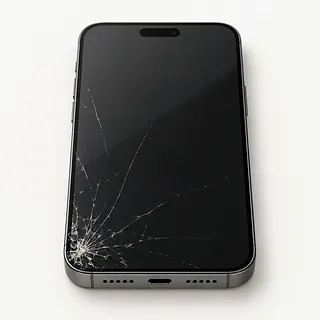
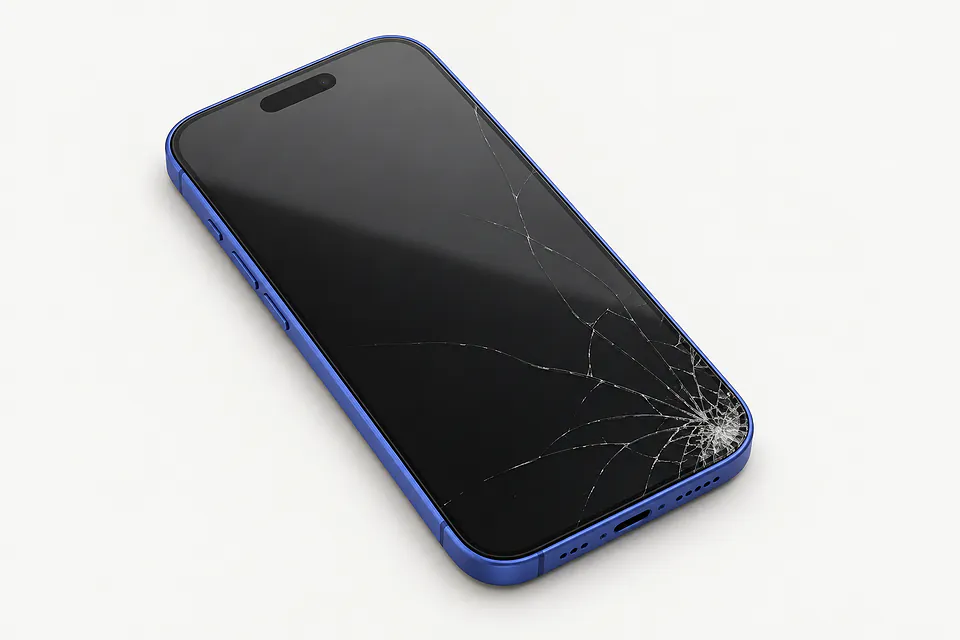
Cracked iPhone 16 screen
The bonded cover glass can split while the OLED underneath keeps working. Replacing the complete assembly is usual, though a specialist may offer glass-only work if the picture and touch are intact. Avoid pushing down raised shards.
Find a repair near you: Cracked iPhone 16 screen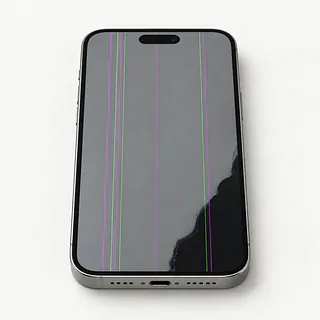
Screen flickering with colored lines
Flashes accompanied by green stripes or purple stains often mean the panel suffered an impact. Glass doesn't have to shatter for the display underneath to break.
Find a repair near you: Screen flickering with colored lines
iPhone ghost touch
Moisture can trigger stray touches, and a broken screen can do the same. Wipe away water. Leave the passcode entry screen alone if it keeps pressing digits without your finger, since failed attempts can lock the phone.
Find a repair near you: iPhone ghost touch


Screen parts and checks after repair
The first job is checking what broke in the fall. A shop tests the visible image and missed touches, examines the frame and checks whether a blank phone still responds. Tell the repairer about water exposure, even if it happened before the screen cracked.
Screen work generally swaps a complete assembly of bonded glass and OLED. Every iPhone 16 version uses OLED, from the 16e through the Pro Max, but replacement parts vary. Find out whether you'll get a new Apple part, an original panel with refurbished glass or an aftermarket screen. Check for LCD substitutions before agreeing.
The repairer preserves the face sensors, selfie camera and earpiece, transferring attached pieces as necessary. Replacement edge adhesive matters for water resistance, but the repaired phone isn't waterproof. Before pickup, testing should include swipes over the whole surface, brightness changes, sensor response, camera pictures, earpiece audio and unlocking with Face ID.
Keeping the phone or replacing it
An otherwise useful iPhone 16 is a strong candidate for screen repair. Its age alone says little about how well it fits your needs. Check that Apple's available software updates and your daily apps still suit you, and confirm a suitable display is available for your exact version.
A crushed frame changes the decision because a new screen won't straighten it. Include cracked rear glass, camera faults and a worn battery in a written quote. Decide whether you'd want to keep carrying the phone after that work.
Unbacked-up photos can make restoring touch worthwhile even if you're replacing the phone. Tell the repairer what needs copying before approving an erase. Ask how broken glass affects trade-in acceptance before repairing solely for that purpose.
Ask about the screen and the work
What kind of replacement screen is included?
Ask whether it's a new Apple screen, a refurbished original or an aftermarket panel. This family came with OLED. If the quote covers LCD instead, ask how brightness, color and touch will differ.
Can you check the cameras before opening it?
A camera preview that stays black deserves its own check if menus look normal. Have Face ID, the call earpiece and any dead touch areas noted too, then tested again after replacement.
If a green line appears afterward, is that covered?
Read the repair warranty before agreeing to anything. It should spell out coverage for a faulty screen or mistakes during installation, plus exclusions such as another drop.
Which tests need access to the phone?
Offer to unlock it at the counter. Find out who would handle it while messages and photos are accessible.
Is there a fee just for finding the fault?
Get the testing charge written down, including what you'd owe after turning down a repair.
Will you call before trying anything beyond the screen?
Agree that installing other parts or wiping data requires another conversation and your approval.
Before handing over your iPhone 16
Capture the symptoms in a short note, including when they started. Describe something the repairer can reproduce, such as the keyboard entering letters untouched or a purple patch spreading after a fall.
Save a completed backup through your computer or iCloud before handing over the phone. If a dead display prevents this, explain which photos or documents exist only there.
Plan to unlock the device during checks that need access. Know your Apple login so you can turn Find My off when requested without sharing the account password. Restore Find My afterward if you disabled it. Keep the cover, wallet attachment and unrelated accessories with you. American versions have no removable SIM card.
Related repairs
iPhone 16 Screen Replacement: common questions
How do I find local help with iPhone 16 screen replacement?
Pick a city when looking for iPhone 16 screen replacement. The 7 shops around the country list the work on their own sites, so call someone local with the model name and describe the problem.
What should I expect to pay for iPhone 16 screen replacement?
Some faults take more work to address than others, which can change the cost of iPhone 16 screen replacement. Describe the symptoms and name the model over the phone, then request an itemized quote.
How long does iPhone 16 screen replacement take?
Check whether any needed parts are in stock when you phone. Ask how the damage and current workload might affect when the work is finished.
What should I think about before paying for iPhone 16 screen replacement?
Check whether the files you care about are saved somewhere else. Then get an estimate before making a decision, comparing the cost with your device's age, any further damage and the use you'd get from keeping it.
What should I bring when I go for iPhone 16 screen replacement?
If you're able to use the device, copy accessible files and note its full model name and how it failed. Check by phone about keeping the case on, taking the charger and dealing with the passcode.
Why is my iPhone 16 screen black but the phone still works?
The screen may have failed even though calls still come through. Force restarting is worth trying because software can leave the picture blank too. If it stays dark, ask for screen testing before agreeing to a replacement.
Why is my iPhone 16 touch screen not working?
The touch part of the screen can break while the picture still looks normal. Start by unplugging accessories, wiping the glass dry and restarting. If just the same keyboard letters keep ignoring your finger, tell the shop exactly which ones.
Can you fix a cracked iPhone 16 screen?
Cracks usually mean swapping the glass and display as one part because they're bonded together. Glass-only work takes special equipment and an undamaged panel. Dark patches, colored lines or dead touch areas point to damage beneath the glass.
Why is my iPhone 16 screen flickering?
The display itself may be damaged, though flicker alone doesn't prove it needs replacing. Note whether the flashing started after a fall or comes with black spots. Try a restart and an available iOS update while you can still operate it.
Why does my iPhone 16 have ghost touch?
Ghost touch means the screen registers taps you didn't make, sometimes because the display is damaged. Disconnect accessories, clean and dry the glass, then restart. Continued phantom taps after a drop can mean the screen assembly needs replacing.
Will replacing my iPhone 16 screen fix a black camera screen?
A new display usually won't help if only the camera view is black. Seeing the shutter button and other apps clearly points toward a camera or software fault. Restart, then switch between front and rear views to see which one fails.