
Find Computer Repair Near You
226 computer repair shops listed in Delaware, New Jersey, New York and Pennsylvania.
Repair shops near you
Nearest shops first, with no paid placements.
We haven't listed any repair shops within 25 miles of you yet. Open the map to see the nearest shops.
Cities with the most computer repair shops
Computer symptoms and their causes
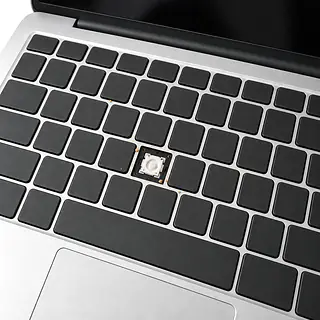
Laptop keyboard not working
Crumbs and worn key contacts can stop individual letters from typing. Restart first. An external keyboard can help separate a built-in keyboard fault from a wider software problem.
Find a repair near you: Laptop keyboard not working
Laptop won't turn on
A failed charger, drained battery or board fault can leave a Dell, HP, Lenovo or MacBook silent. Try another outlet and a compatible charger before assuming the computer is dead.
Find a repair near you: Laptop won't turn on
Battery won't charge
Battery wear, a loose charging port or the wrong power adapter can interrupt charging. If the case bulges or the trackpad lifts, stop using and charging the laptop.
Find a repair near you: Battery won't charge
Computer running slow
Too many startup apps, nearly full storage and a failing drive can cause long pauses. Check storage space and startup settings before blaming a virus.
Find a repair near you: Computer running slow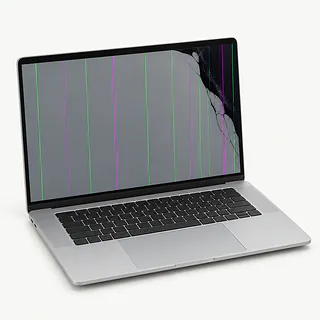
Laptop screen flickering
A failing panel, loose internal connection or graphics software can make the picture flicker. Flickering that changes with the lid angle points toward the display hardware.
Find a repair near you: Laptop screen flickering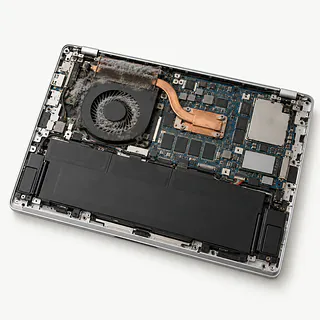
Laptop overheating
Blocked vents and dust packed into cooling fins trap heat. Use a hard, flat surface. A fan that rattles may need replacement.
Find a repair near you: Laptop overheating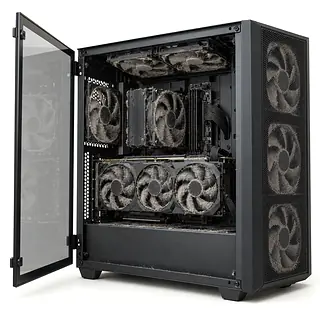
GPU fans not spinning
Some graphics cards stop their fans under light loads. Fans staying still while the card overheats are different, and a shop can test the cooling system.
Find a repair near you: GPU fans not spinningPC turns on but no display
The monitor input or display cable may be the cause even when the tower lights up. Check both before suspecting memory or the graphics card.
Find a repair near you: PC turns on but no display


Inside a laptop or desktop repair
For a computer running slow, the technician checks drive health, available storage and programs loading at startup. Blue screens also call for checking memory and error records. Reinstalling software won't fix failing hardware, and personal files need attention before work that could erase them begins.
A fan that sounds like a hair dryer calls for a look at cooling. Dust blocking the air path gets cleared, and a failing fan may need replacement. Malware cleanup involves removing unwanted software and checking browser changes. Neither job necessarily needs a new drive.
If replacement storage is needed, agree on which documents, photos and applications should move across. Some apps require another installation and sign-in. Final testing should repeat the original problem: opening programs for a slow computer, running a workload for overheating, or checking that unwanted browser redirects have stopped. Anything unplugged during the work needs checking after it's connected again.
When a computer is worth repairing
Replacement starts to make sense when the computer can't run supported software or nobody can source the part it needs. Fixing the screen won't change either limit.
An older MacBook with a worn battery can still be worth keeping if it runs your apps comfortably. The decision gets harder if the keyboard is also broken or a spill has left it shutting off at random. Ask which faults the proposed repair will fix and which will remain.
Check your backup before letting the computer go. A working copy of the documents you need makes moving on easier. If they're stuck on unreadable storage, discuss data recovery separately from repairing the laptop.
Choosing someone to repair your computer
How will you check the keyboard repair?
Every key should work, and so should the trackpad. Recording which functions work when you drop it off helps settle questions at pickup.
What do I owe if I only want a quote?
Finding the fault may carry its own charge. Get that amount agreed before handing over the computer.
Where does the replacement screen come from?
Ask for the supplier's name and whether the panel has been used before. The written quote should identify exactly what's being installed.
Can you work without my password?
Some tests need a login. Discuss using a separate account, who can open personal folders and permission before copying or deleting anything.
Would I pay labor again under the warranty?
A warranty covering only the part could leave you paying to have it installed again. Get covered faults and exclusions on paper.
What if the computer still won't turn on?
Agree how an unsuccessful attempt affects the bill and when further work would need your approval.
Before handing over your computer
Bring details worth testing
Write down exactly what happens, such as fans spinning while the screen stays black. Include when it started and any spill, fall or update just before it.
Check the backup
Open a few saved files on another device to check they're readable. Copy anything missing if your computer works, including files left on the desktop.
Leave personal extras behind
Remove a loose protective shell, unplug accessories and take out accessible cards or discs that eject without force. For a laptop that won't charge, pack its charger.
Plan for password requests
Ask what testing needs a computer password. Discuss using a test login or signing in yourself if the fault only happens under your usual account.
Keep control of account settings
Get the reason before disabling a Mac's Find My setting. Enter your own cloud account details instead of writing them on the repair form.
Computer Repair questions and answers
Is payment due before or after the computer repair?
Payment timing depends on the shop, so settle that before work starts. Ask if parts require a deposit and when the rest of the bill is due.
How do I check on my computer while it's being repaired?
Use the contact method you agree on with the shop at drop-off. Keep any repair ticket or job number so staff can find your computer when you call or message.
More questions
How much does it usually cost to repair a computer?
Computer repair costs depend on the fault and the work needed. Ask for a quote that separates parts, labor and any charge for finding the problem.
How many computer repair shops can I find here?
You can browse 226 computer repair shops in 100 cities. Pick your city, then call to ask if a shop works on your laptop or desktop.
Can I send my laptop to a shop by mail?
That depends on whether the shop accepts repairs by mail. Call before sending it, and ask who pays for shipping back if you decide against the repair.
What affects the wait for a laptop repair?
The wait depends on finding the fault, getting any parts needed and the shop's workload. Testing after the repair also takes time. Ask what could change the pickup estimate.
What goes into the price of a laptop screen repair?
The replacement screen and the labor to fit it shape the price. The laptop model matters because screens differ. Damage to the lid or hinges can add work.
Can computer repair be done remotely?
Yes, some software problems can be handled remotely if the computer starts and connects to the internet. Physical repairs need someone with the computer. Ask whether the shop offers remote help before booking.
Why won't my laptop turn on?
Power can fail at the charger, battery or inside the laptop. Start with a working outlet and an adapter made for that computer. If pressing power produces sound or lights, describe those signs rather than just saying it won't turn on.
Why is my laptop plugged in but not charging?
A charge limit in the settings can deliberately stop the battery filling up. If no limit is set, try a compatible charger. A loose charging port or worn battery can cause the same symptom, and swapping batteries won't repair the port.
Why is my laptop keyboard not working?
Typing settings can make working keys seem unresponsive, while wear or liquid can cause actual keyboard failure. With no spill involved, a reboot is a reasonable first check. Note which letters fail and whether switching apps changes anything.
Why does my PC turn on but have no display?
The PC might be failing to start, or its picture might not be reaching the screen. Fans and case lights can't tell you which. Check both ends of the video cable, make sure the monitor is powered, and select the input you're actually using.
Why is my laptop overheating and the fan so loud?
Heavy software loads and poor airflow can both send laptop fans racing. Keep vent openings uncovered and use a firm, flat surface. If it still gets hot during light tasks or shuts itself off, a shop can test the fan and check for dust blocking cooling.
Why is my computer running slow?
Background programs can keep a computer busy even with nothing obvious open. Check startup apps and remaining storage space. Malware or drive trouble can also cause slowdowns, so a proposed cleanup or hardware swap should come with an explanation of what testing found.