
Find Mac Repair Near You
67 shops say they handle Mac repair. Select a city to see who works in your area.

Computer repair in Philadelphia, PAComputer repair in Cherry Hill Township, NJComputer repair in Wilmington, DEComputer repair in Phoenixville, PA
Why your Mac stopped working

MacBook won't turn on
A drained battery, broken charger or board fault can leave a MacBook unresponsive. Try a working outlet and another compatible adapter. Mention any sounds or lights when describing the fault.
Find a repair near you: MacBook won't turn on
MacBook battery says Service Recommended
Battery wear reduces how much charge it holds. Service Recommended in the Battery section of System Settings is a reason to ask about MacBook Pro or MacBook Air battery replacement.
Find a repair near you: MacBook battery says Service Recommended
MacBook Air screen cracked
A crack with ink-like patches points to a broken screen panel. MacBook Air screen replacement usually involves the lid assembly, including the display, rather than glass alone.
Find a repair near you: MacBook Air screen cracked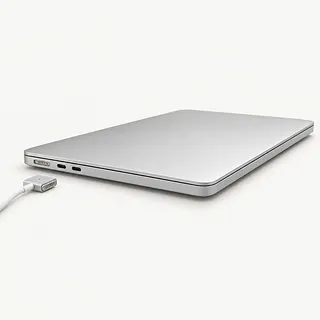
MacBook not charging
The cable, adapter and charging port all need checking before replacing the battery. If another compatible cable restores charging, bring the original along so it can be tested.
Find a repair near you: MacBook not charging
MacBook keyboard not working
Sticking keys and doubled letters are familiar butterfly keyboard faults on affected older models. A keyboard attached to the top case can mean replacing that larger assembly.
Find a repair near you: MacBook keyboard not working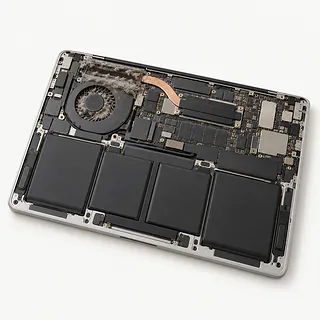
MacBook overheating
Soft furniture can block airflow, while busy apps add heat. Set the MacBook on a desk and close software you're finished using.
Find a repair near you: MacBook overheating
MacBook water damage
Shut it down and disconnect power after a spill. Dry keys don't mean the board escaped liquid, and corrosion can continue inside.
Find a repair near you: MacBook water damage
iMac won't turn on
Check the outlet and power connections before assuming the iMac has failed internally. On a 24-inch Apple silicon iMac, the external power adapter also belongs in the shop's tests.
Find a repair near you: iMac won't turn on


What happens during a Mac repair
A useful first test separates a Mac that has no power from one running behind a dark screen. The shop can check the power source and display, plus the battery on a MacBook, before recommending parts. Describe what happened just before the failure, including any liquid.
The replacement can be larger than the broken piece suggests. MacBook displays usually arrive as complete lids, and keyboards on many models belong to the top case assembly. Opening a slim Intel iMac involves cutting the display adhesive and installing new strips. Ask which existing parts need transferring and what setup follows.
Testing should cover the original symptom with the Mac reassembled. A laptop battery repair needs charging checks, while keyboard work needs a typing test and a trackpad check. Screen work should include brightness adjustment and a look for flicker, lines or blank areas.
When a Mac is worth repairing
Save a copy of your files if the Mac still starts. An Apple silicon MacBook stores encrypted data on chips soldered to its board, so installing another board won't bring back missing photos. Without a backup, ask about recovery before approving that work.
A keyboard repair can be worth doing if typing is the MacBook's only problem. Add a cracked lid, a tired battery and signs of a spill, and replacing the laptop may make more sense. Get those faults covered in writing, including which replacement parts are available.
Check software support before putting more work into an old Mac. It needs security updates and support for the programs you use. An iMac that still handles those programs may only need an SSD to replace its slow spinning drive.
Before agreeing to the work
What's included in the replacement part?
A MacBook display replacement usually includes the lid. Ask about the part's source and condition, and whether the quote includes everything needed to install it.
How does your repair warranty work?
Request written coverage for the installed parts and labor. Read the exclusions too, especially what happens if the original fault returns.
Which functions will you check before and after?
Checks should match the work, such as trying each key after a keyboard replacement. Have the starting symptoms recorded so there's something concrete to compare.
Could the work erase anything or expose personal files?
Point out irreplaceable files before approving work. Ask who needs a login, what they'll open and which repair steps could erase data.
Is testing charged separately if nothing gets fixed?
Settle the testing fee before handing over the Mac. Ask for a call before work goes beyond the agreed quote.
Getting your Mac ready for repair
Photograph anything hard to describe
Capture screen flickering or a startup message if possible. Add a note saying when it first appeared and what the Mac was doing.
Make sure another copy exists
Save documents and photos somewhere you can reach without this computer. If it won't start, tell the counter staff which files aren't backed up.
Agree on password handling
A test user account may allow the checks needed without opening your own account. Keep Apple Account sign-in details to yourself.
Handle the account lock personally
Ask if this job needs Find My turned off. You can change that setting without handing over account credentials.
Set aside unrelated extras
Disconnect accessories and remove protective covers and storage cards. For charging trouble, take the power adapter plus its cable.
Related repairs
Mac Repair: common questions
Where should I start looking for Mac repair?
For a place to call about Mac repair, start with the cities in your state. There are 67 shops nationally who list this work themselves, and you'll need to check that they take your exact model.
Could the damage change what I pay for Mac repair?
The fault and your model both matter to the cost. Before taking it in, phone to ask how the job would be priced.
Could heavy damage make Mac repair take longer?
A shop's first estimate for Mac repair may change after they examine the damage. Contact them by phone to discuss timing, including how much work they have waiting.
Could Mac repair make sense even if I want another device?
An older device may still be worth keeping if you'd use it enough to justify the cost. Check for other damage and files you need to save, and get an estimate before choosing.
What should I do before booking Mac repair?
Ask by phone what to bring for Mac repair, mentioning the case and charger, and check how to handle passcodes. Record which model you have and what's failing, then save accessible files if you can still operate the device.
Why won't my MacBook turn on?
A MacBook that won't start may have a drained battery or a power fault. Try another outlet and a compatible charger and cable. A failed screen can also make a running MacBook look dead.
Why is my MacBook not charging?
The battery isn't necessarily the reason your MacBook won't charge. A damaged cable or poor connection at the port can cause the same trouble. Start with a charger known to work with your model before agreeing to battery replacement.
Does Service Recommended mean my MacBook needs a battery replacement?
Service Recommended usually points to a worn MacBook battery, though it can also mean the battery isn't working normally. Note any unexpected shutdowns or poor battery life. The message alone doesn't identify the exact fault.
Does a MacBook screen replacement include the lid?
A MacBook generally gets a complete display unit when its screen is replaced. That usually includes the surrounding lid, even when the visible break seems small. Changing just the glass isn't the usual repair.
Why is my MacBook keyboard not working?
MacBook keyboard trouble can come from a key mechanism or a fault affecting the whole keyboard. Some older MacBook Pro and MacBook Air models have butterfly keys known for sticking or repeating letters. Replacement may include the top case that holds the keyboard.
Why won't my iMac turn on?
An iMac may stay off because power isn't reaching it or because internal hardware has failed. Check the outlet and power cord connections. On a 24-inch Apple silicon iMac, include the external power adapter in those checks.