
Find iMac Repair Near You
For iMac repair, you can browse 31 shops that say they offer it. Pick your state, then look for your city.
Cities to check for iMac repair
Common iMac repair problems

iMac running slow
A spinning hard drive or Fusion Drive often holds back an older iMac. Nearly full storage and busy apps can also cause delays, so check available space and Activity Monitor before choosing an SSD upgrade.
Find a repair near you: iMac running slow
iMac won't turn on
A loose power connection or failed power supply can leave it completely unresponsive. Try a working wall outlet and reseat accessible plugs. Include the external adapter when testing a 24-inch Apple silicon iMac.
Find a repair near you: iMac won't turn oniMac won't boot
A stalled progress bar or flashing question mark can point to startup software or storage trouble. Disconnect accessories you don't need and restart. Tell the shop if important files aren't backed up.
Find a repair near you: iMac won't bootiMac black screen
Fan noise with no picture means the computer has power, though it may not have finished starting. Turn the brightness up. The display, its power and startup behavior need separate checks.
Find a repair near you: iMac black screen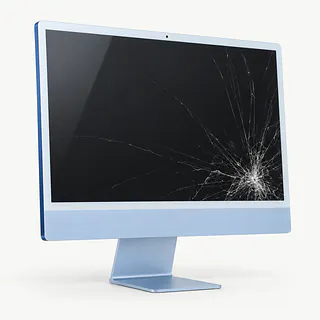
Cracked iMac screen
Cracks with dark patches point to a broken display panel. Slim Intel iMacs use adhesive to hold the display in place, so screen replacement includes removing that seal and installing fresh strips.
Find a repair near you: Cracked iMac screen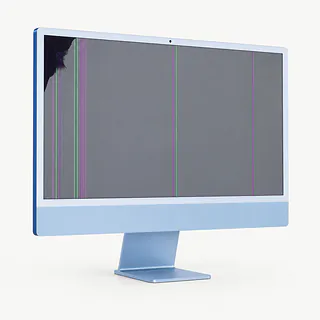
Screen flickers or shows lines
Lines can come from the panel or the hardware driving it. Note whether they appear during startup or only inside one app, since that changes what gets tested.
Find a repair near you: Screen flickers or shows lines


What iMac repair involves
A silent iMac needs the outlet, cable and power supply checked. If it makes a startup sound with no picture, the screen needs testing too. Describe exactly where startup stops, and mention any clicking from an older hard drive.
Replacing the failed part
An SSD can take the place of a slow mechanical disk, with macOS installed and files copied over if readable. When a slim Intel iMac's display is removed, its adhesive has to be cut and new strips installed before the screen goes back.
Checking the finished repair
Try a repaired screen at different brightness settings and watch for stripes or flashes. Following drive replacement, start the computer, launch a familiar program and open a few saved files to check that the transfer worked.
Deciding whether to keep your iMac
An older iMac can be worth fixing if one fault stands between it and the work you need done. Slow mechanical storage is a common example. An SSD may help, provided the computer still supports suitable software and security updates.
Add up the unfinished jobs before approving a repair. A cracked display plus startup trouble needs a fuller quote than either fault alone. Confirm that parts matching the exact model are available.
Photos without a backup may matter more than keeping the computer. Discuss recovery before storage is erased or replaced, and decide separately whether the iMac itself belongs back on your desk.
Questions to ask about an iMac repair
Will you contact me before adding work?
Start with a written quote that separates testing from repair. Establish what remains payable if you stop after the initial checks.
What condition is the replacement part in?
Have the paperwork identify whether the part is new, refurbished or used, along with its source. A display also needs to match the exact iMac model.
Can you check the power supply before blaming the board?
The external adapter matters on a 24-inch Apple silicon iMac that won't start. Ask what evidence supports the proposed repair and which startup checks follow the work.
Which parts of the job carry warranty coverage?
Request a copy explaining coverage for both parts and installation. Find out how the terms apply if the same symptom reappears.
Will any step change or remove my data?
Make preserving the files a condition of approval if they're irreplaceable. Set limits on login use and ask to discuss erasing or replacing storage separately.
A few things to do before drop off
Put another copy somewhere accessible
Use a backup drive or cloud storage if the computer works. Check that the saved documents open before handing it over.
Pack only relevant accessories
Leave removable storage and unrelated peripherals behind. An Apple silicon iMac's power brick belongs with the computer for a power fault.
Describe the failure precisely
Write when it started and what triggers it. Distinguish a completely silent iMac from one with fan noise and no picture.
Set a boundary on passwords
Agree which checks require signing in and whether a test user would work. Don't provide the password tied to your Apple Account.
Handle Find My yourself
On supported models, ask if Find My has to be disabled for the repair. Adjust it yourself if the work requires that.
Related repairs
iMac Repair: common questions
Where can I take my iMac for repair?
For a place to call about iMac repair, start with the cities in your state. There are 31 shops nationally who list this work themselves, and you'll need to check that they take your exact model.
Who can give me an estimate for iMac repair?
Your exact model and the damage affect the price. When you call, describe what happened and ask what you would be paying for.
Should I expect a long wait for iMac repair?
On the phone, ask the shop to estimate the time for iMac repair, including any queue. They may revise that estimate if the damage needs more work than expected.
When is it time to stop repairing an old device?
Get the quoted cost first, then decide how much keeping the device is worth to you. Think about its age, damage beyond the main problem and files you care about as part of that choice.
Can I do anything at home to prepare for iMac repair?
If you're able to use the device, copy accessible files and note its full model name and how it failed. Check by phone about keeping the case on, taking the charger and dealing with the passcode.
Why won't my iMac turn on?
An iMac that won't turn on can have a power supply fault rather than a failed logic board. Check the power connection and try another outlet. On a 24-inch Apple silicon model, the external adapter also needs to be ruled out.
Why is my iMac screen black?
A dark screen can mean the picture has failed while the computer still has power. Check the brightness setting and note any fan or startup noise. Those clues help a technician decide whether to test the display or investigate why macOS isn't loading.
Why won't my iMac boot past the Apple logo?
A software fault or unreadable drive can stop an iMac partway through startup. Leave the mouse and keyboard connected, unplug other USB devices and restart. Point out files with no other copy before anyone erases storage or reinstalls the system.
Why is my iMac running slow?
An older iMac with a spinning hard drive or Fusion Drive may be held back by its storage. Moving to an SSD is a common fix for those models. A 24-inch Apple silicon iMac has soldered storage, so that upgrade advice doesn't apply.
Can a cracked iMac screen be replaced?
Yes, a replacement screen can repair a cracked iMac display if the correct part is available. For slim Intel versions, the job also includes replacing the adhesive that holds the display in place. Ask whether the replacement is new or used.