
Find Graphics Card Repair Near You
In New Jersey, New York, and Pennsylvania, 9 shops advertise graphics card repair through their own websites. Visitors can walk in at 3 shops, and each says so on its own website.
Graphics Card Repair by city
Shops that list graphics card repair
No town has enough of them for its own page yet, so here they are directly. Not paid placements.
- Street TalkDeptford, NJ“Graphics Card Repair”
- ElitePC NJ - IT services & Computer RepairGarfield, NJ
- Computer TechlineGlassboro, NJ“Dell Alienware Laptop Repair - Video Card Replacement”
- Orada Tech RepairHazlet, NJ“DC jack repairs, broken traces, GPU re-flows, and other board-level…”
- Computrex Computers & ElectronicsNorristown, PA“Malfunctioning video card”
- InOs ComputersPhiladelphia, PA
- IT Care GeeksPhiladelphia, PA“GPU & Graphics Card Repair”
- Flushing Mac and PC Repair (Neighbor Computer)Queens, NY“GPU Diagnosis & Replacement”
- Springfield Computer & Phone Repair by GSK TECHNOLOGIESSpringfield, PA
Signs your GPU needs attention
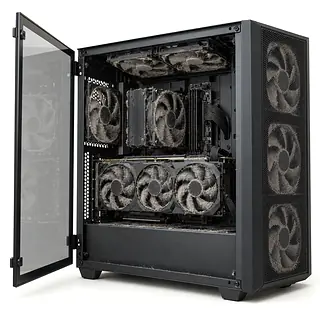
GPU fans not spinning
Some graphics cards keep their fans stopped until the card warms up. Still fans at an idle desktop can be normal. Fans that stay stopped as the GPU overheats give a shop reason to test the cooling.
Find a repair near you: GPU fans not spinning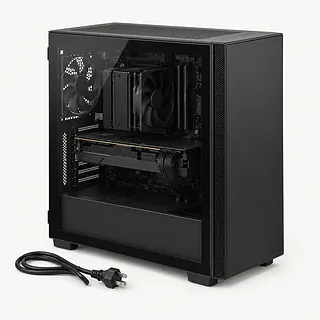
PC turns on but no display
A monitor cable connected to the motherboard instead of the graphics card is a common cause. Check that external connection and try another display cable. A shop checks the card's seating and power plugs before blaming the GPU.
Find a repair near you: PC turns on but no displayColored blocks across the screen
Colored blocks, stripes and flashing patterns are called artifacts. They point toward graphics hardware or cooling trouble. Note whether they appear during startup or only once a game is running.
Find a repair near you: Colored blocks across the screenGraphics card fans sound loud
Dust packed into the heatsink and dried thermal paste can make the card run hot, with fans working harder to cool it. A fan that rattles may also need replacement.
Find a repair near you: Graphics card fans sound loud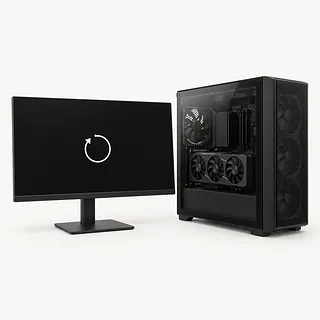
Computer crashes during games
Crashes under load can come from a failing GPU, overheating or a weak power supply. The crash alone doesn't tell you which part needs replacing.
Find a repair near you: Computer crashes during gamesGPU power connector looks melted
An incompletely seated sixteen-pin connector has been linked to melting on some high-end NVIDIA cards. Turn the computer off and leave it off. Both the card's power connection and its cable need attention.
Find a repair near you: GPU power connector looks melted


Inside a graphics card repair
A comparison with known working hardware helps show whether the GPU is actually failing. Before that test, the repairer checks where the monitor is connected and whether the card and its power connectors are fully seated. Similar crashes can come from other parts of the PC.
Cooling work can mean removing dust, installing a replacement fan and changing worn thermal paste or pads. A burned connector needs its matching cable checked too. Ask specifically about chip-level repair if the fault goes beyond those parts, since that work requires specialist equipment and skills.
Reassembly includes fastening any removed cooling parts and plugging the fans back in. The card then needs testing during demanding work, watching for excess heat, stopped fans and colored patterns on screen. Laptop graphics repair usually involves the main board because most laptop GPUs aren't removable cards.
Deciding what to do with a failed GPU
Laptop graphics trouble changes the decision because the GPU is usually soldered onto the main board. Ask about motherboard repair and replacement, and check part availability before approving either. Include other faults, such as broken hinges or charging trouble, in that discussion.
For a desktop, replacing a fan may be worth doing on a card that still meets your needs. An aging GPU without drivers that work with your software is harder to justify repairing. Specialist chip work also needs weighing against the computer's remaining usefulness.
Graphics failure generally leaves stored documents intact, even when you can't see them. Ask about access to those files if you decide to replace the computer.
What to ask the repair shop
Should I bring the whole tower?
The complete PC lets the technician check loose connections and test its power supply. A card alone can't show everything that went wrong.
Will you check it with a game running?
A card can show a desktop yet crash during games. Ask for another test under load after the work.
Are the replacement fans new or used?
Get the fan's source and condition on the quote, along with confirmation that it matches your card's cooler.
What does your warranty pay for if it fails again?
Check if another failure means paying for labor again, even when the replacement part is covered. Keep those terms in writing.
Will you need my computer password?
Your photos and documents aren't needed for graphics tests. A temporary account may work if testing requires signing in.
What do I owe if I leave it unrepaired?
Settle the testing charge before drop-off, including what you'd owe if you leave with a broken card.
What to prepare before drop-off
Copy files while the computer works
Back up documents and photos if the PC is usable. Tell the technician if a blank screen prevents a backup.
Set up limited access
Ask whether a separate test login will work. Keep email and gaming account passwords out of the repair notes.
Check before changing account protection
Leave security settings alone unless the shop explains a needed change. Enter personal account credentials yourself when possible.
Confirm what to bring
Find out whether testing needs the whole tower or laptop. Unplug external storage and remove memory cards and unrelated accessories.
Record the first signs
Note when trouble started and which games trigger crashes. A phone photo of colored blocks or stripes can help when the fault disappears.
Related repairs
Graphics Card Repair: common questions
How much should I set aside for graphics card repair?
Your exact model and the damage affect the price. When you call, describe what happened and ask what you would be paying for.
Would a busy shop need extra time for graphics card repair?
For graphics card repair, a shop can estimate the wait, but that estimate may change as they learn more about the damage. Call to request a rough timeframe that also accounts for their workload.
Is a repair quote enough to tell me whether to replace a device?
Ask how much the work would cost before deciding, even if you've had the device for years. Compare the quote with its age, any other damage, the files stored on it and how much you still need it.
What do I need to do ahead of graphics card repair?
Keep the model name and a short note about the fault handy, and back up what you can on a device that still runs. Talk through how to handle the passcode, case and charger when you call.
Can a graphics card be repaired?
Yes, some graphics card faults can be repaired by replacing fans, renewing thermal pads and paste, or repairing a damaged power connector. Chip-level board repairs need specialist equipment and skills, and a replacement card may be proposed instead.
Why are my GPU fans not spinning?
GPU fans may stay off under a light workload on cards designed for that behavior. Fans that won't run as heat builds need a closer check, especially if games also crash or the screen starts showing colored blocks.
Why does my PC turn on but have no display?
The monitor may be plugged into a motherboard port while your PC uses a separate graphics card. Check that outside connection first. A technician can check inside for a card that isn't seated properly or a loose power plug.
Why is my graphics card showing colored blocks or lines?
Screen artifacts can come from a failing GPU or trouble keeping it cool. Crashes during games and loud fans add useful clues. Testing with another card or computer helps separate the GPU from other possible causes.
Can a laptop graphics card be repaired?
Laptop graphics repair usually means work on the motherboard because most laptop graphics chips are soldered to it. A failed chip may call for specialist board repair or motherboard replacement, rather than a desktop-style card swap.
Can a melted GPU power connector be repaired?
Repair may be possible after a GPU power connection melts, depending on the card's damage. Stop using the PC and disconnect wall power. Some high-end NVIDIA sixteen-pin connections have melted when not fully seated, and the cable also needs checking.