
Find Microsoft Surface Repair Near You
As of October 2026, 15 shops in California and Texas have Microsoft Surface repair on their website service lists. On their own websites, 15 shops invite people to walk in even if they haven't booked.
Microsoft Surface Repair by city
Shops that list Microsoft Surface repair
No town has enough of them for its own page yet, so here they are directly. Not paid placements.
- CPR Cell Phone RepairChula Vista, CA
- CPR Cell Phone RepairDallas, TX
- Techy BammelHouston, TX
- CPR Cell Phone RepairHouston, TX
- CPR Cell Phone RepairHouston, TX
- CPR Cell Phone RepairHouston, TX
- CPR Cell Phone RepairMesquite, TX
- CPR Cell Phone RepairMissouri City, TX
- CPR Cell Phone RepairPoway, CA
- CPR Cell Phone RepairRichmond, TX
- CPR Cell Phone RepairRosenberg, TX
- CPR Cell Phone RepairSan Antonio, TX
- CPR Cell Phone RepairSan Jose, CA
- CPR Cell Phone RepairSan Jose, CA
- CPR Cell Phone RepairWylie, TX
Common Surface repair problems
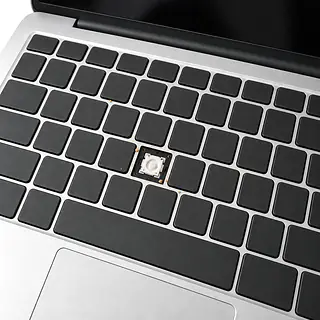
Surface keys won't type
Spills and worn key mechanisms can leave gaps in your typing. For Surface Pro, a working compatible Type Cover helps separate a keyboard fault from trouble with the tablet.
Find a repair near you: Surface keys won't type
Surface won't start
Power may not be reaching the device. Try a working outlet with its own power supply after removing connected accessories. A black display alone doesn't prove the whole computer is off.
Find a repair near you: Surface won't start
Surface dies when unplugged
A battery that can't supply power can leave a Surface dependent on its charger. Microsoft directs owners to request service for this symptom.
Find a repair near you: Surface dies when unplugged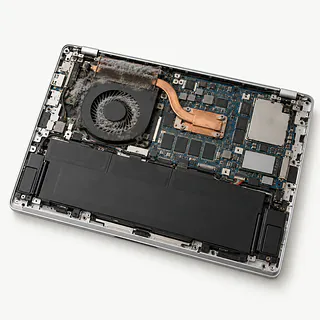
Surface gets too hot
Heavy workloads generate heat, and restricted airflow makes cooling harder. Repeated shutdowns during ordinary use deserve a cooling check.
Find a repair near you: Surface gets too hot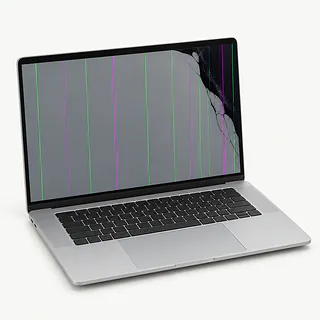
Surface picture keeps flashing
A troublesome display driver or screen fault can cause flickering. Install available Windows updates if the device remains usable, and record the flashing if it comes and goes.
Find a repair near you: Surface picture keeps flashing
Surface feels slow
Startup programs can compete for memory before you've opened anything yourself. Check startup app settings and disable programs you don't need launching automatically.
Find a repair near you: Surface feels slow
Surface plugged in without charging
The charger, charging connection or battery may be at fault. Bring the power supply with the Surface so a shop can test them together.
Find a repair near you: Surface plugged in without charging
Surface glass is broken
A corner impact can leave cracks across the touch surface even when the image looks normal. Screen repair needs to account for both touch response and the displayed picture.
Find a repair near you: Surface glass is broken


From Surface testing to repair
Separating a Windows fault from broken hardware comes before ordering parts. A shop can check power delivery, compare keyboard response and test the display according to the symptom. Bring your charger and any detachable keyboard involved in the failure.
A cracked screen, worn battery and damaged charging port each call for different work. The Surface family covers several designs, so ask for the actual model and replacement part to appear on the written quote. If replacing the device is proposed, clarify how your files and apps will be restored.
Final checks need to cover the repaired part and anything disturbed during the work. Try taps near screen edges, confirm the charger stays connected normally, and check a fresh startup. If software was reset, account setup and restoring saved files may still remain.
Keeping or replacing a Surface
A repair won't make an underpowered Surface better suited to your work. If it already struggled with the programs you need, weigh that limitation alongside the broken part. Keeping it is easier to justify when its speed and screen still suit you.
Check the condition of the whole device, including loose hinges or a damaged kickstand where present. Request written details naming the parts that are available for your model. Older hardware also needs an operating system that still receives security fixes. Look up remaining warranty coverage through your Microsoft device account.
Replacing the Surface doesn't bring its local files along. Arrange copying or recovery before agreeing to erase it or surrender it for replacement. Microsoft's mail service recommends a backup followed by erasure before shipping.
What to ask before leaving your Surface
Can you test the keyboard separately from the Surface?
For a Surface Pro with dead Type Cover keys, testing a compatible keyboard helps separate keyboard trouble from a fault in the tablet. Ask what evidence supports the proposed replacement.
Could this job erase anything saved locally?
Point out documents that exist nowhere else. Have the shop explain any planned Windows reset or storage replacement, plus who would sign in during testing.
Where will the battery or screen come from?
Request the supplier, condition and exact model match on the written quote. A part described only as a Surface screen doesn't tell you enough.
If the repair fails, which work is covered?
Read the warranty exclusions before approving the job. Find out whether another part, installation and repeat checks fall under that coverage.
Is there a fee if I decide to stop?
Testing alone may leave a bill. Have that charge recorded, along with the point where the shop needs permission to continue.
Get your Surface ready for drop-off
Protect documents before any reset
Back up locally saved work if you can still reach it. For a return to Microsoft, Microsoft recommends backing up and then erasing the device.
Record the failure in plain words
Include when symptoms appeared and what changed beforehand. Say if the picture disappears but sound continues, or a particular row of keys stops responding.
Bring the items tied to the fault
A troublesome power adapter belongs with a charging complaint. Detach unrelated USB accessories, remove any inserted storage card and leave the protective case behind.
Set boundaries for passwords
Agree on a test login before drop-off. Handle Microsoft account access yourself rather than sharing its password.
Store the drive unlock key elsewhere
For encrypted storage, make the recovery key available without using this Surface. Windows can ask for that key after parts are changed.
Related repairs
Microsoft Surface Repair: common questions
Will the extent of the damage affect my Microsoft Surface repair bill?
More extensive damage may raise the price of Microsoft Surface repair. Call to explain what's stopped working, give the model name and check how the quoted amount breaks down.
Should I expect a long wait for Microsoft Surface repair?
For Microsoft Surface repair, a shop can estimate the wait, but that estimate may change as they learn more about the damage. Call to request a rough timeframe that also accounts for their workload.
Is a repair quote enough to tell me whether to replace a device?
Replacing a device and getting data off it can be separate decisions. Request a quote before spending, and judge it against the device's age, any other damage and what the device and its contents mean to you.
Where should I start when preparing for Microsoft Surface repair?
Check during your call whether the charger is needed, how to handle any case and what to do with a passcode. Write out the full model name and what failed, and copy your data if the device still operates.
Why won't my Surface turn on?
Battery power and attached devices are useful starting checks for a Surface that won't start. On battery-equipped models, unplug accessories and charge using the device's own supply before trying a power-button hold until you see the logo.
Why is my Surface plugged in but not charging?
Your Surface may be limiting its battery charge through a setting, or its charger may be failing. Look for Battery Limit or Smart charging first. If your power connector includes an LED that stays dark, the supply may be at fault.
Does my Surface need a battery replacement?
Losing power as soon as you disconnect the charger calls for service on a battery-powered Surface. Ask for battery and charging checks before approving replacement, since unplugged shutdowns don't identify the failed part by themselves.
Why is my Surface screen flickering?
Surface screen flickering can come from software or display hardware, so replacing the screen isn't automatically the answer. Restart and check for Windows updates. Note whether the flicker appears before Windows loads or only inside a particular app.
Why is my Surface keyboard not working?
The Type Cover itself or the place it connects can explain a Surface Pro keyboard failure. Try reconnecting the keyboard and restarting Windows. If keys still fail, a shop can compare its behavior with a compatible working cover.
Why is my Surface overheating and the fan so loud?
Covered vents or sustained processing work can explain heat and fan noise on Surface models that have fans. Give the vents room and look for apps using lots of processing power. Recurring shutdowns or overheating under a light workload warrant a closer check.