
Find Dell Laptop Repair Near You
According to their own websites, 10 shops take on Dell laptop repair. Go to a state or city to look closer to home.
Dell Laptop Repair by city
Shops that list Dell laptop repair
No town has enough of them for its own page yet, so here they are directly. Not paid placements.
- Laptop Service CenterBoothwyn, PA
- Computer Systems & SolutionsEssington, PA
- Computer TechlineGlassboro, NJ“Dell Vostro Laptop Repair - Motherboard Replacement (NJ)”
- uBreakiFix - Phone and Computer RepairGlen Mills, PA“Dell Inspiron Repair”
- Main Line Philly TechGulph Mills, PA
- Orada Tech RepairHazlet, NJ“Dell XPS Dell Inspiron Dell Latitude”
- Red Tree TechLansdale, PA
- JY Computer Services – Automation & ITMarlboro Township, NJ
- i Product Fix, LLCMedford, NJ
- MDrepairs Data RecoveryMiddletown Township, NJ
Common Dell laptop problems
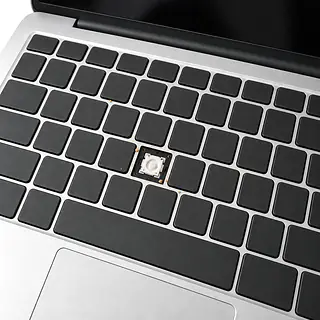
Dell laptop keyboard not working
Worn keys or spilled liquid can leave letters missing or repeating. Restart if there's been no spill. On many consumer laptops, keyboard replacement includes the palm rest it's attached to.
Find a repair near you: Dell laptop keyboard not working
Dell laptop won't turn on
A failed charger or drained battery can leave it silent. Try another outlet and a compatible adapter. Note any repeating power light pattern, since it can point to a hardware fault.
Find a repair near you: Dell laptop won't turn on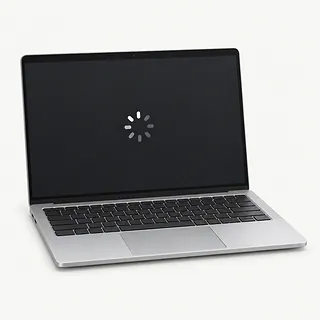
Laptop running slow
Too many startup apps or nearly full storage can make Windows crawl. Check Task Manager for programs using lots of memory or keeping the drive busy.
Find a repair near you: Laptop running slow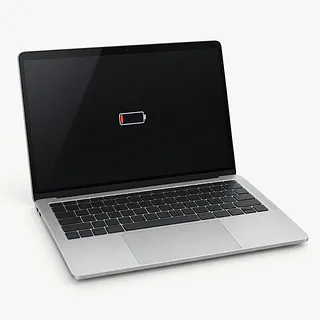
Battery runs down quickly
Battery wear reduces how much charge it holds. A raised trackpad or case separating at the seams can signal swelling. Stop using and charging the laptop if that happens.
Find a repair near you: Battery runs down quickly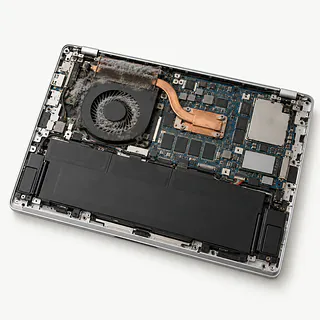
Laptop overheating
Covered vents and dust buildup trap heat. Use a hard surface with space around the vents. Repeated heat shutdowns warrant a cooling check.
Find a repair near you: Laptop overheating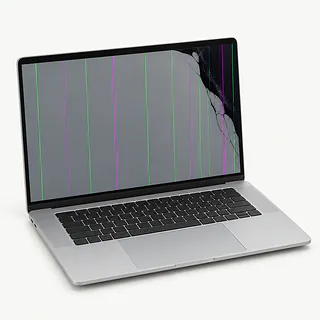
Laptop screen flickering
A display driver, loose screen connection or failing panel can cause flickering. Notice whether it starts inside one app or changes as the lid moves.
Find a repair near you: Laptop screen flickering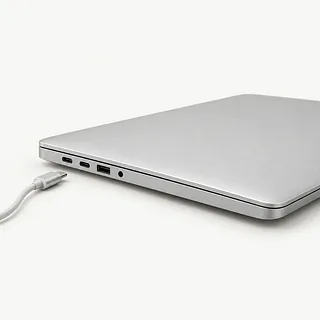
Dell laptop not charging
An unrecognized or underpowered adapter can stop charging on Dell laptops. Bring the charger along so a shop can test it with the computer.
Find a repair near you: Dell laptop not charging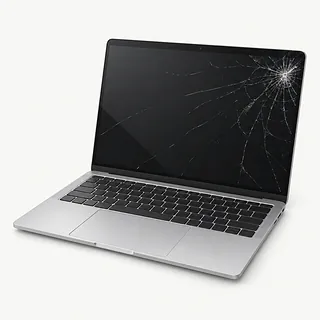
Laptop screen cracked
A crack with dark blotches usually means the display panel is broken. Replacing the panel may be enough, though bent hinges or a twisted lid add repair work.
Find a repair near you: Laptop screen cracked


From the first test to reassembly
Keys that skip letters get tested before anyone orders a keyboard. For a black screen, the first check is whether the laptop starts at all. Dell's preboot hardware diagnostics and patterned power light blinks can help track down a hardware fault.
The keyboard may be attached to the upper cover where your hands rest. On many consumer models, replacing it means changing this palm rest assembly and moving usable pieces across. A screen or battery also needs matching to the model, even if another part looks similar.
After a motherboard repair, Windows device encryption or BitLocker may ask you to enter a recovery key, usually stored in your Microsoft account. Before pickup, checks should include charging and a fresh startup. A repaired display needs a steady picture as the lid moves, and the technician should try whatever previously made the laptop fail.
When keeping a Dell makes sense
A single worn battery or broken screen can be worth fixing if the Dell still handles your work. Several faults together change that calculation. Include loose hinges, charging that cuts out and keys that already miss letters.
Check software support before committing to an older laptop. Its Windows version should receive security updates and run the programs you need. Request a written quote naming the parts, and ask if suitable replacements are available for the exact model.
Files without a backup deserve a separate decision. Tell the shop which documents or photos matter before approving a drive replacement or Windows reinstall. Recovering those files may matter even if you retire the computer.
What to check before handing over your Dell
How will you separate a charger fault from a laptop fault?
Testing with a compatible adapter helps narrow down a Dell laptop that won't charge. An adapter warning matters because an unrecognized or underpowered charger can stop the battery charging.
What exactly does the replacement part include?
A keyboard job can involve the whole palm rest on some Dell laptops. Have the quote identify the assembly, its source and whether it has been used.
Which faults does your repair warranty cover?
Ask how coverage applies to the part and the labor. Get the exclusions written down, along with what happens if the original symptom returns.
Will testing require access to my Windows account?
Some hardware checks run before Windows loads. Agree on any login access separately, and flag files that exist only on this laptop.
Is fault testing charged separately if I stop there?
Establish what you owe if testing ends without a repair. Additional work should need your approval.
What to bring and what to save
Start with what happened
Describe the first failure and anything just before it, such as a spill. Mention a screen that flickers when the lid moves, even if it looks fine sitting still.
Save another copy
Back up files you can't replace while the Dell still runs safely. If it won't start, tell the technician which folders hold your only copies.
Settle how the technician signs in
Find out whether testing requires your usual Windows desktop or a temporary user. Handle Microsoft account changes yourself without giving out its password.
Find the drive's recovery key
Check your Microsoft account for a saved BitLocker key. An encrypted drive can ask for it following a motherboard replacement.
Pack around the problem
Include the power adapter when charging fails. Disconnect USB extras, empty any memory card slot and remove a clip-on shell.
Related repairs
Dell Laptop Repair: common questions
How do I find local help with Dell laptop repair?
The 10 shops you can search by city all say they offer this service. Ask about your model and fault before deciding where to go.
How much should I set aside for Dell laptop repair?
You can help the shops price the job by naming your model and describing the fault. Ask which work that estimate would cover.
Should I expect a long wait for Dell laptop repair?
Start by requesting a rough timeframe for Dell laptop repair over the phone. The shop may need to adjust it once they know the extent of the damage and where the job fits into their schedule.
At what point should I replace my Dell laptop instead?
Pay only what keeping the device or getting its data back is worth to you. Request a quote for Dell laptop repair first, checking its age and any other damage before you choose.
What should I tell the person handling my Dell laptop repair?
Ask by phone what to bring for Dell laptop repair, mentioning the case and charger, and check how to handle passcodes. Record which model you have and what's failing, then save accessible files if you can still operate the device.
Why won't my Dell laptop turn on?
A charger failure, battery fault or internal power problem can leave a Dell laptop unresponsive. Try another outlet and disconnect accessories. If its power or battery light flashes in a pattern, record that pattern because it can point to a hardware fault.
Why is my Dell laptop plugged in but not charging?
An unrecognized or underpowered charger can explain a Dell battery that won't charge while plugged in. Look for a power adapter message, then test with a charger suitable for that laptop. The battery, connector or charging circuit could also be at fault.
Why is my Dell laptop keyboard not working?
A keyboard that stops responding can have a Windows problem or a physical fault. Restart and see whether an external keyboard works. On some Dell laptops, replacing the built-in keyboard means replacing the palm rest assembly too.
Why is my Dell laptop screen flickering?
Screen flicker can start in the panel, display cable or graphics software. Watch for changes when you adjust the lid, and compare what you see with the picture on a separate monitor before assuming the screen needs replacement.
Why is my Dell laptop overheating and the fan so loud?
A fan that sounds like a hair dryer may be pushing heat through dusty or covered vents. Games can make it loud too. Try a bare desk, look for busy apps, and have a technician check cooling if heat keeps shutting it down.
Why is my Dell laptop running slow?
A packed drive or apps running in the background can bog down your Dell, and heat or failing storage can do the same. Check what starts automatically and how much drive space remains. Dell's built-in tests can check hardware before the operating system loads.