
Find HP Laptop Repair Near You
In their own words, 8 shops offer HP laptop repair. Browse the states to find help close to home.
HP Laptop Repair by city
Shops that list HP laptop repair
No town has enough of them for its own page yet, so here they are directly. Not paid placements.
- Laptop Service CenterBoothwyn, PA
- Computer Systems & SolutionsEssington, PA
- GSK TECHNOLOGIES, LLCFolsom, PA“Support & Repair for HP Laptop & Desktop”
- Computer TechlineGlassboro, NJ“HP CQ Laptop Repair - Keyboard Replacement (PA)”
- Orada Tech RepairHazlet, NJ
- Red Tree TechLansdale, PA
- JY Computer Services – Automation & ITMarlboro Township, NJ
- MDrepairs Data RecoveryMiddletown Township, NJ
HP laptop symptoms and causes
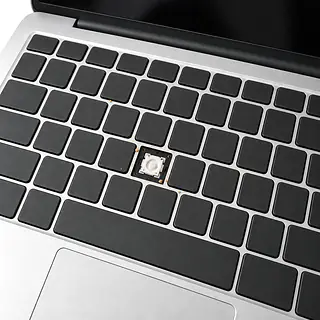
HP laptop keyboard not working
Worn keys or a spill can leave gaps in your typing. Restart if the keyboard suddenly stops responding and there's been no spill. On many consumer laptops, keyboard replacement includes the palm rest cover.
Find a repair near you: HP laptop keyboard not working
HP laptop not turning on
A failed charger can leave the laptop silent. Unplug it, hold the power button, then release and reconnect a known good compatible charger. Record any repeating startup light pattern.
Find a repair near you: HP laptop not turning on
Laptop running slow
Too many startup apps can bog down Windows. Check Task Manager for programs keeping the processor or storage busy before assuming the laptop needs new parts.
Find a repair near you: Laptop running slow
Battery runs down quickly
Battery wear reduces how much charge it holds. Heavy software also uses more power, so short battery life alone doesn't settle whether an HP laptop battery replacement is needed.
Find a repair near you: Battery runs down quickly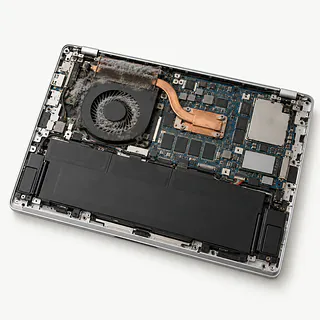
Laptop overheating with a loud fan
Covered vents trap heat. Set the laptop on a desk and close demanding programs. A fan that rattles during light use may need repair.
Find a repair near you: Laptop overheating with a loud fan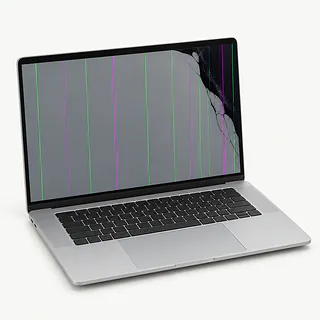
Screen flickering or staying black
A loose display connection or failing panel can interrupt the picture. Notice whether tilting the lid changes it. Lights and fan noise mean a black screen isn't necessarily lost power.
Find a repair near you: Screen flickering or staying black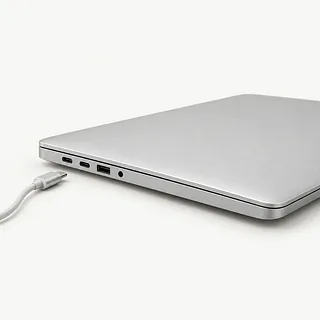
Laptop plugged in but not charging
The adapter, charging port or battery may be at fault. A shop can test them separately before replacing anything.
Find a repair near you: Laptop plugged in but not charging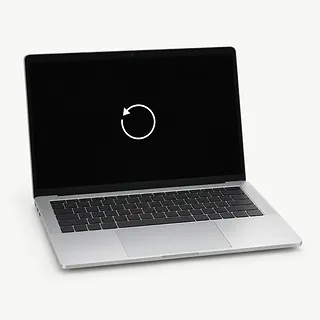
Computer blue screen
Driver faults and failing hardware can both trigger Windows crashes. Save the stop code shown on screen, especially if the laptop keeps restarting.
Find a repair near you: Computer blue screen


How an HP laptop gets tested
For a laptop that won't charge, a working adapter helps separate charger trouble from a fault inside the computer. Record any patterned startup blinks so the technician can see what happened when it wouldn't start.
Pavilion, Envy or Omen alone doesn't identify the right part. A replacement display or battery needs to match the particular model. Many consumer keyboards are fixed to an upper cover, which may need replacing with the keys. That job can also involve transferring working pieces from the original housing.
Find your Windows encryption key before board work starts, since Windows may request it afterward. It's often saved with your Microsoft account. Before return, checks should include running on battery power, plugging in to charge and trying whatever was fixed, such as typing across a replacement keyboard.
When an older HP is worth keeping
A broken screen needn't end an HP laptop's useful life. If it ran your programs comfortably before the screen cracked, replacing the display may be enough. Add a battery that won't hold a charge and plastic splitting around a hinge, and there's more to weigh.
Check your backups before making the call. Buying another laptop won't bring over documents saved only on this one. Tell the technician what needs saving before allowing a drive swap or Windows reinstall.
An aging machine also needs software that still gets security patches. Ask which matching parts can actually be ordered and get the proposed repair in writing. Decide how useful the repaired laptop would be for the work you do.
Choosing someone to repair your HP laptop
Could the proposed work erase anything?
Replacing storage or reinstalling Windows can affect saved files. Make keeping your files part of the job instructions, and settle who needs account access for testing.
What would I owe if testing ends without repairs?
Finding why an HP laptop won't start can involve paid work even without a repair. Request a written stopping point so additional work isn't assumed.
Where does the replacement battery or screen come from?
Have the quote identify the part and say if it's new, used or refurbished. A replacement screen should still support touch if your laptop has a touchscreen.
Can you compare its behavior before repair and afterward?
Describe the exact trigger, such as losing power when unplugged. A successful startup alone doesn't show that a battery complaint has been fixed.
If the repair fails, what does your warranty provide?
Get the exclusions as well as the coverage on paper. Clarify responsibility for replacement parts and the labor needed to install them again.
What to bring and what to save
Save data while Windows still loads
Put irreplaceable files on separate storage and confirm they're readable. If startup fails, tell the shop which files lack a backup.
Keep account credentials under your control
Settle which Windows tests require signing in and whether another user account will work. Handle Microsoft account settings without disclosing its password.
Check access to your recovery key
Encrypted Windows storage may need unlocking following a motherboard replacement. The recovery key is often stored with the Microsoft account.
Pack for the reported fault
Bring charging equipment for battery or power trouble. Leave detachable covers, memory cards and USB storage at home.
Leave a written symptom history
Include the first failure, any spill or drop, and what triggers it. Describe repeating light flashes rather than just writing won't start.
Related repairs
HP Laptop Repair: common questions
Who can I ask about fixing my HP laptop?
For a place to call about HP laptop repair, start with the cities in your state. There are 8 shops nationally who list this work themselves, and you'll need to check that they take your exact model.
What would HP laptop repair cost in my case?
Call to describe the problem before asking how much the job will cost. The model and extent of the damage help determine the work you're paying for.
Should I expect a long wait for HP laptop repair?
Phone the shop to discuss the damage and request an approximate timeframe for HP laptop repair. They cannot be certain of the finish date if the work needed or their schedule changes.
Does the age of my HP laptop mean I should replace it?
If the only copy of an important file is on the device, that matters too. Ask for a quote, then weigh the cost, its age, any other faults and what keeping it is worth to you.
What should I bring when I go for HP laptop repair?
Make a backup of anything you can still access on the device, and jot down its exact model plus the symptoms. During your call, ask how to handle any passcode and whether the case or charger should come with you.
Why won't my HP laptop turn on?
A charger fault or startup hardware failure can stop an HP laptop turning on. Try a hard reset by unplugging the charger, holding the power button, then trying a known good compatible charger. Record repeating Caps Lock or power light flashes, which can report a hardware fault.
What stops an HP laptop battery from charging?
The battery, charger or charging connection can cause an HP laptop to stop charging. Test another outlet and a compatible charger known to work. If it runs plugged in but dies when disconnected, describe that separately from a laptop that gets no power at all.
Why won't my HP laptop keyboard type?
Settings, software or a broken keyboard can leave you with keys that won't type. Restart the laptop, then connect another keyboard and try typing. Some consumer keyboards are attached to the cover around the touchpad, so that whole piece may need replacing.
What causes a black screen on an HP laptop?
A black screen can mean display trouble or a laptop that hasn't completed startup. Lights and fan noise don't prove Windows has loaded. If a connected external monitor shows a picture, that helps narrow the fault toward the laptop's screen or its connection.
Why is my HP laptop overheating with a loud fan?
Covered vents or demanding apps can make the fan race as heat builds. Try a desk instead of a blanket, and close programs you aren't using. If it shuts itself off or makes a grinding noise, a shop can check the fan and airflow.
What makes an HP laptop run slow?
An HP laptop may drag when too many apps launch together, storage is almost full or its drive is failing. Check available space and, if it runs Windows, disable apps that open automatically. Copy important data elsewhere first if the computer freezes or displays errors about storage.