
Find iPhone Battery Replacement Near You
Nationwide, 38 shops say they can help with iPhone battery replacement. Head to your city's page to see who's close by.
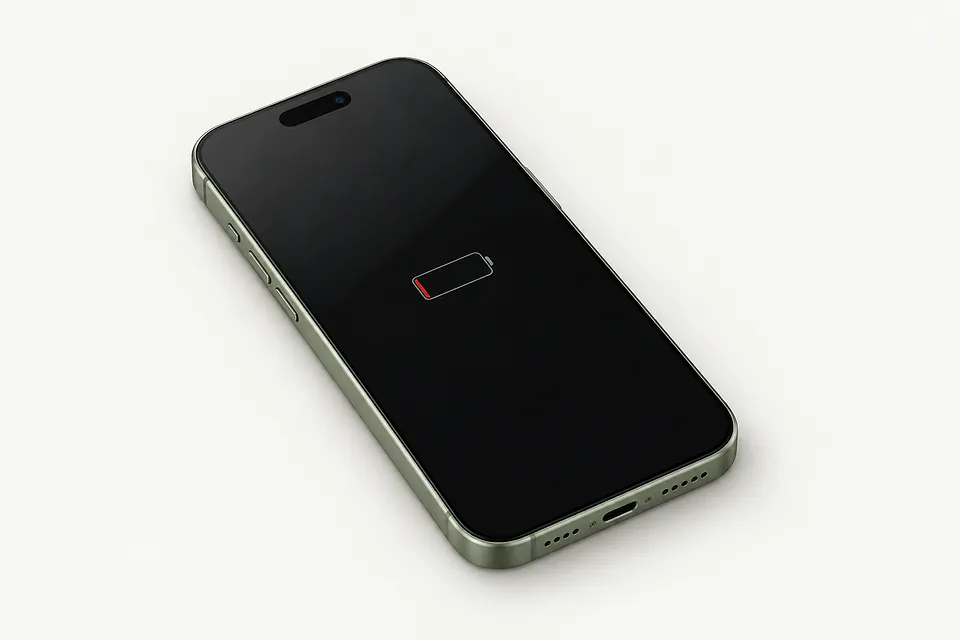
iPhone Battery Replacement by city
Battery trouble and similar iPhone faults
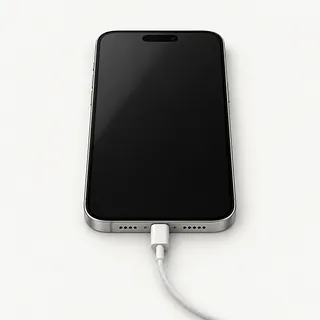
iPhone won't turn on
An empty battery doesn't prove the battery is broken. Try a different cable, adapter and wall outlet, followed by a force restart. If there's still no response, a shop can test where power stops.
Find a repair near you: iPhone won't turn on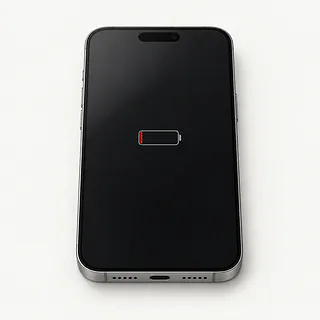
Battery health says service
A service message usually means the battery has worn down. On iPhone 6 and later with current iOS, look under Battery in Settings for Battery Health. Maximum capacity describes how much charge it holds compared with new.
Find a repair near you: Battery health says service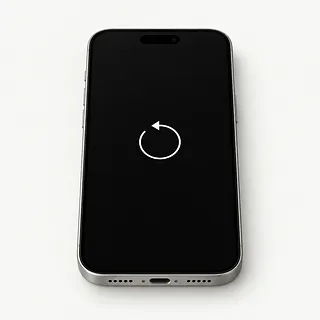
iPhone keeps restarting
A worn battery can cut out when the phone needs more power. Note whether it happens with a charger attached or only when unplugged. Software can cause restarts too, so back up the phone while it's usable.
Find a repair near you: iPhone keeps restartingBattery draining fast
More frequent charging with the same daily use points toward battery wear. A sudden change is also a reason to check which apps are using power in battery settings.
Find a repair near you: Battery draining fastShuts down with charge left
An aging battery can struggle to supply power even when the charge gauge isn't empty. That remaining charge isn't much help if the cell can't keep up.
Find a repair near you: Shuts down with charge left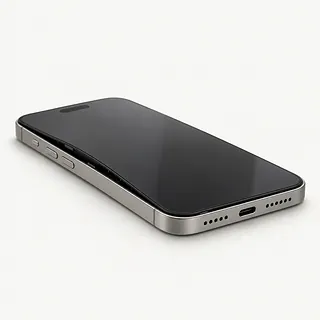
iPhone screen is lifting
A battery that swells can lift the display or rear glass. Stop using and charging it, and arrange a repair because swelling is a safety risk. Don't try to press the phone closed.
Find a repair near you: iPhone screen is lifting


Testing and installing an iPhone battery
An iPhone that drains fast doesn't automatically need a battery. Check which apps use power in Settings, Battery, and mention if it shuts off with charge left. Testing the battery and charging connection helps separate cell wear from trouble getting power into the phone.
Replacing the cell means opening the iPhone. The repairer takes out the worn battery, attaches its replacement and renews the sealing adhesive on models that use it. Ask what cell is going in, since quality differs between original Apple batteries and aftermarket ones.
Back up the iPhone and keep the password for your Apple Account handy. Only disable Find My when asked, then turn it on again after repair. The shop may need your passcode to check charging, touch and the way you normally unlock the phone. Ask them to test it unplugged, too, and explain any battery message iOS shows.
Choosing between battery work and another phone
Keeping the iPhone makes sense if reaching for the charger is your main complaint. Replacing a worn battery can help it last longer between charges and may reduce slowdowns caused by battery aging.
Check an older model's software support before booking. It needs to run your required apps and receive the security updates you need. Ask for a written quote naming the available battery and separate repairs, such as a cracked display or a loose port.
Check your backup before giving up on the phone. Pictures stored only on it won't appear on another phone by themselves. Tell the repairer if saving them is the reason you're having battery work done, and discuss that before allowing anything to be erased.
Checking the details before a battery swap
What points to the battery being worn out?
Shutdowns with charge left are worth mentioning. Ask what the tests show, especially if the phone also struggles to charge through its cable.
Is the replacement battery Apple or aftermarket?
Battery quality varies. Have the battery's maker written on the quote, and ask what Battery Health will show once it's installed.
Will you replace any adhesive disturbed during opening?
Ask whether any seals need new adhesive and how the replacement battery will be held in place. Resealing doesn't make an iPhone waterproof.
What if the new battery starts cutting out?
The written warranty should explain which battery faults it covers and any charges for another repair. Check whether mistakes during installation count too.
Can I unlock the phone for your tests?
Agree who needs access and why. Request charging, touch and face or fingerprint unlock checks before opening and after replacement.
Would I owe anything if a battery isn't needed?
Settle the testing fee before leaving it. Ask to approve extra parts or software work before it starts.
Getting ready for an iPhone battery swap
Save a backup that actually finishes
Start an iCloud backup or connect the iPhone to a computer for one. Check that it finished, especially if the phone keeps cutting out.
Note the charge when it shuts down
Write down when the trouble began and what was running. Add any battery service message, falls or splashes.
Ask about unlocking at the counter
Some tests need your passcode. Agree on which checks need access and ask about entering the code yourself.
Check your Apple login
You'll need your Apple Account password if asked to disable Find My. Type it privately, and turn Find My back on afterward.
Remove the case and spare accessories
Keep the physical SIM if your model has one. Bring your charging cable only when requested to help trace a charging fault.
Related repairs
iPhone Battery Replacement: common questions
How can I check who offers iPhone battery replacement nearby?
38 shops say they do iPhone battery replacement. Choose your city, then call with your exact model and explain what's wrong.
Does the charge for iPhone battery replacement depend on what's wrong?
To get a price for iPhone battery replacement, call and explain what's failing on your particular model. The fault affects how much work is needed, so ask for the quote to spell out that work.
Could heavy damage make iPhone battery replacement take longer?
The time depends on the damage and how busy the shop is. Ask for an estimate when you call.
Am I putting too much money into my iPhone?
If the only copy of an important file is on the device, that matters too. Ask for a quote, then weigh the cost, its age, any other faults and what keeping it is worth to you.
Where should I start when preparing for iPhone battery replacement?
Jot down the full model number and how the trouble started so you can explain it when you call. Ask about bringing a charger, keeping the case attached and unlocking the device, and back up files if it works.
How do I check battery health on my iPhone?
Battery Health sits inside Settings under Battery on supported iOS versions for iPhone 6 or newer. That screen reports capacity compared with a fresh battery and can flag a need for service.
Why is my iPhone battery draining so fast?
A worn battery or power-hungry apps can make an iPhone lose charge quickly. Open Battery in Settings to see which apps used the power. Heavy camera use can empty a healthy battery too.
Why won't my iPhone turn on?
The battery may be empty, power may not be reaching it, or a part may have failed. Use a charger and cable that work with another device, try a different outlet, then follow your model's instructions for a force restart.
Why does my iPhone keep restarting?
Battery wear, software trouble and other broken parts can all cause repeated restarts. Note the charge reading when it cuts out. Shutdowns with charge remaining, especially alongside a battery service message, make the cell worth testing.
What should I do if my iPhone battery is swollen?
Unplug the iPhone and stop using it if you suspect battery swelling. Glass lifting away from the frame can be a sign, and pressing it down can damage the battery. Contact a shop and mention the bulge before drop-off.
Does replacing an iPhone battery improve performance?
A replacement can bring back some speed when the iPhone has been limiting performance because the battery can't keep up. Battery-related shutdowns may improve too, so mention both symptoms when asking about a swap.