
Find iPhone Screen Repair Near You
On their own sites, 75 shops list iPhone screen repair. Pick the state where you want to search, then a city nearby.
iPhone repair in Philadelphia, PAiPhone repair in Cherry Hill Township, NJiPhone repair in Deptford, NJ
Cracks, black screens and missed taps

iPhone screen black but still ringing
A failed display can leave calls and alerts running with nothing visible. Try a force restart using the button sequence for your model. If the phone still rings without showing a picture, a shop can test the screen.
Find a repair near you: iPhone screen black but still ringing
Touch screen not responding
Dirt, moisture or a broken touch layer can stop taps registering. Wipe the glass clean and dry, then restart. A patch that stays unresponsive after a drop points toward screen damage.
Find a repair near you: Touch screen not responding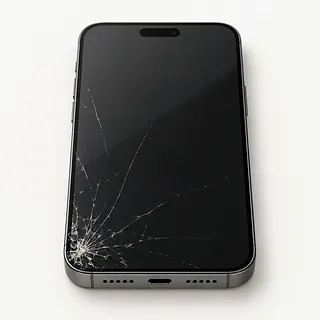
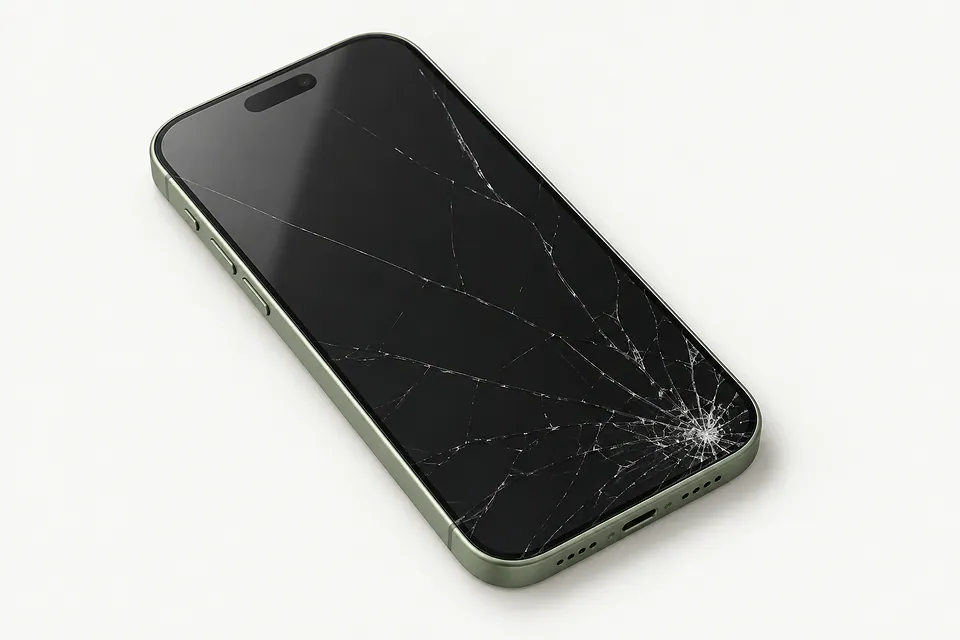
Cracked screen still works
Working touch doesn't mean only the outer glass will be replaced. On modern iPhones, that glass is bonded to the panel underneath, so the usual repair swaps both together. Avoid pressing loose shards.
Find a repair near you: Cracked screen still works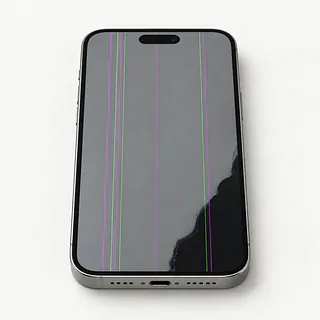
Screen keeps flickering
Flicker after an impact often comes from a damaged display panel. Restarting may clear a software fault, but flashing that keeps returning needs testing before choosing a replacement part.
Find a repair near you: Screen keeps flickering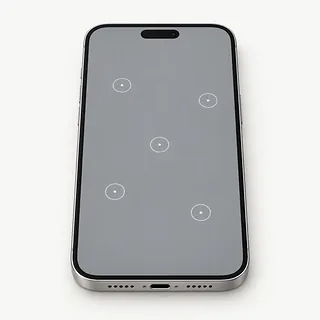
Ghost touch opens apps
A damaged touch layer may register taps that nobody made. Clean away moisture first. Repeated stray taps can also enter passcodes incorrectly, so stop trying to unlock it while the screen behaves this way.
Find a repair near you: Ghost touch opens appsBlack spots or colored lines
Dark blotches and green or purple lines usually mean the display beneath the glass is damaged. Replacing just the cover glass won't remove marks coming from inside the panel.
Find a repair near you: Black spots or colored lines


What iPhone screen repair involves
Testing comes before ordering a screen. A shop checks the picture and touch response, and checks whether a dark phone is still running. That helps separate a failed display from another fault that a screen swap wouldn't fix.
The replacement usually includes the bonded glass and display panel. Ask whether the part is an original, a refurbished original or an aftermarket screen. On Touch ID models, transferring the original home button normally preserves fingerprint unlock because its sensor is paired to that phone.
Putting the phone back together includes fresh sealing adhesive where used, plus careful handling of the front camera, earpiece and nearby sensors. Final checks cover touch across the screen, image quality, cameras, earpiece sound and Face ID or Touch ID where present. On supported iPhones, Settings, General, About can show Parts and Service History and messages about the replacement.
Choosing screen repair or another phone
A screen replacement makes sense when the iPhone otherwise suits you. Check that an older model still supports your apps and receives the software updates you need. Confirm a suitable display is available before committing.
Look beyond the front glass before approving a written quote. A bent frame, broken rear glass or weak battery adds work that a new screen won't solve. Ask for each fault and proposed part to be named.
Data can justify screen work even if you plan to retire the phone. Photos or messages without a backup may become accessible if the display is the fault. Make saving those files part of the conversation before agreeing to anything that erases them.
Before agreeing to a screen swap
Is the screen an Apple original or an aftermarket part?
Ask whether it's new, a refurbished original or aftermarket. If the phone came with OLED, check that the replacement isn't an LCD substitute.
Does the warranty include touch faults?
Get written terms for flicker, dead areas and taps that register by themselves. Check exclusions for another fall or liquid.
Can you check the front features before removing the screen?
The earpiece, front camera and face or fingerprint sensors need care during a swap. Record what works now and repeat those checks afterward.
Can I unlock it for testing myself?
An unlocked phone gives access to personal content. Agree on which checks need the passcode and who would use it.
Is testing charged separately if I stop here?
A declined repair may still leave a testing bill. Settle that point before handing over the phone.
What happens if another screen doesn't fix it?
A black display doesn't prove the screen alone is faulty. Require approval before extra work or further parts.
Prepare for the screen replacement
Describe what changed and when, including a corner crack that spread or touch that stopped after a drop. Mention whether the iPhone makes sounds with nothing visible on the display.
Create an iCloud backup or save one on a computer if the screen lets you. Check its completion before leaving. If broken touch prevents a backup, explain which photos or files have no other copy and discuss that before allowing a reset.
Settle passcode access for testing at the counter. Turn off Find My only if the shop asks, using the Apple Account password privately. Enable it again once the work is finished. Take the case and spare accessories away with you, and retain a removable SIM unless it's needed for agreed checks.
Related repairs
iPhone Screen Repair: common questions
Who says they do iPhone screen repair near where I live?
The 75 shops you can search by city all say they offer this service. Ask about your model and fault before deciding where to go.
Where can I get a price for iPhone screen repair?
More extensive damage may raise the price of iPhone screen repair. Call to explain what's stopped working, give the model name and check how the quoted amount breaks down.
Could heavy damage make iPhone screen repair take longer?
Until the shop understands the damage, they may only be able to give a broad estimate for iPhone screen repair. Phone to discuss the likely wait and how their schedule could affect it.
What should I think about before paying for iPhone screen repair?
A device you no longer use may still hold files you need. Ask for an estimate of iPhone screen repair, then weigh the cost against its age, other faults and how useful it could be to you before choosing.
Which questions should I ask before dropping off my iPhone?
Make a backup of anything you can still access on the device, and jot down its exact model plus the symptoms. During your call, ask how to handle any passcode and whether the case or charger should come with you.
Why is my iPhone working but the screen is black?
Ringing behind a blank screen usually means the phone is on, with trouble affecting the picture. Use the model's button sequence to force restart it. If it stays black, testing can separate a failed display from a connection fault or another cause.
Why is my iPhone touch screen not working?
An iPhone that ignores your finger may be frozen or have broken touch hardware. Remove the charging cable and use Apple's model-specific steps for forcing a restart. If the same strip still won't respond, mention its position when describing the fault.
Can you fix a cracked iPhone screen without replacing the display?
Glass-only repair is possible when the display underneath is undamaged. On modern iPhones, the glass is bonded to the panel, so replacing just that glass takes specialist equipment. A complete screen assembly is the usual replacement.
Why is my iPhone screen flickering?
Screen damage is more likely when flicker starts after an impact, especially with a green tint or dark blotches. Without those clues, software remains a possible cause. Flickering alone isn't enough to know which part needs changing.
What causes ghost touch on an iPhone?
Ghost touch means the iPhone registers taps you didn't make, which can happen when the screen is damaged. If it starts only while charging, try a different cable and charger. Uncracked glass doesn't rule out a faulty screen.
Will replacing my iPhone screen fix a black camera screen?
A dark camera view with readable buttons around it usually points away from the display. Check each camera separately and note which shows a picture. That helps avoid treating a camera fault as a broken screen.