
Find iPhone 16 Pro Max Screen Replacement Near You
6 shops say they do iPhone 16 Pro Max screen replacement. Choose your state or city to find someone nearby to call.
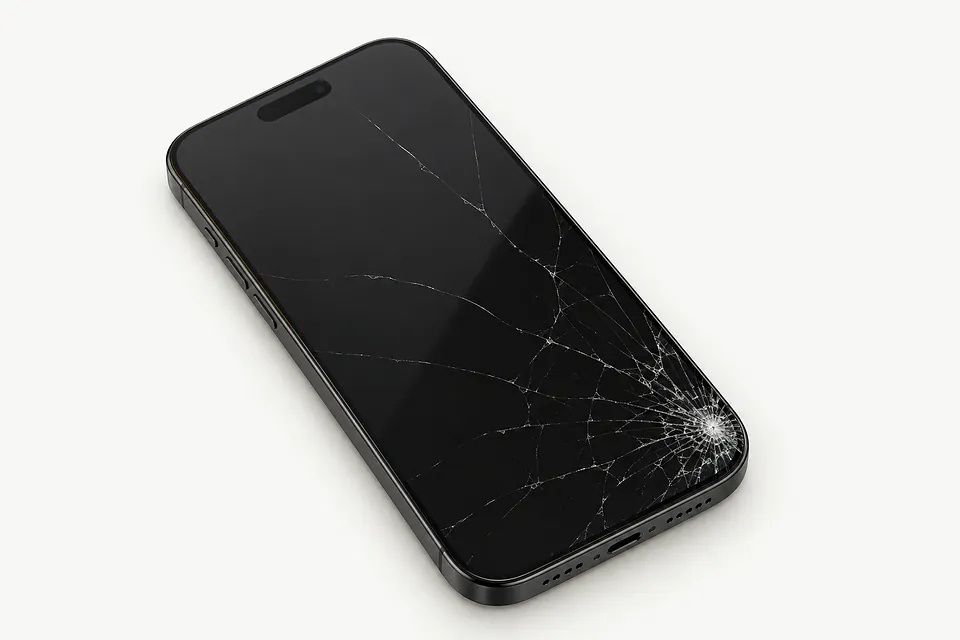
Signs an iPhone 16 Pro Max screen needs repair
Display blank while calls come through
Incoming calls don't rule out a failed OLED on an iPhone 16 Pro Max. Use a force restart to check for a stalled system. If nothing changes, testing with another screen helps separate display failure from other faults.
Find a repair near you: Display blank while calls come through
Touch stops responding
An impact can leave part of the touch layer dead while the image looks fine. Remove connected accessories, clean away surface moisture and restart the phone. Buttons that remain untappable across apps suggest a hardware fault.
Find a repair near you: Touch stops responding
Camera opens with no image
A camera fault can hide the preview while menus and other apps display correctly. Reopening the app and trying front and rear cameras helps narrow it down. The screen usually isn't responsible for that pattern.
Find a repair near you: Camera opens with no image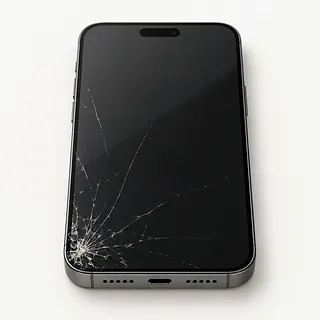
Front screen has broken glass
The cover may shatter while the underlying OLED survives. Keeping that OLED requires working touch, an undamaged image and specialist glass replacement equipment. Complete screen assemblies are the usual replacement.
Find a repair near you: Front screen has broken glass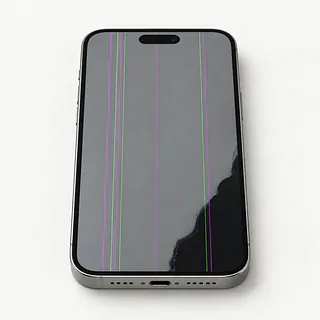
Flickering screen with black spots
Black spots beside flashing lines usually mean the display panel has suffered damage. Pressing those spots won't fix them, even when the outside feels smooth.
Find a repair near you: Flickering screen with black spots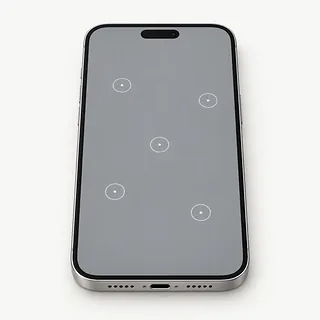
Phone taps without being touched
Ghost touch can start with moisture or broken screen hardware. Dry your hands and the phone's surface. Don't keep trying to unlock it while stray taps add wrong digits, because repeated incorrect passcodes can prevent access.
Find a repair near you: Phone taps without being touched


What happens during iPhone 16 Pro Max screen repair
A repairer checks for missed taps, colored marks and a frame that won't hold a new display properly. Sounds from an otherwise blank iPhone 16 Pro Max are another clue. A test panel can show if the old screen caused the trouble.
Glass and OLED usually leave the phone as one bonded piece. Keeping an undamaged original panel through glass-only repair takes specialist equipment. For a full swap, get the proposed screen type written down. Refurbished originals and aftermarket parts can differ in brightness or touch response, and some replacements use LCD instead of OLED.
The shop protects the earpiece, selfie camera and face sensors during removal, transferring attached pieces as required. New edge adhesive helps reseal the phone, although it won't make it waterproof. Final testing includes typing across the keyboard, changing display brightness, taking photos, checking sensors, using Face ID and listening through the earpiece.
When iPhone 16 Pro Max screen repair makes sense
A broken display is a reasonable repair if your iPhone 16 Pro Max otherwise does what you need. Judge its age alongside the iOS updates Apple still offers and the apps you depend on. Confirm the repairer can get the screen type you want.
A bent housing or damaged camera adds work that a display swap won't cover. Ask for a written quote covering those faults and any battery service, then weigh keeping the phone against replacing it.
Data stored only on the phone deserves attention before you let it go. Restoring the screen may let you copy photos before moving on. Check trade-in terms for cracked glass before arranging a repair solely to qualify.
Questions before an iPhone 16 Pro Max screen replacement
Who made the screen you're quoting?
The iPhone 16 Pro Max came with OLED. Ask whether the replacement is a new Apple part, a refurbished original or an aftermarket screen, including its maker.
What would the repair warranty cover?
Get written terms covering the panel and installation. Check how missed taps, flickering and an edge lifting away from the frame would be handled, plus what would rule out a claim.
Which checks happen before opening and after installation?
Record touch, Face ID, cameras, sensors and earpiece sound at both stages. A shattered screen may prevent some starting checks.
Can I unlock it for testing myself?
Your passcode opens personal apps too. Agree who needs access and make clear that erasing the phone requires separate consent.
What would testing alone cost?
Ask for the checking fee in writing, including what applies if you decide against replacing the display.
If another screen stays black, what happens?
Set the stopping point before work starts. Additional parts need your approval, and the bill for an unsuccessful swap should be clear.
Get your iPhone ready to hand over
Leave a short note describing what the screen does and when it began. Mention any drop or liquid, plus details such as a swipe that stops halfway across or a picture that disappears while music keeps playing.
Back up to a computer or iCloud before handing over the phone, and check the backup completed. If broken touch prevents this, tell the repairer which photos or messages haven't been saved elsewhere.
Discuss typing your passcode in person for tests. Have your Apple Account password ready if asked to disable Find My, and keep it private. Enable Find My again afterward. Remove the cover and card holder, and keep unrelated cables with you. An iPhone 16 Pro Max sold in the United States has no physical SIM tray.
Related repairs
iPhone 16 Pro Max Screen Replacement: common questions
Who says they do iPhone 16 Pro Max screen replacement near where I live?
Find your city to see which of 6 shops say they do this work near you. Give them your model name when you call.
How much does iPhone 16 Pro Max screen replacement cost?
Any parts needed can affect the price, as can the work involved. Call about your iPhone, explain the fault and ask for the full quoted cost.
Should I expect a long wait for iPhone 16 Pro Max screen replacement?
Tell the shop what happened to your iPhone and ask when the work might be finished. The damage and workload can change that estimate.
What matters most when choosing between repair and replacement?
Think about what losing use of the device would mean to you. Get a quote before settling on repair or replacement, then weigh that cost with the device's age, any separate faults and data still stored on it.
How do I get my iPhone 16 Pro Max ready to take in?
List your device's exact model and the signs of trouble, keeping a backup of files you can reach if it's working. Bring up the passcode when you call, and ask if the case and charger need to come too.
Why is my iPhone 16 Pro Max screen black but the phone still works?
The screen can fail while the rest of the phone keeps running. Force restarting may bring the picture back if software has frozen. Ringing alone doesn't prove a replacement screen will fix it, since another fault can stop the picture.
Why is my iPhone 16 Pro Max touch screen not working?
A frozen app or damaged display can stop taps from registering. Restart the phone and remove its case and screen protector. If the same strip still ignores your finger, the screen may need replacement.
Why does my iPhone 16 Pro Max have ghost touch?
Ghost touch often comes from a damaged screen, including one with unbroken glass. Apps might open on their own or random letters appear as you type. Before having the screen replaced, try restarting with any tight case or screen protector removed.
Why is my iPhone 16 Pro Max screen flickering?
A drop can hurt the OLED without leaving a crack, so the screen can flicker even when the glass looks fine. Colored lines or ink-like patches make screen damage more likely. Software can also cause flickering, which is why restarting is worth a try.
Can you replace just the cracked glass on an iPhone 16 Pro Max?
Glass alone can sometimes be replaced if the OLED picture and touch still work properly. That takes specialist equipment because the layers are bonded together. The usual repair replaces the complete display assembly.
Will a screen replacement fix my iPhone 16 Pro Max camera black screen?
Screen replacement is unlikely to help when the camera app shows black but text and saved photos look right. After restarting, try both the selfie and rear cameras and note which view fails so the shop can check that separately.