
Find iPhone 16 Repair Near You
According to their own websites, 25 shops take on iPhone 16 repair. Go to a state or city to look closer to home.
iPhone repair in Philadelphia, PAiPhone 16 repair in New Jersey
iPhone 16 faults and symptoms
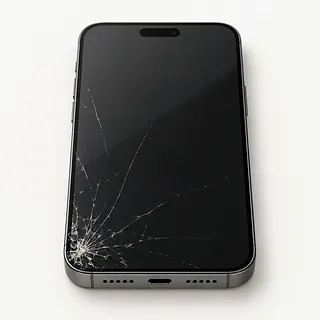
iPhone screen has lines or cracks
Colored stripes after a knock usually mean a broken OLED panel. The screen can still show part of the picture, but replacing only the outer glass won't fix those lines.
Find a repair near you: iPhone screen has lines or cracks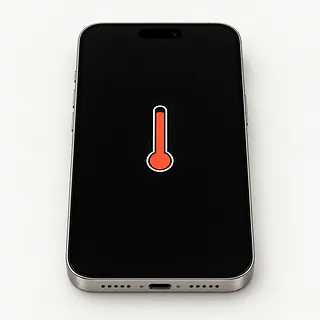
Phone shows a temperature warning
Sunlight through a car window can make an iPhone too hot. Turn it off, unplug any charger and move it into the shade to cool.
Find a repair near you: Phone shows a temperature warning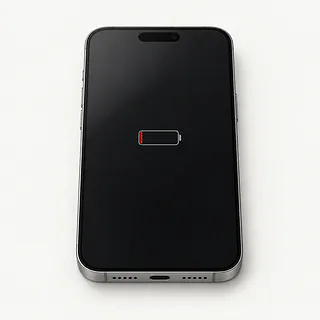
iPhone runs out of charge
Battery Health can show when a worn cell needs service. If charge suddenly disappears faster than usual, check which apps used it before ordering a battery.
Find a repair near you: iPhone runs out of charge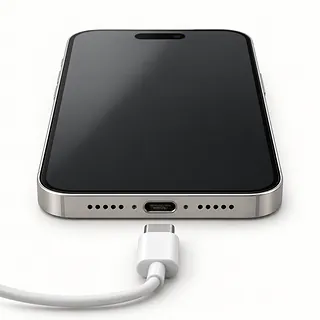
Charging cable doesn't work
A plug that stops short may be hitting lint inside the USB-C port. If a wireless pad charges the phone, the cable, adapter or port is more likely to blame than the battery.
Find a repair near you: Charging cable doesn't work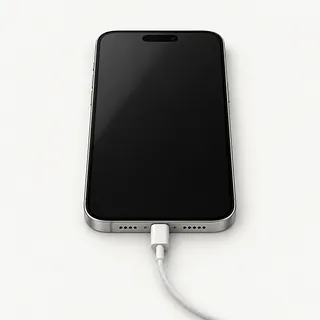
Display went dark but sounds work
The phone may need a screen even though notifications still sound. Try force restarting first, since a software freeze can also blank the display.
Find a repair near you: Display went dark but sounds work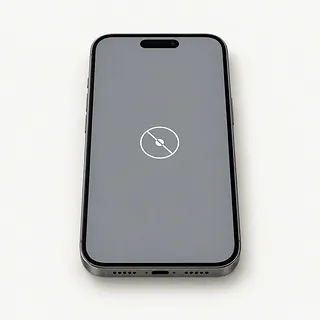
Touch stops working in places
Cracks aren't needed for touch to fail after a drop. Dry the glass and restart, then note whether the same patch still ignores your finger.
Find a repair near you: Touch stops working in placesPhone has no sign of power
A broken adapter can leave the battery empty. A shop can check power and connect a test display to find out why the phone appears dead.
Find a repair near you: Phone has no sign of poweriPhone shuts down and restarts
Battery trouble and software bugs can both cause rebooting. Save a backup if you can, then check for newer iOS software.
Find a repair near you: iPhone shuts down and restarts


How the fault gets checked and fixed
The first checks should explain why the phone stopped working. A repairer can compare charging methods, read battery health and try a working screen if the phone makes sounds without showing a picture. Describe the drop, spill or other change that came first.
Parts depend on the exact version, including iPhone 16 Plus and iPhone 16e. These phones use OLED displays, though some aftermarket replacements substitute LCD. Ask which panel you're getting and how the Face ID hardware will be protected. A worn battery can be replaced, the USB-C port sits on a separate flex cable, and broken back glass can be changed separately.
Have your Apple Account password ready and copy accessible files before repair. Turn off Find My only when Apple or the shop requests it, using Settings, your name, then Find My. Turn it back on afterward and discuss unlocking the phone for tests. Ask about fresh sealing adhesive, any part setup and messages under Parts and Service History. Before leaving, test typing, face unlocking, photos and charging.
When an iPhone 16 repair makes sense
A cracked screen doesn't make an otherwise useful iPhone 16 ready for retirement. If its storage, cameras and battery still suit you, replacing the display may settle the problem. Confirm the exact screen offered and its availability before committing.
Several broken parts change that decision. Get a written quote that includes a bent housing, failed Face ID or charging trouble alongside the visible crack. As the phone gets older, check Apple's ongoing software support and the requirements of your everyday apps.
Photos that haven't synced can matter more than keeping the phone. Check your backup from another device and tell the repairer about anything missing before allowing an erase.
What to ask about an iPhone 16 repair
What did you find before suggesting a replacement?
Pocket lint can keep a USB-C plug from seating properly. A phone that won't charge doesn't automatically need a battery, so ask what the tests showed.
Will you write down exactly what you're installing?
Have the quote name the maker and say Apple or aftermarket. These phones came with OLED displays, and an LCD replacement can change the picture.
Can you check the other features with me?
Take a photo, try face unlock and type across the keyboard before handing it over. Repeat those checks at pickup, along with cable charging.
What if the replacement starts acting up?
Read what the warranty covers for parts and labor, what it leaves out, and how to report trouble.
Which tests need my screen code?
The code also opens messages and signed-in accounts. Offer to type it yourself, and require permission before anything gets erased.
What would I owe if you can't fix it?
Ask about testing charges and failed repair attempts. Have the shop call with a new quote before trying another part.
Get your iPhone ready for drop-off
Check the saved copy
Back up through iCloud or a computer while the screen still responds. Look for confirmation that it completed before handing over the phone.
Describe the first sign
Write when the trouble started and what happened beforehand. Mention repeated charging sounds with the cable untouched or a camera that won't focus after a fall.
Decide how to unlock it
Offer to unlock the phone at the counter for checks that need your passcode.
Handle Find My yourself
Have the Apple Account password ready, and only turn off Find My if Apple or the shop asks. Open Settings, tap your name, then Find My. Turn Find My on again afterward, and keep the account password private.
Leave loose extras behind
Detach the cover, wallet and grip. United States versions use eSIM, so there's no SIM card to take out.
Related repairs
iPhone 16 Repair: common questions
How can I check who offers iPhone 16 repair nearby?
In their own words, 25 shops offer iPhone 16 repair. Pick a place in your city and ask whether they can work on your exact model.
How much would I pay to have my iPhone fixed?
Your exact model and the damage affect the price. When you call, describe what happened and ask what you would be paying for.
Should I expect a long wait for iPhone 16 repair?
A shop's first estimate for iPhone 16 repair may change after they examine the damage. Contact them by phone to discuss timing, including how much work they have waiting.
What makes my iPhone worth repairing?
Have shops quote the work before you choose. Then judge the expense by your device's age, how useful you find it, any additional damage and the value of its saved files.
Should I bring anything with my iPhone for repair?
Note exactly which model needs attention and what you noticed when it broke, then copy files if it's still working. Before heading out, call about taking the charger, leaving the case fitted and what you should do about the passcode.
Can just the glass on my iPhone 16 screen be replaced?
Glass alone can sometimes be replaced if the OLED panel and touch still work. Most screen repairs replace the complete display because the glass is bonded to it. Separating that glass takes specialist equipment.
Why won't my iPhone 16 charge when plugged in?
A bad USB-C cable, failed charger or pocket lint stopping the plug from seating can explain it. Test with a different cord and adapter in another outlet. A phone that charges wirelessly points toward the cable connection rather than battery failure.
Why is my iPhone 16 screen black but still working?
Ringing behind a dark display can mean the screen has stopped working, though a software freeze is possible too. Start by force restarting it. If that changes nothing, have the shop check the display connection before agreeing to a replacement.
Why is my iPhone 16 overheating?
Charging, demanding apps and direct sunlight can make an iPhone 16 hot. If a temperature warning appears, turn the phone off and move it out of the sun. Heat that keeps returning during light use needs further checking.
Can the iPhone 16 battery be replaced?
Yes, the battery is replaceable across the iPhone 16 family, including the iPhone 16e. Look in Settings under Battery for Battery Health and any service recommendation. Restarts or charging trouble alone don't prove that a replacement is needed.
Why does my iPhone 16 keep restarting?
Repeated restarts can come from software trouble, a worn battery or another hardware fault. If the phone stays usable, back it up and check for an iOS update. Note what triggers each restart before agreeing to a part replacement.