
Find Samsung Screen Repair Near You
For Samsung screen repair, you can browse 38 shops that say they offer it. Pick your state, then look for your city.
Cities where shops say they do Samsung screen repair
Cracked glass and other Samsung screen faults
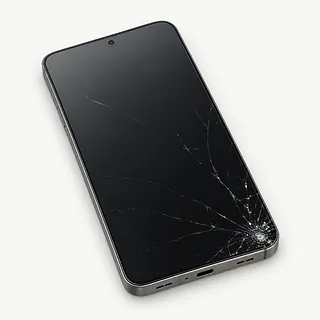
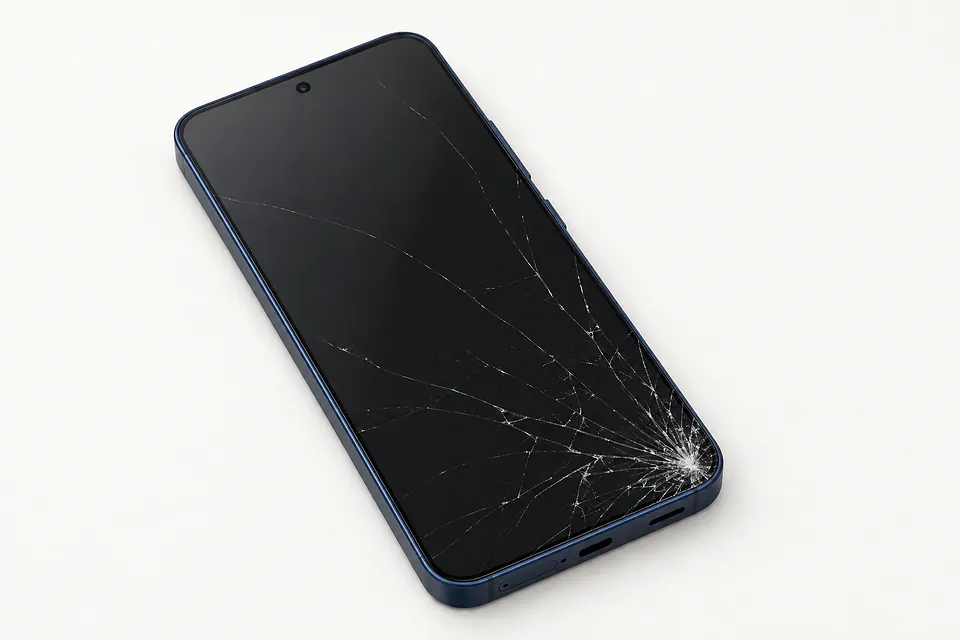
Phone screen cracked across the corner
Broken glass can sit over a working display. Because they're bonded, replacing the whole assembly is usual, though a specialist may offer glass-only repair if both the picture and touch still work.
Find a repair near you: Phone screen cracked across the corner
Touch stops along one edge
A drop can leave an entire edge ignoring taps, even with no visible crack. Wipe off any water and restart before blaming the touch layer.
Find a repair near you: Touch stops along one edge
Galaxy display stays dark
Hearing notifications from a blank phone means a black screen isn't proof that it's powered off. Try a force restart for that model, since stuck software can also hide the picture.
Find a repair near you: Galaxy display stays dark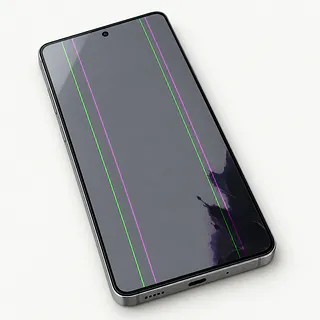
Purple tint or flashing screen
Smooth glass doesn't rule out a broken panel underneath. A purple cast or flicker following a fall points below the surface, where glass replacement won't help.
Find a repair near you: Purple tint or flashing screen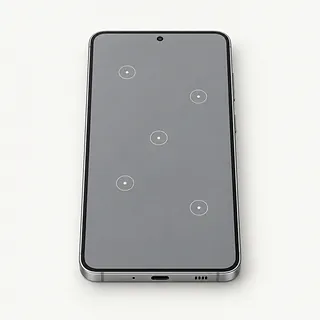
Phone presses buttons without being touched
Dampness can trigger stray taps, as can a damaged screen. Dry off the glass, and don't type passwords while buttons keep pressing themselves.
Find a repair near you: Phone presses buttons without being touched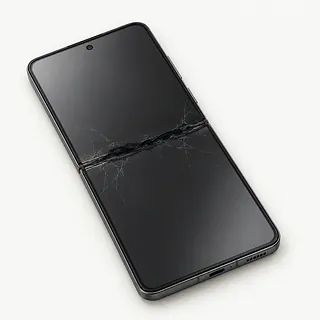
Galaxy Z Flip inner screen looks split
The bend normally leaves a visible crease. If film starts lifting there or a dark line appears, a shop can check which layer is affected. Don't pull off the factory protective film.
Find a repair near you: Galaxy Z Flip inner screen looks split


Screen parts and checks after replacement
Screen testing starts with the symptoms, including where taps fail and whether a blank phone still makes sounds. Samsung Members offers touch and sensor checks when the display remains usable. On a folding Galaxy, the repairer checks which screen needs work.
The bonded glass and display usually come out together. The replacement often arrives with a frame attached, so other phone parts may need moving into it. Ask if the part is a Samsung original, a refurbished original or an aftermarket display. The Galaxy S23 Ultra has slightly curved screen edges, while the Galaxy S24 Ultra is flat, making the exact model important.
The repairer handles the front camera, earpiece and sensors carefully. Galaxy S phones with fingerprint readers beneath the display usually need fingerprints registered again. Checks afterward cover image quality, touch across the surface, cameras, call sound and sensor response.
When screen repair is worth doing
Repairing the screen makes sense if the Galaxy still handles your daily tasks and the rest of it works. Check software support for its exact model, especially on an older phone. Ask which screen parts are available and request a written quote naming the proposed assembly.
A twisted frame or unreliable charging adds work beyond restoring the picture. Have those faults included before deciding how much the repaired phone is worth to you.
Stored photos can change the decision even if you're ready for another phone. If a failed display is blocking access, screen work may help you save them. Explain which files lack backups before agreeing to a reset.
Ask about the replacement display
Where does the replacement screen come from?
Have the quote identify an original Samsung screen, a refurbished Samsung panel or an aftermarket part. Brightness, color and touch response can differ.
Are you replacing the glass, display or frame too?
Samsung screens often arrive attached to a replacement frame. Glass-only work is an option at some specialists when the panel underneath still works properly.
Does the warranty cover missed taps and flickering?
Written coverage should explain how a faulty replacement is handled. Check exclusions for fresh cracks or liquid.
Which working features will you check with me?
Record how touch, sensors, the front camera and earpiece work now, then compare afterward. Include S Pen input on an Ultra with a built-in pen.
Who needs the unlock code, and why?
Set limits on access to photos and messages. Make deleting data subject to separate approval.
What would I owe if a replacement doesn't solve it?
Settle testing fees and unsuccessful repair charges upfront, including what applies if you stop the work.
Before handing over your Galaxy
Pack only what's needed
Detach the case, set accessories aside and ask about retaining any physical SIM and storage card. Keep the inner screen covering intact on a foldable Galaxy.
Record the screen's behavior
Describe where touch fails and when it began. Include a recent knock or splash, plus sounds or vibration when nothing appears onscreen.
Check that personal files are saved
Use a computer or backup service while the phone remains usable. Confirm the copy includes photos and documents stored only on the Galaxy.
Keep control of logins
Plan how staff can unlock the device for testing. Enter account passwords yourself, including for requested Samsung account setting changes, and make clear that wiping data requires agreement.
Related repairs
Samsung Screen Repair: common questions
Where can I get Samsung screen repair close to home?
38 shops say they do Samsung screen repair. Choose your city, then call with your exact model and explain what's wrong.
What affects the repair bill for my Samsung Galaxy?
The same symptom can call for different work, which affects cost. Describe your Samsung Galaxy problem when you call and ask what the estimate covers.
Is the wait for Samsung screen repair different from shop to shop?
Since a shop may discover more damage during Samsung screen repair, any initial time estimate can change. Ask over the phone how long they expect the job to take with their current workload.
How should I compare a repair quote with buying another device?
A device you no longer use may still hold files you need. Ask for an estimate of Samsung screen repair, then weigh the cost against its age, other faults and how useful it could be to you before choosing.
What should I bring when I go for Samsung screen repair?
If the device works well enough to copy files, save what you can and note its model number and symptoms. Call to check what to do about a passcode, protective case or charger.
Can you fix a cracked Samsung phone screen?
A cracked Samsung screen can usually be repaired by replacing the display assembly. Glass-only repair is possible at some specialist shops if the picture and touch still work properly, because the glass is bonded to the panel.
Why is my Samsung touch screen not working?
A Galaxy can lose touch response from a software glitch or a damaged screen. Restart it first. If one strip still won't register your finger or letters type themselves, note that pattern for testing.
Why is my Samsung screen black but the phone still rings?
A failed screen can leave the phone able to receive calls with nothing visible. Try force restarting your Galaxy. If it keeps ringing without a picture, ask for the cause to be checked before agreeing to replacement.
Will fingerprint unlock work after a Galaxy S23 Ultra screen replacement?
Fingerprint unlock can still work after a Galaxy S23 Ultra screen swap. Typing a message only checks touch, so set up your fingerprints again and try opening the lock screen with a finger.
Does a crease mean my Galaxy Z Fold screen needs replacing?
No, the crease where the inner screen folds is normal. A new black patch, flickering picture or section that ignores your finger is a reason to ask about screen repair.
Can you replace just the outside screen on a Galaxy Z Flip?
The Galaxy Z Flip cover screen is separate from its folding inner display, so the repair can target the outside screen. Specify which one is broken, and mention any picture or touch trouble on the other.