
Find Galaxy S22 Repair Near You
For help close to home, search 6 shops that say they handle Galaxy S22 repair. Find your city and ask about your exact model.
Samsung repair in Philadelphia, PAGalaxy S22 repair in Pennsylvania
Galaxy S22 symptoms explained
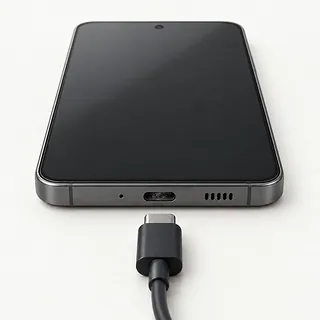
Galaxy S22 charging stops and starts
A frayed cable can lose contact as it bends. Change the cable and adapter separately to see which helps. If charging depends on holding the connector sideways, stop forcing it against the port.
Find a repair near you: Galaxy S22 charging stops and starts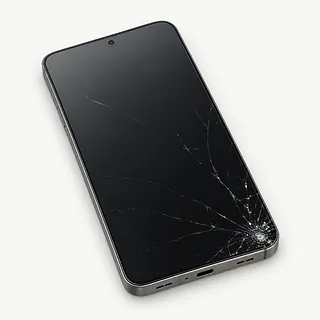
Screen glass broken after dropping phone
Fine cracks with a clear picture usually mean the cover glass took the hit. Colored streaks or dark smears suggest the AMOLED panel broke as well, so replacing glass alone won't restore the picture.
Find a repair near you: Screen glass broken after dropping phone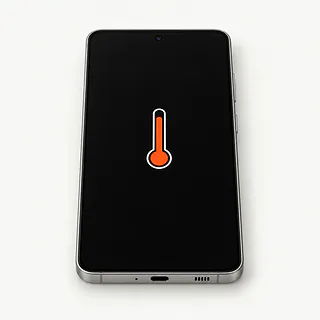
Phone hot when charging
Some warmth comes from charging itself. Streaming video adds more heat, especially with the screen turned up bright. Disconnect power if the phone becomes uncomfortable to hold, and leave it out of sunlight.
Find a repair near you: Phone hot when charging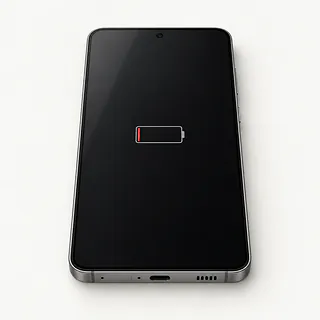
Galaxy S22 battery runs down
An aging battery stores less energy, even after a full charge. If the drain began when you installed an app, check its power use before blaming battery wear.
Find a repair near you: Galaxy S22 battery runs down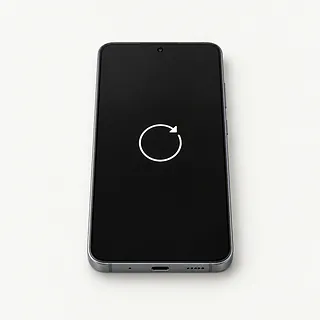
Phone stuck restarting
A restart loop doesn't identify one broken part. Software faults and unstable battery power can look much alike, so a shop can test the battery before you agree to replace it.
Find a repair near you: Phone stuck restarting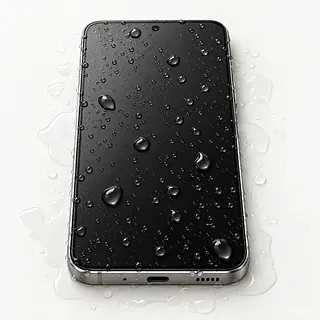
Moisture detected warning won't clear
Samsung blocks wired power when it detects water at the charging port. Leave it unplugged as it dries, and don't insert anything into the wet port.
Find a repair near you: Moisture detected warning won't clear
Galaxy S22 ignores screen touches
Surface dampness can scramble taps. Dry your hands and the display before restarting. Letters that remain impossible to press in one keyboard area suggest a touch fault.
Find a repair near you: Galaxy S22 ignores screen touches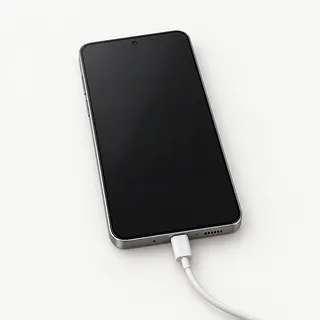
Galaxy S22 won't turn on
A dead battery can look just like a failed display. Provided the phone stayed dry, test another charger, then follow Samsung's S22 force restart instructions.
Find a repair near you: Galaxy S22 won't turn on


What Galaxy S22 repair involves
A black S22 that still sounds alarms needs its display checked before anyone blames the battery. Tell the shop what happened before it went dark, including any spill. When the picture works, Samsung Members can help test touch response and battery condition.
The glass and AMOLED panel are usually replaced together, sometimes with a new frame. Depending on what's included, the job may involve transferring the original cameras, main board and battery. A separate battery swap or USB-C repair should follow checks that show why the phone loses charge or won't take power.
Finish by checking scrolling, photos, speaker sound and the charger connection. Fingerprint setup commonly needs repeating after the display is changed. For the Galaxy S22 Ultra, draw lines near each curved edge to check that its S Pen strokes appear where they should.
When Galaxy S22 repair makes sense
Keep the broken S22 until you've checked your backups. A voice recording or family photo may exist only on that phone. Tell the repairer which files matter before anyone suggests erasing it, even if you've decided to switch phones.
One worn battery is a reason to ask about repair, especially when everything else still works. A shattered Ultra display plus a loose port leaves more work. Get each fault written into the quote and confirm that the correct screen can be found.
An older phone also needs software you can keep using. Check whether Samsung still sends security updates for your model and whether your banking and messaging apps still run. New parts won't change either answer.
What to check before leaving your Galaxy
What happens if the new battery won't hold charge?
The warranty should explain who handles a faulty part and whether repeat work carries a fee. Get a copy, including the rules about liquid and fresh cracks.
Will you note what already works?
Have working features written down before anyone opens the phone. At pickup, compare camera pictures, speaker sound, USB-C charging and touch across the whole screen. An Ultra also needs an S Pen check, and screen work needs a fingerprint test.
Where are you getting the replacement part?
A new Samsung display, a used original and an aftermarket screen aren't the same thing. The estimate should name the part being installed and say if it includes a replacement frame.
Will you ask before trying another repair?
Set a stopping point if the first repair leaves the fault unchanged. Put charges for testing, unsuccessful work and taking the S22 home unrepaired in writing.
Could I enter my PIN myself?
Discuss unlocking for the tests without leaving account passwords. Tell staff to contact you before deleting data or resetting the Galaxy.
Before handing over your Galaxy S22
Set limits on unlocked access
Settle who can unlock the Galaxy and what they'll test. Keep login passwords private, and handle Samsung or Google lock settings yourself if changes are needed.
Leave only the requested extras
Remove your case and ask about keeping the physical SIM. With an S22 Ultra, agree whether pen tests require leaving its S Pen.
Give a concrete example
Describe when the fault started and how it behaves, such as sound continuing after the picture disappears. Include any drop, splash or recent software change.
Confirm your files exist elsewhere
Use the working phone to make a backup, then check its contents. Tell the shop about photos or documents you couldn't save before agreeing to anything that erases data.
Related repairs
Galaxy S22 Repair: common questions
Who says they do Galaxy S22 repair near where I live?
You can search states and cities for Galaxy S22 repair from 6 shops who say they take on the work. Once you've chosen a city, call to describe the problem and give the full model name.
What goes into the price of Galaxy S22 repair?
Your model and the work it needs affect the total. Ask for an estimate when you call, including any parts that may need replacing.
What could change the estimated time for Galaxy S22 repair?
Since a shop may discover more damage during Galaxy S22 repair, any initial time estimate can change. Ask over the phone how long they expect the job to take with their current workload.
How should I compare a repair quote with buying another device?
Get a quote for Galaxy S22 repair before deciding. Compare the cost with how much you still use the device, how old it is, anything else that's broken and any files you need from it.
How do I get my Galaxy S22 ready to take in?
Gather the exact model name and a note explaining the fault, then copy any files you can from a device that still works. When calling, check if you should bring a charger or case and how to handle a passcode.
Can a cracked Galaxy S22 screen be fixed?
A cracked Galaxy S22 screen can often be fixed with a replacement display assembly. Glass-only repair may be possible when the picture and touch still work properly, but colored lines, dark patches or missed taps suggest more than broken glass.
Why won't my Galaxy S22 charge when plugged in?
A bad cable, faulty charger or packed USB-C port can stop an S22 charging. Try a different cable and power adapter at another outlet, and look for pocket lint. A moisture detected warning blocks wired charging while the port is wet.
Why is my Galaxy S22 screen black but the phone still rings?
Ringing with a black screen suggests the S22 is still running, but its display may have failed. Try a force restart first. If the picture stays missing, a shop can test the display before recommending a replacement.
Why is my Galaxy S22 battery draining so fast?
Battery wear is one possibility, alongside demanding apps and poor reception. Look through the S22 battery usage screen for anything unusually power hungry, then use Samsung Members to check battery health before deciding on a replacement.
Why does my Galaxy S22 keep overheating?
Some warmth comes from heavy use, but overheating during simple tasks can point to a fault. Stop what you're doing, remove charging power and allow the S22 to cool out of the sun. Write down which app was open when it happened.
What should I do if I drop my Galaxy S22 in water?
Turn off your Galaxy S22 and stop charging it after submersion. Dry the casing gently and get the inside checked before turning it back on. Rice can't confirm that trapped moisture is gone, even when the phone looks dry.