
Find Galaxy Z Flip Repair Near You
5 shops say they handle Galaxy Z Flip repair. Select a city to see who works in your area.
Shops that list Galaxy Z Flip repair
No town has enough of them for its own page yet, so here they are directly. Not paid placements.
- CPR Cell Phone RepairHainesport, NJ
- CPR Cell Phone RepairPhiladelphia, PA
- CPR Cell Phone RepairWest Chester, PA
- CPR Cell Phone RepairWillow Grove, PA
- GadgetSolutionsWoodbury, NJ
What goes wrong with a Galaxy Z Flip
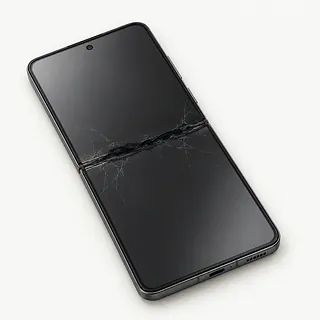
Galaxy Z Flip screen cracked
A new crack across the fold isn't the normal crease. Black blotches or colored lines suggest the folding display has broken too. Leave its factory-installed protective layer attached, even if an edge starts lifting.
Find a repair near you: Galaxy Z Flip screen cracked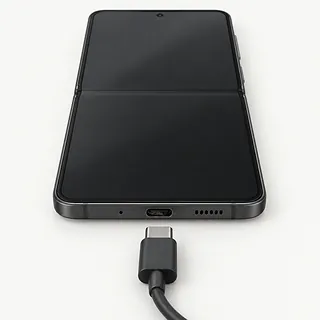
Phone won't charge
A failing charger or lint wedged inside the USB-C port can interrupt charging. Try a different cable, adapter and outlet. Don't force a connector that won't seat.
Find a repair near you: Phone won't charge
Phone overheating
Games and charging together can make the phone hot. Unplug it and stop demanding apps if it becomes uncomfortable to hold, then move it out of direct sunlight.
Find a repair near you: Phone overheating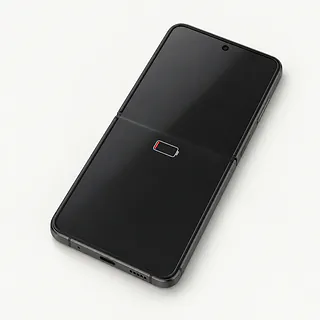
Battery draining fast
An aging battery holds less charge, while background apps can use more than expected. Check battery usage in Settings before assuming it needs a replacement.
Find a repair near you: Battery draining fast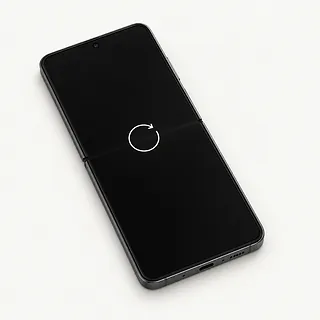
Phone keeps restarting
Crashing software and battery trouble can both cause repeated restarts. If folding the phone triggers it, tell the shop so it can test that exact behavior.
Find a repair near you: Phone keeps restarting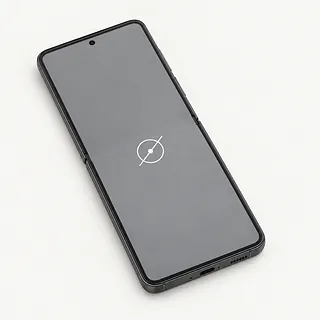
Touch screen not working
A frozen app can stop taps registering. Restart first if there's no visible screen break, then try the touch test in Samsung Members.
Find a repair near you: Touch screen not working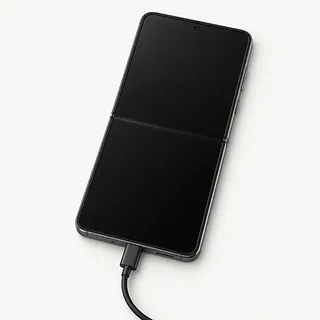
Inner screen stays black
A working cover screen suggests the phone still has power. The inner display needs separate testing before blaming the battery.
Find a repair near you: Inner screen stays black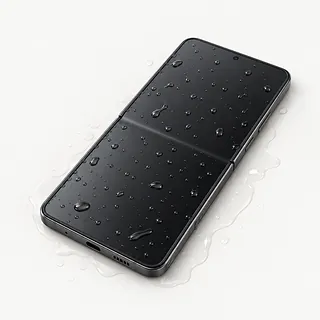
Phone won't charge after getting wet
Moisture detection blocks wired charging when the port is wet. Disconnect power, turn it off after a spill and skip the rice.
Find a repair near you: Phone won't charge after getting wet


Inside a Galaxy Z Flip screen repair
A shop can use the difference between folded and open behavior to narrow down a fault. It checks both displays, examines hinge movement and tests incoming power if charging has stopped. When the phone remains usable, Samsung Members offers touch, sensor and battery tests.
An inner display, its protective layer and an outer screen aren't interchangeable repair requests. Give the repairer the exact Galaxy Z Flip model. The replacement display may include a new frame, with usable parts transferred from the old housing. Have the written quote spell out what's included.
After reassembly, type across several keyboard rows and check the picture on each screen. The repairer should also test opening and closing, sound, cameras and the USB-C connection. Complete any setup the repaired phone requests before checking your usual apps.
Weighing Galaxy Z Flip repair and replacement
Repeated trouble with folding deserves a closer look before another screen is installed. Have the hinge, frame and display checked together so you can judge the whole repair. Suitable parts need to match the particular Galaxy Z Flip you own.
Keeping an older Flip can make sense if its remaining faults are limited and it still suits you. Consider battery condition alongside Samsung's remaining software support. Several broken parts make replacing the phone more reasonable than treating each complaint separately.
Check your backups before handing over the old device. If messages or pictures are missing, tell the repairer that access to them matters. Replacing parts or erasing storage may affect recovery options.
Questions before a Galaxy Z Flip repair
Could you check the hinge before ordering a display?
A folding screen and a worn hinge aren't the same repair. Describe any grinding, stiffness or failure to open fully so the estimate covers the actual fault.
Which replacement screen are you offering?
Ask whether the display is a Samsung part or another maker's, and if it has been used or refurbished. The written quote should identify your exact Z Flip model and any included frame.
Who handles a problem with the installed part?
Read the warranty terms before handing over the phone. Look for coverage of flickering or dead touch areas, exclusions and charges for further work.
How will you protect files that aren't backed up?
Point out anything irreplaceable and require consent before a reset. Discuss entering your PIN for agreed tests without giving access to unrelated apps.
Can you record the starting faults and explain the testing charges?
Have the cover display, inner touch screen and charging checked at drop-off and pickup. Ask what's payable if testing ends without a repair.
What to sort out before drop-off
Record the behavior without forcing the hinge
A note that the cover screen works while the inside stays dark gives the shop a starting point. Include when it began, drops, liquid and anything already tried.
Protect anything without another copy
Use the phone's backup options if it's still usable, and confirm the photos and files you need were saved. Discuss unsaved data before allowing anyone to erase anything.
Decide who enters the passcode
Offer to unlock the device for agreed checks. Don't share account passwords at drop-off, and make requested Samsung or Google changes yourself.
Separate extras from the phone
Keep your case, loose accessories and physical SIM unless the repair needs them. Don't peel the protective film inside, even if an edge has lifted.
Related repairs
Galaxy Z Flip Repair: common questions
How can I check who offers Galaxy Z Flip repair nearby?
With 5 shops saying they offer Galaxy Z Flip repair, you can start by looking in your city. Your next step is to call about the model and problem.
What would Galaxy Z Flip repair cost in my case?
Ask about the cost for your particular Galaxy Z Flip, since the fault affects the work needed. Explain the symptoms and check what the estimate covers.
Does Galaxy Z Flip repair take more time when the shop is busy?
You can ask the shops to explain what their time estimate depends on. When you call, mention the damage and check how busy they are.
Is a repair quote enough to tell me whether to replace a device?
Think about what losing use of the device would mean to you. Get a quote before settling on repair or replacement, then weigh that cost with the device's age, any separate faults and data still stored on it.
How can I get ready for Galaxy Z Flip repair?
If the device works well enough to copy files, save what you can and note its model number and symptoms. Call to check what to do about a passcode, protective case or charger.
Can a cracked Galaxy Z Flip screen be fixed?
A cracked Galaxy Z Flip display can be replaced, but the folding screen and outer cover screen are separate repairs. A visible crease is normal. Leave the factory-installed protective layer attached so a shop can check what's actually cracked.
Why is my Galaxy Z Flip screen black but the phone still rings?
The phone can still receive calls when its screen stops showing an image. Check whether either display works, without repeatedly opening and closing the hinge. Describe any angle-related failure so testing includes more than just the dark screen.
Why won't my Galaxy Z Flip charge?
Start with the cable and power adapter when your Galaxy Z Flip won't charge, and look for lint keeping the connector from seating fully. Test another outlet too. Unplug the charger if the phone reports moisture, since wired power is blocked with a wet port.
Why is my Galaxy Z Flip battery draining fast?
Your Galaxy Z Flip may be using more power because of demanding apps or weak reception, or its battery may hold less charge than before. Review the battery usage screen before assuming it needs replacement. A new battery doesn't correct those other causes.
Why does my Galaxy Z Flip keep restarting?
Restarting by itself doesn't prove the battery needs replacing because software can also cause it. Write down any link to an app or plugging in power. Keep a copy of your data before attempting to reset the phone.
What should I do if I dropped my Galaxy Z Flip in water?
Power down your Galaxy Z Flip after a dunk and leave charging cables disconnected. Gently dry the surface, skip the rice and keep it away from heaters. Ask a shop to check inside because normal operation doesn't establish that it's dry.