
Find iPhone 14 Screen Replacement Near You
In their own words, 6 shops offer iPhone 14 screen replacement. Browse the states to find help close to home.
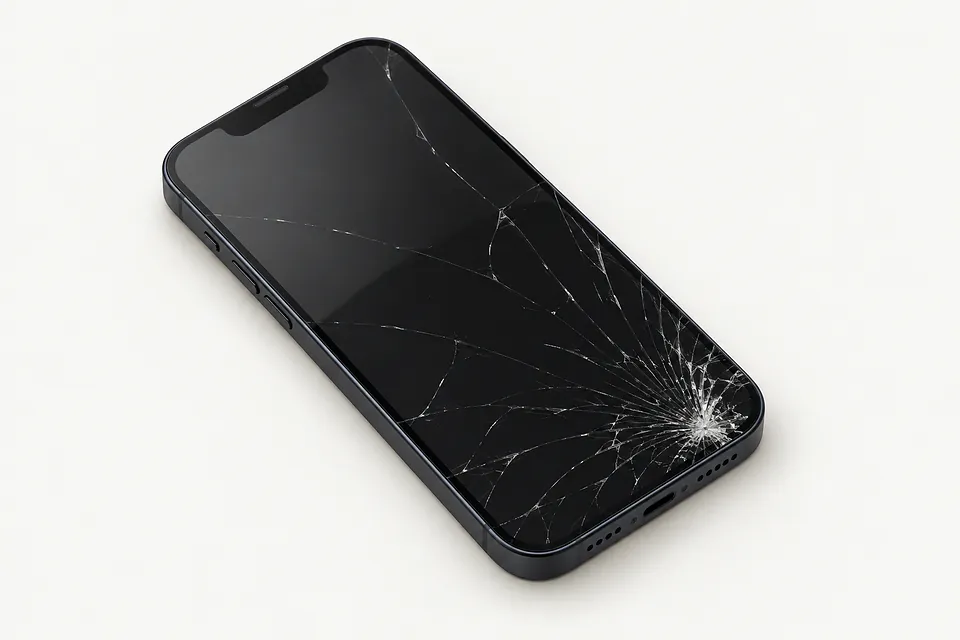
Cracks, black screens and touch trouble
Phone rings but nothing shows
The display can quit while incoming calls still ring. A force restart may clear a software freeze. If that changes nothing, ask the repairer to try a test screen.
Find a repair near you: Phone rings but nothing shows
iPhone won't respond to touch
Wet fingers or damp glass can make taps fail, even with a clear picture. Dry both before restarting your iPhone. A keyboard letter that stays dead in different apps points toward damaged touch hardware.
Find a repair near you: iPhone won't respond to touch
Camera view stays black
Readable buttons around a dark camera preview usually mean trouble with the camera or its app. Try each camera separately after closing and reopening Camera. A new display generally won't help.
Find a repair near you: Camera view stays black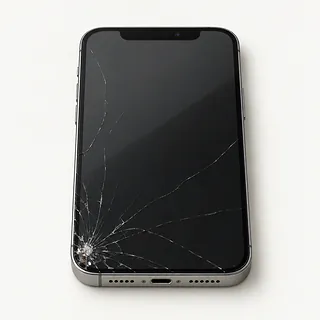
Cracks across the front glass
Glass can break without ruining the image below it. It's bonded to the OLED, so replacing the complete screen is usual. Glass-only repair needs special tools and a panel that still displays pictures and responds normally.
Find a repair near you: Cracks across the front glass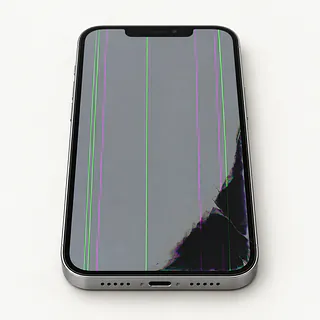
Display flashes green or purple
Colored flashes beside a black blotch usually point to a broken display panel. Restarting may help with flicker caused by software, but it can't mend a cracked OLED.
Find a repair near you: Display flashes green or purpleScreen enters letters by itself
Ghost touch means your phone detects taps nobody made. Surface water sometimes causes this, but screen damage does too. Stop entering your passcode if extra numbers appear, since repeated incorrect attempts can lock you out.
Find a repair near you: Screen enters letters by itself


What happens during iPhone 14 screen replacement
A dark display needs testing before anyone blames the screen. If your iPhone still vibrates, the technician can connect a spare display and see what happens. They also check for missed swipes and damage beyond the glass.
Expect the broken cover and OLED to be replaced as one piece. Saving a working panel through glass-only repair takes special equipment. Every iPhone 14 version started with OLED, so ask what will go back in yours. An aftermarket LCD can look different, and an original panel that's been refurbished is another option to discuss.
The repairer protects the Face ID sensors, camera and call earpiece during removal, transferring attached pieces as needed. Closing the phone requires fresh edge adhesive, without restoring a claim of waterproofing. Checks then cover color, touch, cameras, sensor response and earpiece sound, plus a test of face unlock. On an iPhone 14 Pro or Pro Max, include the always-on display.
Is an iPhone 14 screen worth replacing
Start with what bothered you before the screen broke. If the battery barely lasted through errands or the rear camera had stopped focusing, replacing the display would leave those problems behind. Have the quote include the other repairs you need.
An otherwise useful iPhone 14 may only need its screen fixed. Check that the panel you want can be supplied for your particular model. Age matters too, so confirm which iOS updates it can receive and what software your everyday apps require.
Don't give up on files just because you can't see them. A working screen might let you copy a saved voicemail or an unsynced video before moving to another device. Make that part of the conversation before anyone suggests a reset.
What to ask at the counter
Will the quote identify the screen's maker and type?
All iPhone 14 models started with OLED. Have the quote name the maker, note any refurbishment and flag a proposed LCD substitute.
How would I report touch trouble after the repair?
The written warranty should explain coverage for phantom taps and dead keyboard areas. Read the limits on parts and installation before agreeing.
Can you show the checks at drop-off and pickup?
Compare face unlock, camera pictures, call audio and touch across the corners. Note anything that already fails.
Do you need to keep my passcode?
An unlocked phone exposes personal apps too. Discuss entering the code yourself, and keep permission to erase data separate from screen work.
What charge applies if testing ends without installing anything?
Troubleshooting a blank display may carry its own fee. Have that charge written down before leaving the phone.
If the picture stays black, will you stop there?
A display swap won't fix every cause of a black screen. Agree on payment for failed work and require approval before trying further repairs.
What to save and what to bring
Save a backup before touch gets worse
Back up to iCloud, or save a copy on your computer. Check it finished, and point out anything you couldn't copy because the screen stopped responding.
Describe how the fault began
Write down when it started and any fall or splash. Mention details such as a black patch spreading from a crack or swipes failing across the middle.
Agree on passcode access
Offer to unlock the device yourself for tests that need it.
Be ready to disable Find My
Know your Apple account password and enter it privately if the repair requires Find My to be off.
Remove attached belongings
Take off the case and magnetic wallet, and retain unrelated accessories. United States models use eSIM and have no removable SIM.
Related repairs
iPhone 14 Screen Replacement: common questions
Where should I start looking for iPhone 14 screen replacement?
The 6 shops you can search by city all say they offer this service. Ask about your model and fault before deciding where to go.
Who can give me an estimate for iPhone 14 screen replacement?
You can help the shops price the job by naming your model and describing the fault. Ask which work that estimate would cover.
When can I expect my iPhone back?
On the phone, ask the shop to estimate the time for iPhone 14 screen replacement, including any queue. They may revise that estimate if the damage needs more work than expected.
Am I putting too much money into my iPhone?
Ask how much the work would cost before deciding, even if you've had the device for years. Compare the quote with its age, any other damage, the files stored on it and how much you still need it.
How can I get ready for iPhone 14 screen replacement?
Back up files you can reach while your device is working, and write down its exact model plus what stopped working. When booking by phone, check whether the charger should come along, the case should stay on and a passcode will be needed.
Why is my iPhone 14 screen black but the phone still works?
A black display with calls or sounds still coming through can mean the screen has failed while the phone keeps running. Try a force restart first. If it stays blank, a shop can test the display and check for a fault beyond it.
What can I do if my iPhone 14 touch screen isn't working?
Force restart the phone, disconnect its charger and wipe away moisture or smudges. If the same keyboard letters still won't respond after a drop, the screen could be broken under glass that looks fine.
Can a cracked iPhone 14 screen be fixed without replacing the display?
Some specialists can save a working OLED by separating it from the broken cover glass. That's an option for cracks with no trouble underneath. Black ink-like patches or taps that don't register point to damage a fresh sheet of glass won't fix.
Why is my iPhone 14 screen flickering?
A drop can damage the OLED underneath unbroken glass and leave the screen flashing. Restart it once to check for a software glitch, though green streaks or dark patches alongside the flicker make a broken display more likely.
Why is my iPhone 14 tapping things by itself?
A damaged screen can register touches nobody made, opening apps or adding letters while you're typing. Unplug the charger, dry off the surface and try restarting. If those steps don't stop it, a shop can test for a failing touchscreen.
Will an iPhone 14 screen replacement fix a black camera screen?
Usually no, since a display that shows camera buttons and other apps normally is still drawing the picture. Restart and switch between the rear and front cameras. A camera fault or software problem needs a different fix.