
Find iPhone 14 Repair Near You
Nationwide, 26 shops say they can help with iPhone 14 repair. Head to your city's page to see who's close by.

iPhone 14 Repair by city
Pennsylvania
Why an iPhone 14 stops working
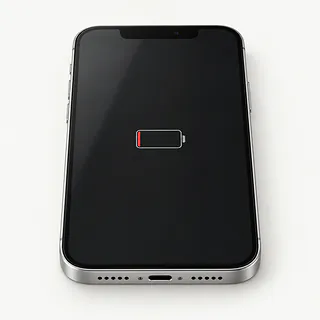
iPhone battery won't hold its charge
Lost battery capacity means less use between charging sessions. Open the Battery menu in Settings and check its health reading, then look for an app using unexpected power.
Find a repair near you: iPhone battery won't hold its charge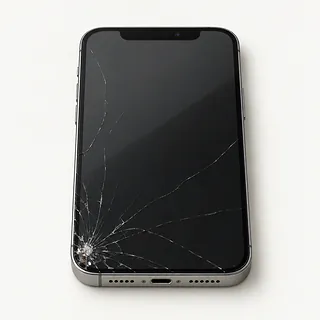
Screen cracked and touch won't work
A fall can break the display's touch layer along with its front glass. Replacing glass alone won't repair dead areas on the keyboard.
Find a repair near you: Screen cracked and touch won't workBack of iPhone is cracked
A rear impact can leave sharp cracks even when the cameras still work. Repairing Pro back glass takes more work than replacing the removable rear panel on an iPhone 14 or iPhone 14 Plus.
Find a repair near you: Back of iPhone is cracked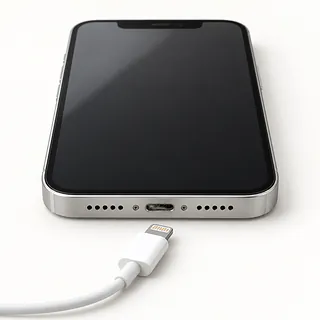
Charging cable keeps disconnecting
A frayed cable, clogged Lightning port or worn contacts can interrupt power. Compare a different cord with wireless charging, and don't keep forcing the plug sideways.
Find a repair near you: Charging cable keeps disconnecting
iPhone makes sounds but stays dark
Sounds suggest the phone has started despite a blank display. Attempt a force restart, then mention those sounds when requesting repair.
Find a repair near you: iPhone makes sounds but stays darkPhone won't power on
An exhausted cell, failed screen or board fault can look like a dead phone. Start by checking it with charging equipment known to work.
Find a repair near you: Phone won't power on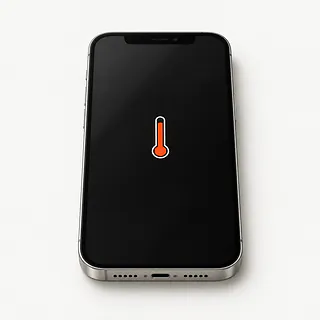
Phone feels unusually hot
Sunlight and heavy use can raise the case temperature. Pause what you're doing and disconnect power if a temperature warning appears.
Find a repair near you: Phone feels unusually hot
iPhone restarts during use
A worn cell can struggle to supply power, though software faults also cause reboots. Save anything still accessible before further troubleshooting.
Find a repair near you: iPhone restarts during use


How broken iPhone 14 parts get replaced
A battery reading won't explain a loose charging plug. The repairer checks the port and charging equipment, or tries a spare screen if calls ring through a dark display.
Battery replacement takes out the worn cell. Port repair usually replaces the port's flex cable, while cracked fronts generally need bonded glass and panel replaced together. Ask if the replacement uses OLED or an LCD substitute, and which attached parts need transferring. Rear panels detach separately on the iPhone 14 and iPhone 14 Plus, while Pro back glass takes more work.
Save your files and turn off Find My when requested, entering your Apple Account password yourself. Turn it back on afterward. Discuss unlocking access for tests and new adhesive around the opening, though that doesn't make the phone waterproof. Try the keyboard, face unlocking, front and rear cameras and a call, then check charging by cable and MagSafe. Get any notice about replaced parts explained before leaving.
When keeping an iPhone 14 makes sense
Replacing the battery won't help if you're already deleting photos to make room. If storage is tight or Face ID also fails, weigh that before fixing the screen. Get the repair quote in writing, including the camera that won't focus or the loose charging port.
As your iPhone 14 ages, check Apple's security updates and the software your work apps need. Find out which screen or battery the repairer can get before agreeing to the job.
Open your saved photos and notes on another device. If a child's voice recording is missing, tell the repairer you need it copied before any erase. That recording may be worth retrieving even if the phone is being replaced.
What to settle with the shop
Will further work need a separate agreement?
Set a clear stopping point if the proposed fix doesn't work. A phone that keeps restarting might need more than a battery swap.
Can personal files stay out of the testing?
Discuss which checks require unlocking and who handles the phone. Erasing its contents needs your consent, even if software trouble is suspected.
How will the replacement part be described in writing?
Request its maker and source. With an iPhone 14 Pro Max screen replacement, confirm OLED and ask what Parts and Service History will show.
What would returning a faulty repair involve?
Read the warranty before agreeing to work. Check coverage for a failed replacement, an installation mistake and faults the terms exclude.
Can the drop-off tests be repeated at pickup?
Try face unlock, front and rear cameras, typing and a charging cable together. Note anything that already fails.
Is there a testing fee if nothing gets replaced?
Agree on testing charges before leaving the device, including what you'd owe if no repair follows.
Before handing over your iPhone 14
Confirm your saved copy
Back up through iCloud or a computer and check that it completed. Flag photos or messages that exist only on the phone.
Describe the pattern
Write down when trouble began and what triggers it. Mention a plug that won't sit fully in the Lightning port or touch that fails along one edge.
Keep account control
Know your Apple Account password and keep it private. Disable Find My only at Apple's or the shop's request, then enable it after repair.
Agree on unlocking
The shop may need your passcode for tests. Arrange to enter it yourself where possible.
Leave loose belongings behind
Remove the case and magnetic wallet. United States models use eSIM, so there's no physical SIM to take out.
Related repairs
iPhone 14 Repair: common questions
Who can I ask about fixing my iPhone?
In their own words, 26 shops offer iPhone 14 repair. Pick a place in your city and ask whether they can work on your exact model.
What should I expect to pay for iPhone 14 repair?
The same symptom can call for different work, which affects cost. Describe your iPhone problem when you call and ask what the estimate covers.
When can I expect my iPhone back?
You can ask the shops to explain what their time estimate depends on. When you call, mention the damage and check how busy they are.
At what point should I replace my iPhone instead?
Saving files may be worth paying for even if you choose to replace the device. Request a quote before settling on iPhone 14 repair, and check whether the device's age and other damage change how much you'd spend to keep it.
Should I bring anything with my iPhone for repair?
Gather the exact model name and a note explaining the fault, then copy any files you can from a device that still works. When calling, check if you should bring a charger or case and how to handle a passcode.
How do I know if my iPhone 14 needs a battery replacement?
Battery replacement is worth considering when iOS recommends service or the phone shuts down unexpectedly. Have those symptoms checked together with its maximum capacity reading, since heavy app use can also explain frequent charging.
Does iPhone 14 Pro Max screen replacement include the glass?
Most iPhone 14 Pro Max screen repairs replace the front glass and OLED panel together because they're bonded. A specialist may replace just the glass if the panel still displays correctly and touch works.
Why won't my iPhone 14 charge when plugged in?
The cable, charger or port is more likely to blame than the battery when wireless charging works. Swap the charger and cable, try a different outlet, then have the port checked for packed lint or wear.
Why is my iPhone 14 screen black but the phone still works?
Ringing behind a dark screen means the phone is running, but its display may have failed. Force restart it to check for a temporary software freeze. If that changes nothing, a shop can test the screen before replacing it.
Can iPhone 14 back glass be replaced?
Yes, cracked back glass can be replaced on each iPhone 14 model. The regular model and Plus open from the back so that glass comes off on its own. Pro and Pro Max backs aren't built that way and take more work.
Why is my iPhone 14 overheating?
Charging, demanding apps and direct sun can make an iPhone 14 hot without a failed battery. Stop charging and let it cool away from sunlight if a temperature warning appears. Tell the shop if it repeatedly gets hot during light use.