
Find iPhone 14 Battery Replacement Near You
Based in New Jersey, New York, and Pennsylvania, 3 shops offer iPhone 14 battery replacement, according to their websites. Of those, Google has hours posted for one shop on Sunday and for one shop late on a weekday. Their own sites say people are welcome to stop in as walk-ins at 2 shops.
Shops that list iPhone 14 battery replacement
No town has enough of them for its own page yet, so here they are directly. Not paid placements.
- The Fix - Phone Repair, Tablet Repair and AccessoriesElizabeth, NJ
- The Phone PlugzPhiladelphia, PA
- iPhone and laptop screen repair Staten IslandStaten Island, NY
Why your iPhone 14 loses power
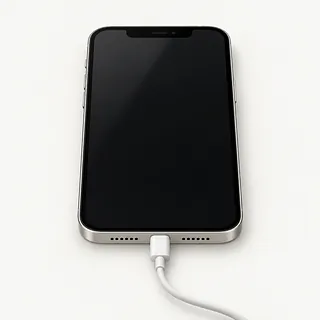
iPhone won't wake up
A charging problem can look just like a dead battery. Connect a Lightning cable and adapter that work with another device, and try a force restart. A plug that won't seat fully may have pocket lint packed behind it.
Find a repair near you: iPhone won't wake up
Battery health has dropped
A full charge doesn't mean the battery still holds as much as it did new. Maximum capacity tells you how much it holds compared with new. Open the Battery section of Settings and choose Battery Health to check that reading and any service message.
Find a repair near you: Battery health has droppedBattery drains with little use
Apps working in the background can use power while the screen is dark. Check app activity in battery settings, especially if this started after installing an app. Replacing a battery won't stop an app from using power.
Find a repair near you: Battery drains with little use
iPhone restarts over and over
Restarts alone don't prove you need a battery. A worn cell can struggle when a game demands more power, but iOS trouble can also interrupt startup. Back up what you can and check for software updates.
Find a repair near you: iPhone restarts over and overPhone dies before charge runs out
A battery can have charge left and still fail to keep the phone on. Tell the repairer if it shuts off as you unplug it or needs external power to start again.
Find a repair near you: Phone dies before charge runs out
Screen is coming away
Glass lifting along one side can mean the battery is swelling underneath. Stop charging, turn the phone off and arrange repair. Don't press it closed or keep using it.
Find a repair near you: Screen is coming away


How the iPhone 14 battery gets replaced
Battery testing should come before opening the phone. The repairer checks its health reading, charging behavior and any shutdowns you've described. Working wireless charging alongside failed Lightning charging points toward the cable, adapter or port.
The old cell comes out and the replacement gets fresh battery adhesive. The iPhone 14 and iPhone 14 Plus have separately removable back glass, so opening them differs from opening the Pro models. Ask which battery will be installed, since original Apple and aftermarket cells vary in quality, and confirm that opening seals will be renewed.
Make a backup beforehand and turn off Find My yourself only if requested, using your Apple Account password. Ask how the phone will be unlocked for testing. Afterward, checks should cover charging, startup, touch and Face ID, plus whether the original shutdown problem remains. Settings, General, About can show Parts and Service History and messages about a battery that couldn't be verified. Reenable Find My after repair if you disabled it.
Deciding whether to replace the battery
Photos stuck on a dead iPhone 14 matter even if you're replacing the phone. Tell the repairer which pictures have no other copy. Battery work might get it running again, but ask about saving those files before allowing anything to be deleted.
Keep it if calls, maps and messages work well and testing points to a tired cell. As the phone ages, check Apple's security update information and the iOS requirements for your banking app. Ask if a suitable battery is available for your iPhone 14, Plus, Pro or Pro Max.
A case bent near the buttons or touch that misses letters adds work beyond the battery. Get those faults checked and included in writing, then decide if you'd still want to use the repaired phone.
Questions before an iPhone 14 battery replacement
Could this be a charging fault?
Mention a cable that only works when held at an angle. Swapping the battery won't fix a loose Lightning port.
Which battery is included in the quote?
Get a clear answer on Apple versus aftermarket and who supplies it. Battery quality varies, and it's worth asking if a parts message will appear in Settings.
Will you need my passcode for testing?
Arrange to enter it at the counter if possible. Have touch response, charging and face unlock checked at drop-off and pickup, and agree who can use the phone while it's unlocked.
What if the replacement starts losing charge suddenly?
Read the warranty before agreeing to the work. It should say how faulty batteries and installation mistakes are handled, including any further charges.
What gets glued back down?
Ask about both the adhesive holding the cell and the seal around the opened phone. Reusing old adhesive isn't a substitute for resealing.
Would I still owe a testing fee?
Ask what happens to the bill if you turn down the repair or testing finds nothing wrong with the cell.
Before leaving your iPhone for battery work
Write down when the drain or shutdowns started and what sets them off. Losing power during a video call tells the shop more than saying the battery is bad. Save a backup through iCloud or onto a computer, then check that it completed.
Leave Find My enabled unless your repair provider asks you to turn it off. Have your Apple password ready, enter it privately, and reenable Find My after pickup if you disabled it. Agree which tests require you to enter the screen passcode.
Take off the cover and leave spare chargers behind unless requested for testing. The iPhone 14 family sold in the United States uses eSIM, which remains on the device during service. Keep a note of your cell provider and the account information in case setup is needed again. Avoid erasing anything unless the shop says it's required.
Related repairs
iPhone 14 Battery Replacement: common questions
How much should I set aside for iPhone 14 battery replacement?
The cost of iPhone 14 battery replacement depends on your model and what is wrong. Call with both and ask what the quote covers.
What affects how long my iPhone stays at the shop?
The amount of damage matters, as does the work already waiting at the shop. Call about iPhone 14 battery replacement and ask how long yours could take.
Can other damage make replacement the better choice?
Saving files may be worth paying for even if you choose to replace the device. Request a quote before settling on iPhone 14 battery replacement, and check whether the device's age and other damage change how much you'd spend to keep it.
What should I do before booking iPhone 14 battery replacement?
Get your model number and a short account of what happened ready for the call about iPhone 14 battery replacement. Ask about the charger, case and passcode, and back up any files you can if the device is working.
How do I check battery health on iPhone 14?
In Settings, choose Battery and open the battery health menu. The capacity reading tells you how much charge the cell holds compared with a new one. Also check for a message recommending replacement.
Why is my iPhone 14 battery draining so fast?
Poor cell signal, a power-hungry app or a worn battery can explain fast drain. The Battery screen in Settings shows app use, so start there before deciding the battery needs replacing.
Why won't my iPhone 14 turn on?
An empty battery, a charging fault or a broken screen can leave the phone looking dead. If there's no sign of liquid or swelling, use a known working Lightning cable with another power adapter and try a force restart. A shop can check what failed.
Why does my iPhone 14 keep restarting?
Repeated restarts can result from battery wear, software trouble or another failing part. Cutting out with charge still showing makes the battery worth testing, especially if its health screen recommends service.
What should I do if my iPhone 14 battery is swollen?
Unplug the charger and stop using the phone if you suspect battery swelling. A screen or rear panel lifting away from the frame can be a sign. Don't squeeze it shut or remove the battery yourself, and call ahead for advice on bringing it in.
Does replacing an iPhone 14 battery improve performance?
A new battery may help apps open faster if the old cell was struggling to deliver power. It may also reduce unexpected shutdowns caused by battery wear. Slowness caused by a software fault needs a different fix.