
Find Water Damage Phone Repair Near You
83 shops say they do water damage phone repair. Choose your state or city to find someone nearby to call.
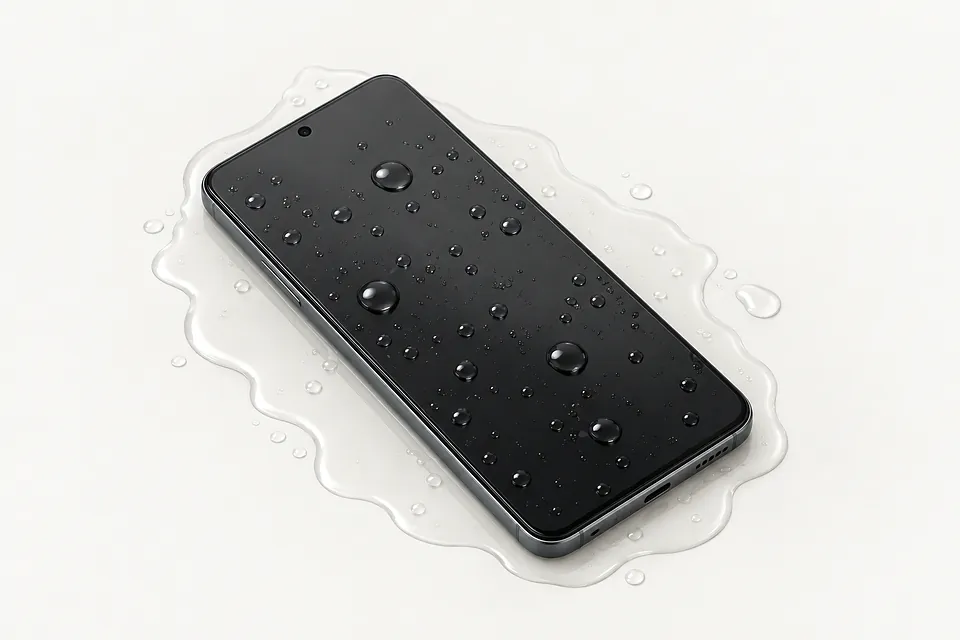
See which cities have shops offering water damage phone repair
What liquid can do to a phone
Turn a wet phone off and leave it unplugged. Don't use heat to dry it or keep pressing the power button.
Phone still dead after rice
Rice doesn't remove sticky residue or corrosion from a circuit board. Apple discourages putting wet iPhones in rice. Leaving the phone in a bag doesn't replace cleaning.
Find a repair near you: Phone still dead after rice
iPhone stopped responding after getting soaked
Liquid can reach electrical connections in a water resistant iPhone too. That protection wears down, and the rating isn't proof that the inside stayed dry.
Find a repair near you: iPhone stopped responding after getting soaked
Phone screen black after water spill
A dark screen alone can't tell you if the display failed or the board lost power. A shop can clean affected areas, then test the parts separately.
Find a repair near you: Phone screen black after water spillDry phone starts acting up
Corrosion can cause trouble after visible moisture is gone. Touch that stops responding or sound that cuts out may trace back to the original spill.
Find a repair near you: Dry phone starts acting up
Samsung won't charge and says moisture detected
The warning can come from moisture around the port contacts. Unplug it rather than trying to get past the alert.
Find a repair near you: Samsung won't charge and says moisture detectedPhone quit working after soda spilled
Sugar leaves residue as soda dries. Salty water also does more harm than fresh water, so mention the liquid involved when describing what happened.
Find a repair near you: Phone quit working after soda spilled


Inside a phone after a spill
A dead phone doesn't automatically need a battery. The first job is to check where the liquid went, looking at the board and its connections before installing new parts.
Clean the affected board
Shops often use isopropyl alcohol or ultrasonic equipment to remove residue. Cleaning exposes what still needs work, but it won't bring every damaged part back.
Test before choosing parts
The display, battery and charging port get checked to see which can stay. Moving a working original home button to an iPhone SE replacement screen usually preserves Touch ID. A third-party button won't restore fingerprint unlock.
Check the repaired phone
Tests should include starting up, taking a charge, reading taps, recording sound and using the cameras and speakers. Unlock sensors need checking too. If the goal is saving files, being able to copy them may be enough.
Choosing between repair and replacement
Repair is easier to justify if the phone worked well before the spill and liquid reached only a small area. A worn battery or broken frame adds work beyond cleaning the board.
Check whether your model still gets security updates and whether the needed parts are available. Age alone doesn't settle it. Ask for a written quote that names the repairs, then weigh that against how useful the phone would be afterward.
Photos stored only on the phone can change the goal. Tell the technician that copying them comes first. Getting access for a backup may be worth pursuing even if you plan to replace the device.
Before leaving a wet phone
Will you try to recover data without erasing anything?
Make keeping photos and messages part of the work order. Discuss passcode access before handing over a code.
What would I owe for an unsuccessful attempt?
Cleaning and testing may carry charges even if the phone won't start afterward. Have those terms written down before work begins.
How do you remove liquid residue inside?
Drying alone leaves contamination behind. Board cleaning often uses isopropyl alcohol or an ultrasonic cleaner, followed by checks to see what survived.
Does the repair warranty exclude returning corrosion?
Request the actual exclusions. Coverage for an installed part may differ from coverage for faults elsewhere on a liquid damaged board.
Can you record what works before and after cleaning?
A working display says little about the earpiece, cameras or charging connection. Ask which checks are safe initially and what gets tested afterward.
How will you handle a phone that still fails?
Agree when attempts should stop. Find out how permission for additional work is recorded and how the phone will be returned.
What to do before drop-off
Leave a soaked phone powered off, with nothing plugged into its charging port. Keep it away from heat and don't bury it in rice. Prompt board cleaning helps limit spreading corrosion.
Name the files you need
Look through cloud storage on a different device and tell the repair counter what's missing. Keep the damaged phone off even if no backup exists.
Plan for unlocking
Ask about entering the code in person for agreed checks. Otherwise, settle who may use the passcode.
Leave account locks alone
Only turn off Find My after the reason is clear. Account passwords stay with you.
Set the extras aside
Slip off the case. Ask about removing physical SIM and storage cards after drying the outside, and pack accessories only if needed.
Bring the spill history
Record when symptoms began and what the liquid was. Include restarts, shutdowns and whether it was connected to power.
Related repairs
Water Damage Phone Repair: common questions
Can I search by city for water damage phone repair?
Nationally, 83 shops list water damage phone repair on their websites. Look up your city, then phone someone nearby to check whether they can work on the exact model you have.
Will the extent of the damage affect my water damage phone repair bill?
Until someone knows the fault, a price for water damage phone repair may be only a rough estimate. Describe the symptoms by phone, share your model's full name and check which work is covered.
Should I expect a long wait for water damage phone repair?
Phone the shop to discuss the damage and request an approximate timeframe for water damage phone repair. They cannot be certain of the finish date if the work needed or their schedule changes.
Can other damage make replacement the better choice?
Check whether the files you care about are saved somewhere else. Then get an estimate before making a decision, comparing the cost with your device's age, any further damage and the use you'd get from keeping it.
What should I have ready when calling about water damage phone repair?
Check during your call whether the charger is needed, how to handle any case and what to do with a passcode. Write out the full model name and what failed, and copy your data if the device still operates.
How long should I leave my phone in rice?
Rice isn't a treatment for liquid damage. Apple's advice is to avoid it. Leave the phone powered down, skip heat and keep the charging cable disconnected.
Can a water damaged phone be fixed?
Sometimes, yes, depending on what the liquid reached and how much corrosion has spread. A shop can clean the affected board, then test the screen, port and other parts to see what survived.
Why did my phone stop working after it dried?
A phone can dry out and still have corrosion spreading inside. That's why it might seem fine after a spill, then lose sound or refuse to charge as the board gets worse.
Can I recover photos from a water damaged phone?
Sometimes the phone only needs to work well enough to unlock and make a backup. A dead speaker or broken camera doesn't necessarily stop you from copying photos, even if other repairs aren't practical.
Why does my Samsung phone say moisture detected?
That message flags possible moisture where the charging cable connects. It isn't a check of the whole phone, and bypassing the warning after liquid exposure risks powering a wet device.
Can my water resistant iPhone still get water damage?
Yes, an iPhone's water resistance can wear down with use. Getting through one dunk without trouble doesn't mean the next spill will be harmless, and liquid damage may fall outside the warranty.