
Find iPhone 14 Pro Max Screen Replacement Near You
In their own words, 5 shops offer iPhone 14 Pro Max screen replacement. Browse the states to find help close to home.
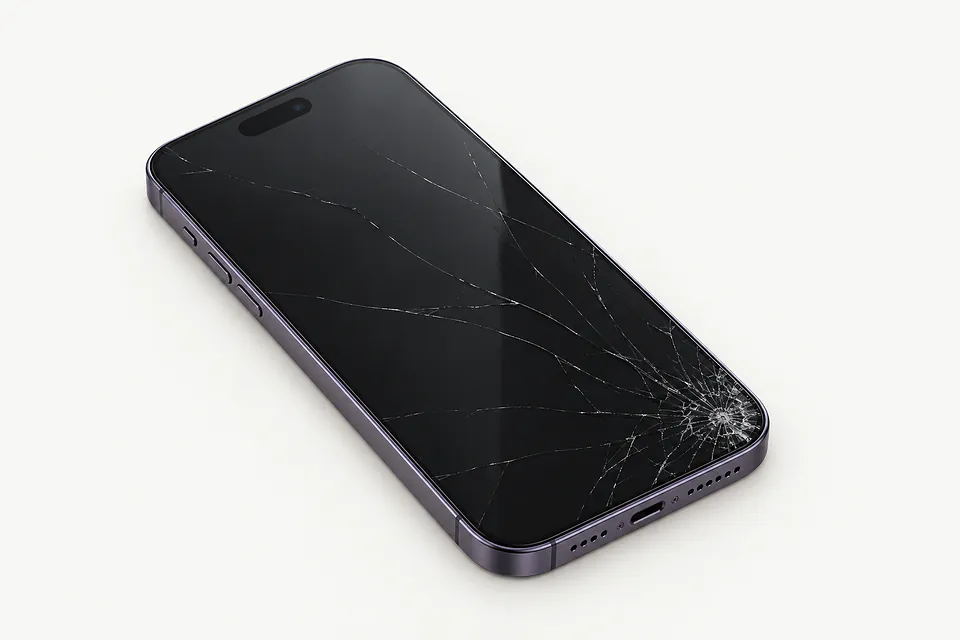
Signs your iPhone 14 Pro Max screen needs repair
Phone works with a black screen
A phone that vibrates for messages may have a broken display even though the rest still runs. A software freeze is another possibility, so force restart it. A repairer can connect another panel if the picture doesn't return.
Find a repair near you: Phone works with a black screen
Screen won't respond to touch
A damaged touch layer sometimes ignores part of your finger's movement, making scrolling jump or stop. Start by drying your hands and the screen. Restart, then check if the dead area stays put across different apps.
Find a repair near you: Screen won't respond to touch
Screen glass has cracked
A corner strike can send a crack across an otherwise readable screen. Don't press lifted shards back into place. Replacing the complete assembly is usual because the front glass is attached to the OLED beneath it.
Find a repair near you: Screen glass has cracked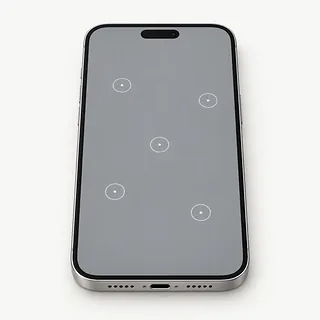
Phone keeps tapping without being touched
Ghost touch can come from water on the surface or damage inside the screen. Dry it before trying again. If menus still open by themselves, avoid unlocking attempts that could turn stray taps into incorrect passcodes.
Find a repair near you: Phone keeps tapping without being touched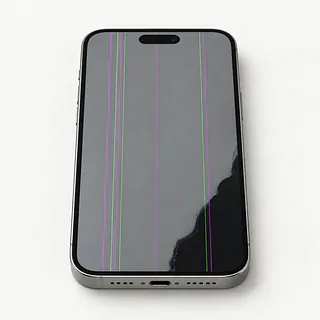
Display flashes green or purple
Flashes with a purple stain or a bright vertical line usually point toward OLED damage, particularly after a knock. Even glass that feels smooth can cover a broken panel. Pressing the colored area won't repair it.
Find a repair near you: Display flashes green or purple


What gets checked during a screen repair
The shop starts by checking the frame for bends and looking at what happens when you tap or swipe. A black iPhone 14 Pro Max may need a test screen to show what's wrong. Say if face unlocking stopped after the fall too.
Most screen repairs remove the broken glass along with the OLED bonded to it. Keeping that panel for glass-only work takes special equipment, and it needs to show a clear picture and respond properly. For a complete replacement, ask what's available, including a new Apple screen, a refurbished original or an aftermarket part.
The person opening the phone needs to protect the cameras, earpiece and Face ID sensors and transfer any attached parts that need moving. New adhesive goes around the edge, although that doesn't make it waterproof. Before you pick it up, the shop tests typing, brightness, sensors, both camera views, face recognition and sound from the earpiece.
Deciding between screen repair and another phone
You may want the screen fixed just to copy something off the phone. A recording that never synced could still be there, out of reach because you can't enter your passcode. Tell the repairer what needs saving and discuss that before agreeing to erase anything.
Keep the iPhone 14 Pro Max if you'd enjoy using it with an intact display. Check Battery Health, charging and cameras if you can, and mention cracked rear glass when asking for a quote. Several repairs may make replacing the phone more appealing.
Ask which OLED screens the shop can get before committing to repair. Also check which security updates Apple offers as your phone gets older. Another device makes more sense if yours can no longer run the apps you need.
Questions before an iPhone 14 Pro Max screen repair
Could I type in the passcode when needed?
Arrange to unlock it yourself for tests. Leaving your code behind gives someone access to email and messages too.
Does the paperwork say OLED or LCD?
OLED is the original screen type on an iPhone 14 Pro Max. An LCD substitute can look different, so have the quote name the manufacturer and state if the panel was refurbished.
Will you show me what works at pickup?
Try Face ID, both cameras, touch and earpiece sound. Compare the results with notes taken when you dropped it off.
Who handles a new screen that starts tapping by itself?
Request the warranty in writing. Check its exclusions and how to claim for ghost touch, colored lines or damage caused when installing the screen.
What do I pay if I leave it unrepaired?
Checking a black screen can carry a separate fee, even if you decide against having it fixed.
Do you stop if another screen makes no difference?
Agree on a call before more parts get installed. A reset needs your permission too.
What to save and bring
Describe the fault while the details are clear. Write when it began, mention a fall or splash, and say if the phone still rings despite showing no picture.
Copy your data through a computer backup or iCloud while you can use the display. Confirm the copy succeeded. If a blank screen blocks this, tell the shop which photos or files have no other copy.
Plan any unlocked tests around entering your device code in person. Turn off Find My only if asked, using your Apple login privately. Enable it again afterward.
Separate the phone from its accessories
Take off the cover and attached wallet. Leave unrelated cables behind.
Check where the phone was sold
United States versions of the iPhone 14 Pro Max have eSIM instead of a removable SIM. For an imported phone with a SIM tray, discuss keeping the card.
Related repairs
iPhone 14 Pro Max Screen Replacement: common questions
Who should I call about iPhone 14 Pro Max screen replacement in my area?
The 5 shops you can search by city all say they offer this service. Ask about your model and fault before deciding where to go.
Does the charge for iPhone 14 Pro Max screen replacement depend on what's wrong?
Your model and the fault can change the work required. Start the call with that, then ask how much that work would cost.
Does iPhone 14 Pro Max screen replacement take more time when the shop is busy?
Until the shop understands the damage, they may only be able to give a broad estimate for iPhone 14 Pro Max screen replacement. Phone to discuss the likely wait and how their schedule could affect it.
Should I pay for iPhone 14 Pro Max screen replacement if I rarely use the device?
The cost of iPhone 14 Pro Max screen replacement is only part of the decision. Ask for a quote before committing, then factor in the device's age, any separate damage, data you care about and how well it still suits you.
What should I bring when I go for iPhone 14 Pro Max screen replacement?
Gather the exact model name and a note explaining the fault, then copy any files you can from a device that still works. When calling, check if you should bring a charger or case and how to handle a passcode.
Why is my iPhone 14 Pro Max working but the screen is black?
Your phone can keep running even when its screen stops showing a picture. Force restarting may clear a software hang. Continued ringing with no image needs testing, since replacing the display won't fix every possible cause.
Why is my iPhone 14 Pro Max touch screen not working?
Touch can fail even when the glass isn't cracked. Restart your iPhone 14 Pro Max and try it without a charging cable, cover or protector. A patch that remains unresponsive can point to a screen fault.
Why is my iPhone 14 Pro Max screen flickering?
The OLED panel may be failing, particularly when flickering comes with black blotches or a purple tint. Mention those extra symptoms when asking about a replacement, even if the flashing comes and goes.
Can a screen replacement fix ghost touch on my iPhone 14 Pro Max?
A screen swap can stop the phone opening apps or typing by itself when its touch layer is broken. Try it unplugged, remove its protector and reboot first, since a charger or software problem won't be fixed by installing another display.
Can you fix cracked glass on an iPhone 14 Pro Max?
An iPhone 14 Pro Max with cracked glass usually gets a replacement screen assembly. Separating the glass takes specialist equipment, and the panel underneath needs to be undamaged for glass-only repair.
Will a screen replacement fix my iPhone 14 Pro Max camera black screen?
A screen replacement usually won't fix a black camera preview if menus and other apps display normally. That symptom doesn't by itself point to a broken screen. Restart the phone and check both cameras before agreeing to display work.