
Find Google Pixel Repair Near You
Nationwide, 45 shops say they can help with Google Pixel repair. Head to your city's page to see who's close by.
Google Pixel Repair by city
Common Google Pixel problems
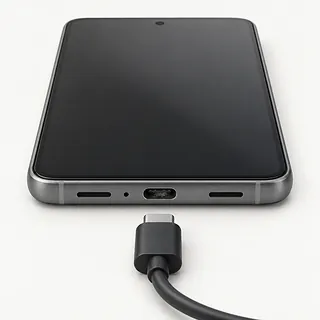
Charging only works at an angle
Packed lint or a worn USB-C port can keep the plug from making contact. Check with another cable. Bending the cable sideways puts more strain on the connection.
Find a repair near you: Charging only works at an angle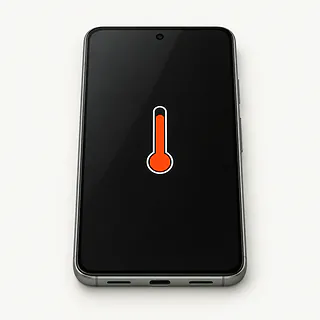
Pixel overheats while charging
Using demanding apps while plugged in adds heat. Pause charging and let the phone cool away from sunlight. A lifting screen can signal battery swelling, so stop using it.
Find a repair near you: Pixel overheats while charging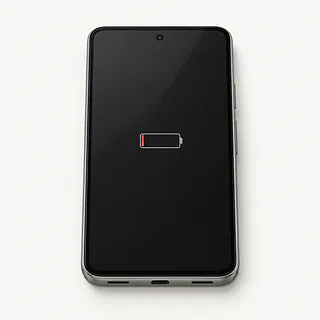
Battery won't hold its charge
Gradual loss of runtime often points to battery wear. Sudden drain deserves a look at app activity and recent software changes before ordering a replacement battery.
Find a repair near you: Battery won't hold its charge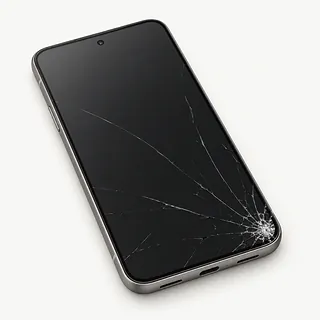
Broken screen with colored lines
Colored streaks after an impact usually mean the OLED display underneath has broken. Replacing just the outer glass won't fix a broken panel.
Find a repair near you: Broken screen with colored lines
Phone repeatedly reboots
Software crashes or interrupted battery power can send a Pixel back through startup. Back up anything reachable. Note if it happens with a particular app or when unplugged.
Find a repair near you: Phone repeatedly reboots
Touch stops working in places
A damaged touch layer can leave a patch that never responds. Clean and dry the surface, then restart to rule out a temporary freeze.
Find a repair near you: Touch stops working in places
No sound from the phone
Muted audio and an active Bluetooth connection can make a working speaker seem silent. Check the volume for the audio you're playing and disconnect paired headphones.
Find a repair near you: No sound from the phone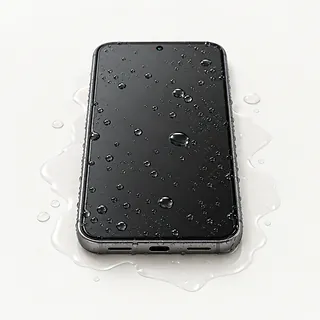
Phone won't work after getting wet
Liquid inside can short electrical connections and leave corrosive residue. Leave the phone powered off and avoid charging. Ask about saving files that aren't backed up before agreeing to repair work.
Find a repair near you: Phone won't work after getting wet


What Google Pixel repair involves
The repairer should reproduce the fault before opening the Pixel. Charging that cuts out needs checks with a working cable and adapter, while unexplained shutdowns call for battery and software testing. Point out symptoms that only happen when the cable moves.
Replacing cracked glass together with its OLED panel is a common screen repair. If your model has a fingerprint sensor beneath that panel, ask about calibration as part of the job. A battery swap is separate work, and a loose charging port needs its own checks before you approve a USB-C repair.
Save a copy of anything important before dropping the phone off. Supported Pixels offer Repair Mode to restrict access to personal information during testing. Afterward, confirm the picture, edge taps, fingerprint recognition if present, voice recording, camera operation and cable connection.
Deciding what to do with a broken Pixel
An older Pixel loses some appeal if its software support has ended or it can't run an app you depend on. For Pixel 8 models and newer generations, the longer update commitment makes keeping working hardware more worthwhile.
Repair is a simpler decision when a shattered display is the lone fault. Liquid exposure, repeated shutdowns and a damaged USB-C connector add uncertainty. Request an itemized estimate and check parts availability for that model, including whether genuine Google parts are an option.
Missing backups can outweigh the phone's value. Name the messages or pictures you need recovered before work begins. A replacement device won't contain files that existed only on the broken phone.
Before agreeing to a Google Pixel repair
Which display are you quoting for?
For a folding Pixel, specify the inner or outer screen. Get the replacement's maker and condition recorded, plus calibration if the affected display has a fingerprint sensor underneath.
How will you show that the fault is fixed?
A charging symbol alone doesn't explain a connection that cuts out when the cable moves. Agree on checks that reproduce your complaint, then compare touch, calls and cameras too.
What protection comes with the installed part?
Written warranty terms should separate part failures from accidental cracks and water exposure. Ask how to request further work if the original symptom returns.
What access would you need beyond Repair Mode?
That setting protects personal files on compatible Pixels. Discuss any tests it prevents and require approval before anyone wipes the phone.
Is checking the phone charged separately?
Clarify payment when testing ends without a repair. A written quote should spell out the work you're approving and how additional faults will be handled.
Before handing over your Google Pixel
Make a short fault log
Describe when the problem started and what triggers it. Include a battery that drops sharply during calls or touch that fails along one edge.
Protect the files you need
Confirm that a backup contains the photos and documents you care about. Tell the counter about anything stored only on a Pixel that no longer boots.
Check the repair privacy setting
Enter Repair Mode on a supported phone. Don't hand over the passcode used outside that mode or your account password. Agree how you'll handle checks needing more access.
Keep removable belongings with you
Detach the protective case and take out a physical SIM if installed. Bring charging equipment only when it helps reproduce the reported fault.
Related repairs
Google Pixel Repair: common questions
Can I search by city for Google Pixel repair?
45 shops say they do Google Pixel repair. Choose your city, then call with your exact model and explain what's wrong.
Why might I get different quotes for Google Pixel repair?
To get a price for Google Pixel repair, call and explain what's failing on your particular model. The fault affects how much work is needed, so ask for the quote to spell out that work.
Is there a usual wait for Google Pixel repair?
Before arranging a visit for Google Pixel repair, request a rough estimate by phone. The shop can judge the timing better with a clearer picture of the damage, though their workload also affects the wait.
What if my device is worth more to me than its resale value?
Have shops quote the work before you choose. Then judge the expense by your device's age, how useful you find it, any additional damage and the value of its saved files.
What should I tell the person handling my Google Pixel repair?
Back up files you can reach while your device is working, and write down its exact model plus what stopped working. When booking by phone, check whether the charger should come along, the case should stay on and a passcode will be needed.
Why won't my Google Pixel charge?
Your Pixel's charging trouble may come from the power supply or USB-C connection. Swap the adapter and cable, then test a different outlet. A loose connection deserves a port check before agreeing to replacement parts.
Why is my Pixel battery draining fast?
Heavy app use, weak cell signal and a worn battery can all drain a Pixel quickly. Check battery usage in Settings for an app using more power than expected. Battery replacement helps with wear, but won't stop an app from consuming power.
Can a cracked Google Pixel screen be fixed?
A cracked Pixel screen can usually be replaced, including when the OLED has black patches or colored lines. On models with a fingerprint sensor beneath the display, the replacement usually needs calibration so fingerprint unlocking works correctly.
Why is my Pixel touch screen not working?
A Pixel can lose touch response because of a software freeze, surface moisture or a failing screen. Dry the display, remove a lifting protector and try restarting. A strip that consistently ignores taps points more toward a screen fault.
Why does my Pixel keep restarting?
Software crashes and failing power hardware can both make a Pixel restart repeatedly. First check for case pressure against the power button and apply updates while the phone responds. A factory reset erases local data, so copy needed files beforehand.
Can a water damaged Pixel be fixed?
Repair may be possible after a Pixel gets wet, though corroded circuits can complicate recovery. Turn it off, detach the charger and resist turning it on to check. Neither rice nor heating fixes corrosion, and charging can worsen electrical damage.