
Find Apple Watch Repair Near You
Nationwide, 29 shops say they can help with Apple Watch repair. Head to your city's page to see who's close by.
Apple Watch Repair by city
Common Apple Watch problems
Watch won't charge
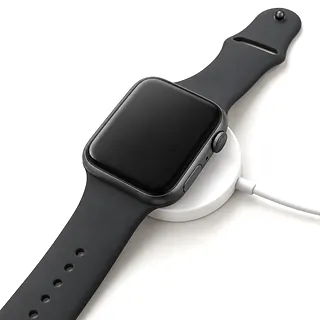
A faulty charging cable can make a working watch look dead. Remove any case that keeps the back from touching the puck, then test a different compatible charger and wall outlet.
Find a repair near you: Watch won't charge
Battery won't hold its charge
A worn battery stores less power, but extra workouts and changed settings can also explain more frequent charging. If the drain started suddenly, restart and check for a software update before booking battery replacement.
Find a repair near you: Battery won't hold its charge
Apple logo won't go away
Startup trouble often comes from software rather than a broken part. Try a force restart, provided the watch isn't installing an update. If the logo returns, ask about restoring through its paired phone before approving hardware work.
Find a repair near you: Apple logo won't go away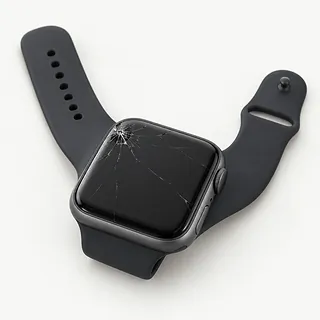
Cracked screen or broken touch
Broken glass can still respond to taps, so describe the picture and touch response when asking about Apple Watch screen repair. Colored streaks or a patch that won't register your finger help explain what broke in the fall.
Find a repair near you: Cracked screen or broken touch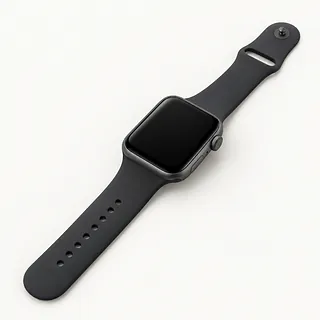
Apple Watch won't turn on
Chimes behind a blank face mean the watch isn't completely dead. The screen or frozen software may be responsible. With no sound or vibration either, charging and battery faults are still possible.
Find a repair near you: Apple Watch won't turn on


Inside an Apple Watch repair
Testing starts with the charger, battery and display, depending on what stopped working. A watch showing only an Apple logo often needs a restart or restore attempt before anyone opens it. Explain what happened just before it went wrong.
Apple Watch battery replacement requires lifting the display because the battery sits behind it. Screen repair also involves the adhesive seal around the face. Ask what screen part will be installed and how the opening will be resealed. Water resistance may not match its original level afterwards.
Unpair through your iPhone if requested for service. That creates a watch backup on the phone and removes Activation Lock. If the watch was erased, pairing and setup follow the repair. Checks should cover charging, touch across the display, buttons, sound and vibration.
Deciding what to do with a broken watch
Losing support for an app you depend on is a reason to replace an aging watch. A new screen won't change that. Confirm which software the exact model supports and whether it can pair with the iPhone you plan to use.
Repair has more appeal when cracked glass is the lone fault. Add poor charging and a battery that barely holds charge, and several parts may need work. Get a written breakdown covering those symptoms, including whether the needed screen and battery are still available.
Save what you can before retiring it. Check that activity history has synced, and tell the shop about records still trapped on the watch before allowing an erase. If keeping it for swimming, remember that opening its display can reduce water resistance.
Before agreeing to watch repairs
What exactly comes with the replacement screen?
Have the maker, condition and glass material named in writing. Apple Watch Ultra models have a sapphire front crystal, so the replacement's material deserves a specific answer.
Does opening it change how it handles water?
Even a battery swap breaks the display's adhesive seal. Ask how it's sealed again and what water resistance tests are available.
Can you check the edges for missed taps?
Touch can work in the center while one edge ignores your finger. Compare those spots before and after repair, along with charging and button presses.
Why would you need it unlocked?
Agree which checks need access and who will use the passcode. Resets need your approval too.
Who handles trouble with the installed part?
Get written warranty terms that explain repeat faults and exclusions, including liquid.
Is there a charge for testing alone?
Settle that before work starts, including when you decline repairs or the watch can't be fixed.
Prepare your watch for the repair counter
Record the pattern
Write down when trouble began and what sets it off. A logo that keeps reappearing or charging that stops when the puck shifts gives the repairer something specific to test.
Settle who unlocks it
Ask which tests require the watch passcode and offer to enter it. Keep your Apple Account password to yourself.
Unpair using the connected iPhone
Use the iPhone's Watch app to unpair after any agreed tests. The phone keeps a backup from that step, and Activation Lock is removed. If the devices can't connect, mention any unsaved data before approving an erase.
Pack the watch without extras
Leave the strap and removable case at home unless either helps show the fault. Check whether the charging cable needs to come along.
Related repairs
Apple Watch Repair: common questions
Can I search by city for Apple Watch repair?
You can search states and cities for Apple Watch repair from 29 shops who say they take on the work. Once you've chosen a city, call to describe the problem and give the full model name.
Could the damage change what I pay for Apple Watch repair?
Until someone knows the fault, a price for Apple Watch repair may be only a rough estimate. Describe the symptoms by phone, share your model's full name and check which work is covered.
Is the wait for Apple Watch repair different from shop to shop?
Treat a phone estimate for Apple Watch repair as a rough guide. Ask how much time to allow, including any wait behind other jobs or extra work the damage might need.
Should I repair or replace my Apple Watch?
Pay only what keeping the device or getting its data back is worth to you. Request a quote for Apple Watch repair first, checking its age and any other damage before you choose.
What should I do before booking Apple Watch repair?
Check during your call whether the charger is needed, how to handle any case and what to do with a passcode. Write out the full model name and what failed, and copy your data if the device still operates.
Can an Apple Watch battery be replaced?
A replacement battery can help if wear is behind the short charge life. Getting to it means opening and resealing the watch's display. A battery swap won't fix software that's using too much power.
Why is my Apple Watch not charging?
An Apple Watch may not charge if the puck sits crooked against its back or the charging equipment has failed. Clean both surfaces with a dry, soft cloth and reposition the watch, then test a compatible replacement charger and adapter at a different outlet.
Why is my Apple Watch stuck on the Apple logo?
The Apple logo often stays on screen because the software hasn't started properly. Leave an update alone if it's still running. Otherwise, try a forced restart, then talk through restoring the watch if it still won't start.
Why won't my Apple Watch turn on?
A blank Apple Watch screen doesn't tell you whether the whole watch has stopped or just the display. Alerts and vibrations suggest it's still running. If there's no response, try different compatible charging equipment to check for charging trouble.
Why is my Apple Watch battery draining fast?
Fast battery drain can come from software or heavier use as well as an aging battery. Start with a restart and check settings for changes. Tell the repairer if the shorter charge life began after an update or a change in habits.
Does a cracked Apple Watch screen need replacing?
Screen repair may replace only the cracked glass if the picture and touch still work. Blank patches or taps that don't register can mean more than glass is broken. Ask which layers the quote covers.