
Find iPhone Back Glass Repair Near You
In Delaware, New Jersey, New York, and Pennsylvania, 58 shops advertise iPhone back glass repair through their own websites. As of October 2026, 43 shops posted Sunday hours, while 16 shops posted a late closing time on a weekday. Walk-in visits are welcome at 40 shops, and the businesses say so on their own websites.
Start your iPhone back glass repair search with a city
Common iPhone back glass problems
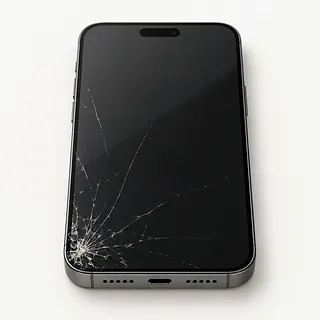
Crack running across the back
The back can crack while the front stays intact. A narrow line running out from a corner usually starts where the phone hit the ground. It can spread even though calls and apps still work.
Find a repair near you: Crack running across the back
Pieces missing from the back
Missing chips leave sharp edges and openings where water or dirt can get inside. Some fragments can also fall into the phone, so clearing out the broken glass is part of the repair.
Find a repair near you: Pieces missing from the backCamera glass broken
A broken lens cover isn't the same part as the glass surrounding the cameras. Both can crack in one drop, and replacing the rear panel alone may not clear up blurry pictures.
Find a repair near you: Camera glass broken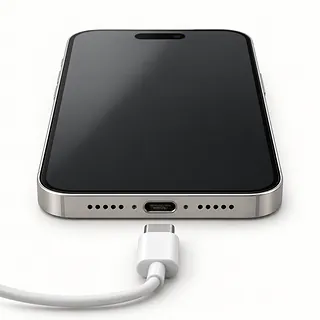
Wireless charging quit after the drop
A drop can damage wireless charging parts as well as the glass. If a charging pad quit working when the back broke, mention both when you call. The coil lies right behind the rear glass.
Find a repair near you: Wireless charging quit after the drop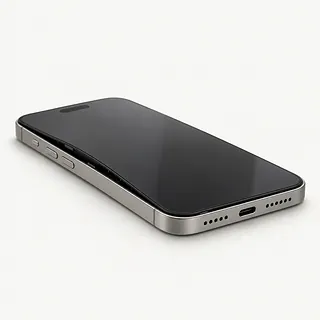
Back of the phone bulging
A back that bows outward can be a sign of battery swelling, even without an impact. Stop using the phone, disconnect its charger and arrange to have the battery checked. Don't press the raised area flat.
Find a repair near you: Back of the phone bulging


How the broken rear glass gets replaced
A shop should check for bent corners, take camera pictures and test charging before starting on the glass. Photos that won't focus and a charging pad that no longer works need attention alongside the cracks.
Back glass comes off separately on iPhone 14, iPhone 14 Plus and every iPhone 15 or newer model. Apple's method for these panels uses a heated fixture. Where rear glass is bonded onto the frame, the job may involve removing it or swapping the housing and transferring the parts inside. Ask which work the quote covers.
Broken fragments and old adhesive come out before new glass and adhesive go in. If the battery is punctured or dented, work stops until it's replaced. Afterward, the repairer should try the cameras again and check wireless power, including MagSafe when supported. A repaired seal can still let water through.
Should you repair the back or replace the iPhone
Copy any photos or messages you haven't saved elsewhere while the iPhone still opens them. Replacing rear glass won't bring back deleted files. If the phone won't start, ask about retrieving its contents before deciding to replace it.
Repair is easier to justify when the cracks are the only thing wrong. A crushed frame, charging that cuts out or a broken lens cover can add separate work. Request a written estimate covering those faults, and confirm that the required glass or housing is available.
An older phone also needs to run your regular apps and receive security fixes. If it no longer does either, replacement may be the more useful choice. New rear glass can't extend software support.
Questions before an iPhone back glass repair
Can you check what still works with me?
Try taking photos and charging without a cable if the model supports it. Compare the results at pickup so a new charging fault doesn't get mistaken for trouble from the fall.
Which rear part does this quote include?
Some iPhones allow the back alone to be removed. Others have glass bonded onto the frame, and a shop may propose replacing the housing. Get the method, part maker and color on paper.
How will you remove old adhesive and loose shards?
Fragments can remain inside a broken enclosure. The repair needs careful glass cleanup and fresh adhesive where the back is sealed.
If wireless charging fails afterward, what's covered?
Read the repair warranty for installation faults and replacement part failures. Find out how to request another check.
Can testing happen without sharing my screen code?
Discuss unlocking in person when access is needed. Keep control of your Apple Account password.
What would checking it cost without a replacement?
Request that charge in writing, including what applies if you turn down the proposed work.
Before leaving your iPhone for back glass repair
Jot down when the back broke and anything else that stopped working. Blurry camera pictures or a wireless charger that no longer starts are worth mentioning. Don't press on cracks to see if they move.
Save a current backup while the screen still responds. Connect to a computer or use iCloud, then check that it finished. Tell the shop if you couldn't save photos or messages.
Have the password for your Apple Account ready. Leave Find My enabled unless the shop asks otherwise, then enable it again after repair. A camera test may need the screen passcode, so discuss unlocking in person.
Leave loose extras behind
Keep chargers unless requested for testing. Let the shop remove a case that's holding shards in place.
Check what happens with the SIM
Ask about taking a physical SIM with you. For eSIM, record carrier and account details in case setup is needed again.
Related repairs
iPhone Back Glass Repair: common questions
What should I expect to pay for iPhone back glass repair?
Damage that calls for more work can mean a higher bill. To discuss iPhone back glass repair costs, call, name the model, explain what's wrong and check which charges the estimate includes.
Is the wait for iPhone back glass repair different from shop to shop?
You can ask the shops to explain what their time estimate depends on. When you call, mention the damage and check how busy they are.
What matters most when choosing between repair and replacement?
Before committing to more work, ask for a quote and list any other faults. Weigh the device's age and the cost against how much you depend on it and the files you want to keep.
What is worth writing down before iPhone back glass repair?
Keep the model name and a short note about the fault handy, and back up what you can on a device that still runs. Talk through how to handle the passcode, case and charger when you call.
Can just the back glass on an iPhone be replaced?
Yes, though the method depends on the model. The iPhone 14 and 14 Plus and every iPhone 15 and later model have a separate replaceable back. Some other glass-backed models need more involved work or a replacement housing.
Can cracked iPhone back glass affect wireless charging?
Wireless charging can be affected, but a crack alone doesn't prove the coil is broken. On models that support it, the charging coil sits against the back. Poor repair work can also leave charging slow or stopped.
Will my iPhone be waterproof after back glass replacement?
No, an intact back doesn't make the phone waterproof. Water-resistant iPhones rely partly on adhesive seals that need replacing when disturbed, and their resistance fades as they age. Don't test the new back under a faucet.
Does iPhone back glass repair erase my data?
Back glass replacement normally leaves photos, messages and apps in place. It doesn't require erasing data just to replace the glass, but repair arrangements can differ. Save a completed backup and discuss any requested reset before agreeing.
Does replacing iPhone back glass also replace the screen?
No, the back and front are separate jobs. A new rear panel won't fix a flickering display or a screen that misses taps, so mention both problems when asking for a quote.
Can I still use my iPhone with cracked back glass?
It may still make calls and run apps, but loose shards can cut your fingers. Don't pull glass out of the cracks or press a raised corner back down. Keep the broken back dry.