
Find iPhone 15 Screen Replacement Near You
10 shops say they do iPhone 15 screen replacement. Choose your state or city to find someone nearby to call.
iPhone 15 Screen Replacement by city
Cracks, black screens and missed taps
iPhone screen black but still working
Calls getting through to a dark iPhone 15 can mean its OLED has failed while the phone itself still runs. Give it a force restart first. If the picture doesn't return, a shop can test another display before recommending a screen replacement.
Find a repair near you: iPhone screen black but still working
Touch screen not working
Touch that fails around a chipped corner often comes from a damaged display. Dry your fingers and wipe the glass, then restart. Tell the repairer if taps fail everywhere or just over certain letters.
Find a repair near you: Touch screen not working
Camera screen is black
A missing camera picture with readable controls usually points to the camera or app. Reopen Camera and switch between its front and rear views before assuming you need a screen.
Find a repair near you: Camera screen is black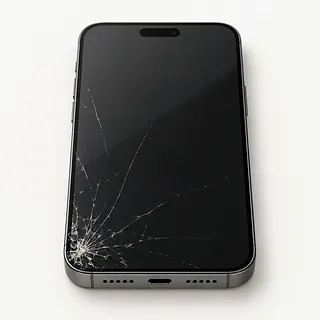
iPhone 15 screen cracked
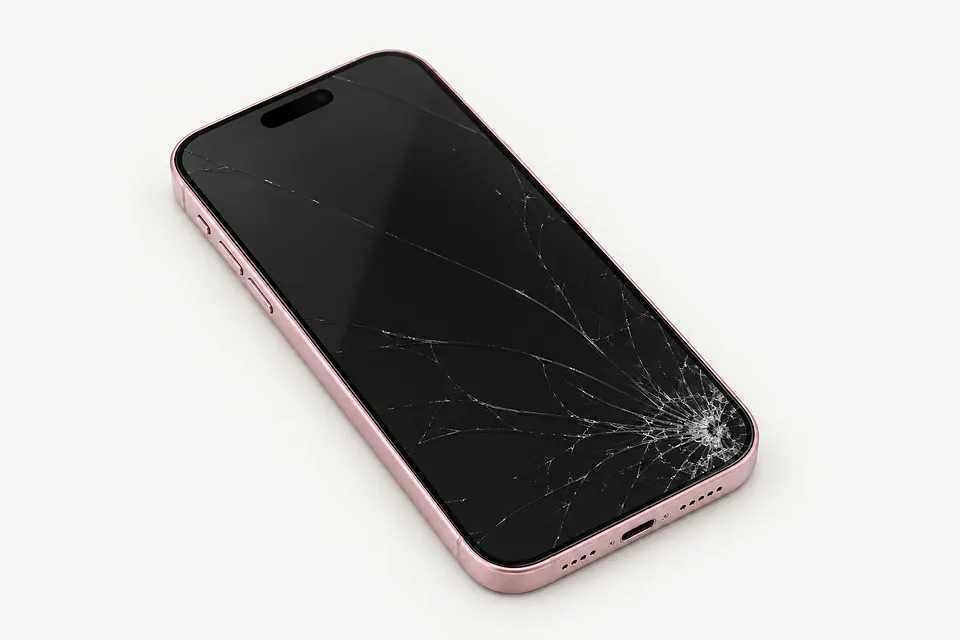
Front glass can split while the picture stays sharp. It's bonded to the OLED underneath, so the usual repair includes both layers. Glass-only work needs specialist equipment and an undamaged display.
Find a repair near you: iPhone 15 screen cracked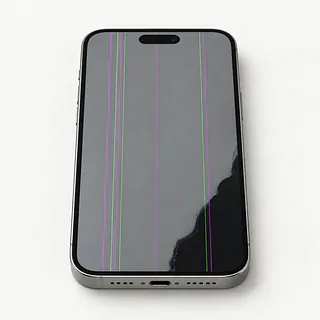
Screen flickering with colored lines
A narrow green stripe or spreading black spot after a knock suggests damage beneath the surface. The OLED can break without leaving a crack you can feel.
Find a repair near you: Screen flickering with colored lines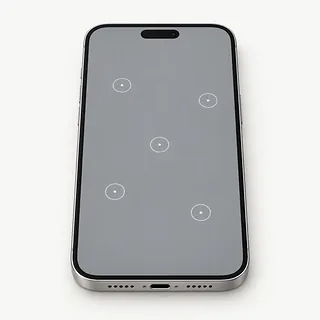
Ghost touch on iPhone
Damp glass and damaged touch hardware can register presses you didn't make. Wipe off moisture, and avoid the unlock keypad while stray taps keep appearing.
Find a repair near you: Ghost touch on iPhone


Screen parts, seals and checks
A repairer starts by checking whether the phone has a failed screen or isn't running at all. They check the image, touch response and signs of impact, using a test panel if needed. Say if face unlocking failed before the glass broke.
Screen replacement generally removes the OLED and cover glass as one bonded part. That applies to the regular iPhone 15 and its Plus, Pro and Pro Max versions. Confirm whether the proposed screen is an original Apple part, a refurbished original or aftermarket. Some aftermarket options use LCD instead of OLED, changing how the picture looks.
Nearby sensors, the front camera and call earpiece need protection, and attached parts may need moving over. Fresh adhesive seals the opening, but the phone still isn't waterproof. Final checks include typing, colors, Face ID, other sensors, both cameras and call audio. Ask the repairer to explain any parts message in Settings.
When a screen repair makes sense
An iPhone 15 that still does everything you need has a good case for repair. Check that the proposed replacement is available for your exact model and matches the display quality you want. As the phone ages, Apple's software support and your apps' requirements matter too.
A twisted frame or camera that stopped focusing adds work beyond the screen. Get those faults included in a written quote. Battery Health can also show if battery service belongs in the decision.
Files that weren't backed up may justify getting the display working even if you plan to move on. Tell the repairer about recordings or messages you can't replace, and discuss copying them before approving a reset.
Ask about the replacement screen
Does the warranty cover a dead patch on the keyboard?
A screen can show a clear picture and still miss taps. Have the warranty explain coverage for that fault, poor installation and flicker, plus how to make a claim.
Where does this replacement display come from?
Apple parts, refurbished originals and aftermarket panels can differ in brightness, color and touch response. Specify OLED for this family, including iPhone 15 Plus and both Pro models, if you don't want an LCD substitute.
What gets tested when the screen goes back on?
Face ID, front and rear cameras, sensors, call sound and the full touch surface need checking. Ask for a record of how they worked when you arrived.
Who will have access to my phone?
Leaving the unlock code also leaves access to conversations and pictures. Offer to type it yourself during checks and require consent before anything gets erased.
Can you write down the fee for checking it?
That charge may still apply if you take the phone home unrepaired.
If a new display doesn't fix it, what would I owe?
Settle that before agreeing to the swap, with a separate quote required for any other repair.
Get the phone ready for repair
Check where your photos are saved
Make a backup on your computer or through iCloud, and check it completed. Tell the shop about files stored only on this phone if broken touch prevents copying them.
Describe the trouble in a note
Say when it started, including any impact or liquid. Mention swipes stopping halfway across or a purple line along one edge.
Keep passwords in your hands
Some tests require your screen code, so discuss unlocking it at the counter. Leave Find My on unless the shop requests otherwise, and restore it afterward if disabled. Know your Apple login and keep that password private.
Bring the phone without its extras
Remove its protective case, wallet attachment and unrelated accessories. The iPhone 15 family sold in the United States uses eSIM and has no SIM tray.
Related repairs
iPhone 15 Screen Replacement: common questions
Can I search by city for iPhone 15 screen replacement?
Use the state and city links to explore 10 shops that list this service. Call before making the trip and describe the problem with your model.
What should I expect to pay for iPhone 15 screen replacement?
The same symptom can call for different work, which affects cost. Describe your iPhone problem when you call and ask what the estimate covers.
Should I expect a long wait for iPhone 15 screen replacement?
Even after a shop estimates the time for iPhone 15 screen replacement, unexpected damage or a growing backlog can make that estimate less accurate. Phone them to discuss how long to allow.
What matters most when choosing between repair and replacement?
If your device already struggles with everyday tasks, include that when deciding what you'd spend. Get an estimate before choosing, and check its age, other damage and any files you need to save.
What should I have ready when calling about iPhone 15 screen replacement?
Jot down the full model number and how the trouble started so you can explain it when you call. Ask about bringing a charger, keeping the case attached and unlocking the device, and back up files if it works.
Why is my iPhone 15 screen black but the phone still works?
Sound without a picture means the phone still has some life, but the display may have failed. Force restarting sometimes brings it back if software froze. Continued ringing with a dark screen needs testing because another internal fault can cause that too.
Why is my iPhone 15 touch screen not working?
An unresponsive touchscreen can come from a software freeze or damage to the screen assembly. Try force restarting the phone. Touch that stays dead in one strip, especially after a drop, points more strongly toward a screen fault.
Does a flickering iPhone 15 screen need replacing?
A screen that keeps flashing after an impact often needs replacement, especially if black blotches or colored stripes appear too. Without a fall or other visible damage, restarting is worth trying before blaming the panel.
Can you replace just the cracked glass on an iPhone 15?
Yes, a specialist can sometimes keep the working OLED and replace its cracked cover glass. That requires special equipment and an undamaged panel with normal touch. Replacing the bonded screen assembly is more common.
Will an iPhone 15 screen replacement fix a black camera screen?
Changing the screen usually won't help when saved photos look normal but the camera shows black. That points toward the camera or its software. Restart and try both camera views, noting if one works.
Can replacing my iPhone 15 screen fix ghost touch?
A replacement can stop ghost touch when the screen assembly is registering taps on its own. Restart first and check if it happens with the charger disconnected. Unwanted taps after a crack or drop suggest screen damage.