
Find iPhone 15 Repair Near You
25 shops say they handle iPhone 15 repair. Select a city to see who works in your area.

What breaks on an iPhone 15
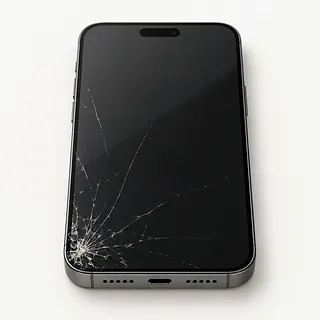
iPhone 15 Pro Max screen cracked
Cracks with green lines or black patches usually mean the OLED broke along with the glass. A screen replacement generally changes both, since they're bonded together.
Find a repair near you: iPhone 15 Pro Max screen cracked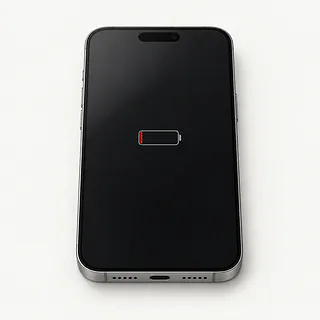
iPhone 15 battery drains quickly
A worn battery sends you back to the charger more often. Open Settings, then Battery, and check Battery Health. An app using unusually much power can also explain the drain.
Find a repair near you: iPhone 15 battery drains quickly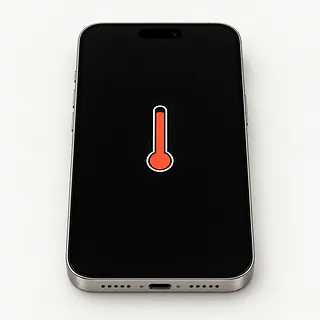
iPhone 15 gets too hot
Charging during a game adds heat even when nothing is broken. A temperature warning means it's time to unplug, turn the phone off and move it out of direct sun.
Find a repair near you: iPhone 15 gets too hot
iPhone won't charge through USB-C
Pocket lint packed behind the plug can stop it going all the way in. Compare another cable and charger. If MagSafe works, suspect the wired connection before the battery.
Find a repair near you: iPhone won't charge through USB-C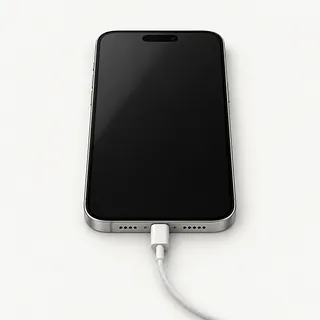
Screen stays black while calls ring
Ringing tells you the phone hasn't completely shut down. The display may have failed, though a force restart can clear a software freeze.
Find a repair near you: Screen stays black while calls ring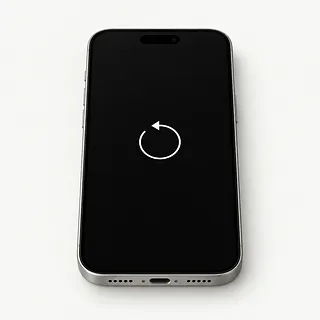
iPhone keeps restarting
A worn battery or broken software can send the phone through startup again and again. Back up what's accessible before checking for an iOS update.
Find a repair near you: iPhone keeps restarting
Touch screen ignores taps
Missed taps along one edge after a fall often point to the screen. Dry wet fingers and wipe the glass before testing again.
Find a repair near you: Touch screen ignores tapsiPhone won't turn on
A broken charger can leave the battery completely empty. Try another outlet and charging setup. With no response, a shop can test the battery and display separately.
Find a repair near you: iPhone won't turn on


From testing to reassembly
The shop should find out why the iPhone 15 stopped working before ordering parts. A blank display calls for checking whether the phone still runs. Charging trouble means testing power accessories as well as looking for lint or bent contacts inside USB-C.
Choose the replacement
All iPhone 15 models started with OLED, so confirm the screen type along with the exact model. Front repairs generally swap the glass with its panel, while rear glass comes off separately. Battery and port replacements target separate parts, with USB-C attached to a flex cable.
Prepare the phone
Save a backup and know your Apple Account password. Only turn Find My off at Apple's or the shop's request, using Settings and then your name. After the repair, turn it on again.
Reassemble and test
Ask how the Face ID hardware stays protected, what part setup is needed and how fresh adhesive will reseal the edges. Arrange passcode use for testing, then check keyboard edges, camera pictures, calls and wired and MagSafe charging. Read any notice about an unverified part with the repairer.
What to check before approving repair
One cracked screen needn't end an iPhone 15's useful life. The back glass comes off separately across this family, too. A bent frame or cameras that stopped working after the same fall make the repair a bigger job.
Have the shop put the complete job in writing and confirm it can get parts for your exact model. Think about the phone's age and what you still need from it. Check Apple's current security updates and whether the apps you use run on its supported software.
Photos you can't replace may justify work even if you're ready for another phone. Check saved copies elsewhere, then tell the repairer exactly what's missing. Don't approve an erase before discussing files that exist only on this device.
Questions before choosing a repair shop
How would you handle a repair that fails again?
Get warranty terms that explain returning a failed repair, including exclusions. Check whether both labor and replacement parts are covered.
Is the quoted display OLED or LCD?
An LCD substitute can change how an iPhone 15 screen looks. Ask where the display comes from and how iOS will report the replacement.
Can you show which features work before starting?
Try camera focus, face unlock, charging and taps around the screen edges. Repeat the checks at pickup so differences are easier to spot.
Can the phone stay locked except for agreed tests?
Some checks require your screen code. Discuss unlocking at the counter and require permission before a reset.
What would checking the fault alone cost?
Request the testing charge in writing even if you choose to leave the phone unrepaired.
Will you contact me before trying a different repair?
A black screen doesn't prove the display has failed. Agree on a stopping point if the original repair plan changes.
What to sort out before drop-off
Run a backup before you drop it off, using iCloud or a computer. Check for a completed backup, especially if the screen works only sometimes. Bring a note with the symptoms and when they began. Mention details like a USB-C plug that won't go all the way in or restarting whenever you open an app.
The shop may need an unlocked iPhone to test the repair, so ask about entering your passcode yourself. Make sure you know your Apple Account password without giving it to anyone. Keep Find My on unless Apple or your shop requests otherwise. If you turn it off, turn it on again when you get the phone back.
Leave your case and magnetic wallet at home. An American iPhone 15 has no SIM tray, and its eSIM remains on it during repair. Skip erasing it unless your shop requires that. Keep the carrier name and account information somewhere you can reach without this phone, in case you need to set up the eSIM again.
Related repairs
iPhone 15 Repair: common questions
Who can I ask about fixing my iPhone?
In their own words, 25 shops offer iPhone 15 repair. Pick a place in your city and ask whether they can work on your exact model.
Does the fault affect the cost of fixing my iPhone 15?
With iPhone 15 repair, cost depends on what needs to be done to your device. Ask for a quote using the model name and the symptoms you've noticed.
Can I get a time estimate before bringing it in?
Your wait for iPhone 15 repair depends partly on the damage and the jobs ahead of yours. Ask for a time estimate during your call, keeping in mind that it can change.
What matters most when choosing between repair and replacement?
Age alone doesn't tell you whether to keep a device. Get a quote and think through the cost, what else needs fixing, which files you need and how much you want to keep using it.
Is there anything to sort out before iPhone 15 repair?
Back up files you can reach while your device is working, and write down its exact model plus what stopped working. When booking by phone, check whether the charger should come along, the case should stay on and a passcode will be needed.
Does iPhone 15 Pro Max screen replacement include the glass?
Yes, the front glass normally comes with a replacement iPhone 15 Pro Max display. If cracks are the only problem and taps still register across a clear picture, a shop with glass replacement equipment may be able to keep the existing OLED.
Why is my iPhone 15 screen black but the phone still works?
The display may have stopped working even though the rest of your iPhone 15 still runs. Force restarting can clear a temporary software hang, but continued ringing behind a blank screen leaves a failed panel or loose connection as suspects.
Why won't my iPhone 15 charge when plugged in?
A failed cable, charger or blocked USB-C port can stop an iPhone 15 charging. Try another cable and power adapter, and look for packed pocket lint. If MagSafe works, the wired charging path is more suspect than the battery.
How do I know if my iPhone 15 needs a battery replacement?
Your iPhone 15 can recommend battery service in Settings under Battery, where Battery Health also shows maximum capacity. Charge that drops sharply or a phone that shuts off unexpectedly is worth mentioning, but neither symptom proves the battery caused it.
Why is my iPhone 15 overheating?
Heavy use and charging can explain warmth, but an iPhone 15 that repeatedly gets hot sitting untouched needs a closer check. If it shows a heat warning, disconnect the charger and leave it unused somewhere shaded until it cools.
Why does my iPhone 15 keep restarting?
Repeated restarts can come from software trouble or a hardware fault, so a battery swap isn't an automatic answer. Back up if possible and update iOS. Note whether it restarts while charging, opening the camera or sitting unused, since that pattern helps with testing.