
Find iPhone 18 Repair Near You
4 shops say they do iPhone 18 repair. Choose your state or city to find someone nearby to call.

iPhone 18 Repair by city
Shops that list iPhone 18 repair
No town has enough of them for its own page yet, so here they are directly. Not paid placements.
- CPR Cell Phone RepairHainesport, NJ
- CPR Cell Phone RepairPhiladelphia, PA
- CPR Cell Phone RepairWest Chester, PA
- CPR Cell Phone RepairWillow Grove, PA
iPhone 18 Pro symptoms to check
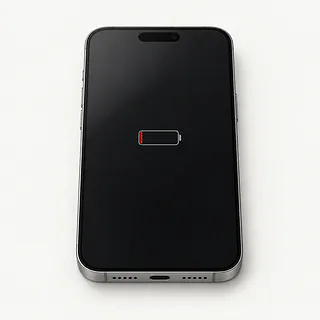
iPhone battery drains fast
Heavy app use or poor cell reception can drain even a new battery. Check which apps used the charge in Settings under Battery, then read Battery Health before deciding the cell needs replacing.
Find a repair near you: iPhone battery drains fast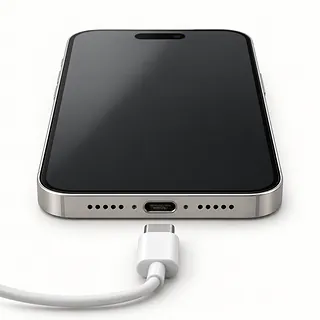
iPhone won't charge when plugged in
Pocket lint packed into the USB-C port can stop the plug from reaching its contacts. Test another cable, power adapter and outlet. Working MagSafe charging points toward the wired connection rather than the battery.
Find a repair near you: iPhone won't charge when plugged in
Screen is black but phone works
A broken OLED display can leave the phone ringing behind black glass. Attempt a force restart before asking a shop to test the screen.
Find a repair near you: Screen is black but phone works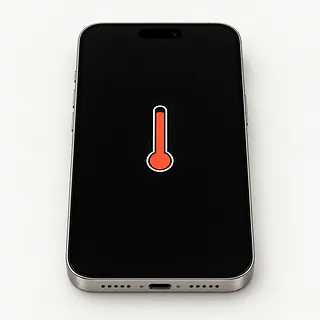
iPhone is overheating
Charging while recording video or playing a demanding game adds heat. Unplug it, stop the activity and move the phone away from sunlight if it gets unusually hot.
Find a repair near you: iPhone is overheatingiPhone won't turn on
An empty battery and a broken screen can both look like a dead phone. Try charging equipment that powers another device, then force restart.
Find a repair near you: iPhone won't turn on
Touch screen isn't responding
Water on the glass can confuse touch, while an impact can break it beneath an intact surface. Dry the screen and try restarting.
Find a repair near you: Touch screen isn't responding
iPhone keeps restarting
Software trouble or interrupted power can trigger repeated reboots. Back up accessible files and check for an iOS update if the phone stays usable.
Find a repair near you: iPhone keeps restarting
Camera won't focus
Fingerprints on a camera lens can soften the whole picture. Wipe the lenses gently and compare results from the different rear cameras.
Find a repair near you: Camera won't focus


Inside an iPhone 18 Pro repair
A phone that vibrates with a blank screen needs different checks from one that won't respond at all. The shop can try another display and check charging before choosing a part. Mention a loose plug or a splash, even if neither seemed serious.
The battery comes out through the front on both models. To reach it, the repairer warms the display seal, cuts it and lifts off the screen. Screws secure the battery, and Apple calls for replacing those screws along with the screen adhesive. Cracked front glass usually comes out together with its bonded OLED panel. The rear glass and USB-C port can each be replaced separately.
Apple recommends finishing screen and battery work with Repair Assistant once the phone is reassembled. Check the repair record in Settings and test swipes, camera focus, Face ID, calls, MagSafe and cable charging. Disable Find My only when asked, then enable it again afterward.
Deciding between repair and another phone
One broken screen is a sensible reason to explore repair on a phone this new. Age alone gives little reason to replace it. Check Apple's current software support, but also ask what else the fall broke, especially if the frame bent or a camera stopped focusing.
Parts availability may settle the practical choice. Supplies for newly released models can take longer to reach independent repairers. Confirm the part for your iPhone 18 Pro or iPhone 18 Pro Max and request a written quote covering the complete job.
Photos stored only on the phone deserve separate attention. Explain what needs saving before allowing a reset, even if you already plan to replace the device.
What to ask about an iPhone 18 repair
Which display are you quoting, and can you get it?
Both the iPhone 18 Pro and iPhone 18 Pro Max use OLED screens. Ask who supplies the replacement and confirm it's OLED, since an LCD substitute can look different. Parts for the newest models can take longer to reach independent shops.
Does your warranty cover the installation too?
Get written terms for faulty parts and mistakes during the work. Look for exclusions and instructions for bringing back a screen that flickers or misses taps.
What will you test, and will you run Repair Assistant?
Apple recommends Repair Assistant after replacing a display or battery. Ask for touch, Face ID, cameras and charging checks before opening the phone and again at pickup.
Who needs my passcode, and for which tests?
Agree on access to the unlocked phone and ask about entering the code yourself. Erasing personal data needs a separate conversation.
What do I owe if no repair goes ahead?
Ask about charges for testing or opening the phone, including when you decline the proposed work.
Will you contact me before replacing anything else?
A second part needs an explanation and your approval. Request an updated written quote if the first repair doesn't solve the fault.
What to save and bring
Start with the symptoms
Record when the fault first appeared. Include specifics such as a keyboard that misses the space bar or a camera preview that turns black.
Copy what matters
Make an iCloud backup or save one on your computer, then confirm it succeeded. Mention photos you couldn't save elsewhere.
Sort out unlocking
A shop may need your passcode to test the repair, so discuss entering it yourself. Keep your Apple Account login available without handing over its password.
Leave tracking alone unless asked
Only disable Find My at Apple's or the shop's request. Restore it after picking up the repaired phone.
Take accessories home
Remove the cover and any magnetic attachments. Pack a suspect charger only by agreement.
Save the carrier information
American versions of both models have eSIM instead of a removable SIM card. Keep carrier account notes for possible eSIM setup, and erase only when your repair provider requires it.
Related repairs
iPhone 18 Repair: common questions
How can I check who offers iPhone 18 repair nearby?
Use the state and city links to explore 4 shops that list this service. Call before making the trip and describe the problem with your model.
What would iPhone 18 repair cost in my case?
The cost of iPhone 18 repair depends on your model and what is wrong. Call with both and ask what the quote covers.
How long could I be without my iPhone 18?
You can ask the shops to explain what their time estimate depends on. When you call, mention the damage and check how busy they are.
How do I decide what to spend on iPhone 18 repair?
An older device may still be worth keeping if you'd use it enough to justify the cost. Check for other damage and files you need to save, and get an estimate before choosing.
Where should I start when preparing for iPhone 18 repair?
Keep the model name and a short note about the fault handy, and back up what you can on a device that still runs. Talk through how to handle the passcode, case and charger when you call.
Why is my iPhone 18 not charging when plugged in?
A worn cable, failed adapter or clogged USB-C port can leave a plugged-in phone without power. Borrow a working charging setup and try a different outlet. If wireless charging still works, check those accessories and the port before blaming the battery.
Why is my iPhone 18 screen black but the phone still works?
The display may have failed even though the phone still receives calls or vibrates. Force restarting may clear a temporary software freeze. Continued sound without a picture is a reason to have the screen tested.
Why is my iPhone 18 battery draining so fast?
Fast battery drain doesn't by itself mean the battery needs replacing. Look through Battery in Settings for apps using power and the health reading, especially after background activity or use with poor reception. Ask about replacement if the phone recommends battery service.
Why is my iPhone 18 overheating?
Games, charging and a sunny car seat can all heat the phone. Stop charging if a heat warning appears, power it off and move it away from sunlight. Warnings that return with little app activity are worth mentioning when arranging a repair.
Why won't my iPhone 18 turn on?
A phone that won't start may have no charge, a charging fault or a screen that isn't showing anything. Check power using another adapter, cord and outlet. Force restarting is also worth trying before assuming a part has failed.
Why does my iPhone 18 keep restarting?
Software glitches and failing parts can both send an iPhone into repeated restarts. Copy your data while it stays on and check for an available iOS update. A note such as restarting whenever the camera opens gives the repair counter something specific to try.