
Find iPhone SE Screen Replacement Near You
For iPhone SE screen replacement, you can browse 5 shops that say they offer it. Pick your state, then look for your city.
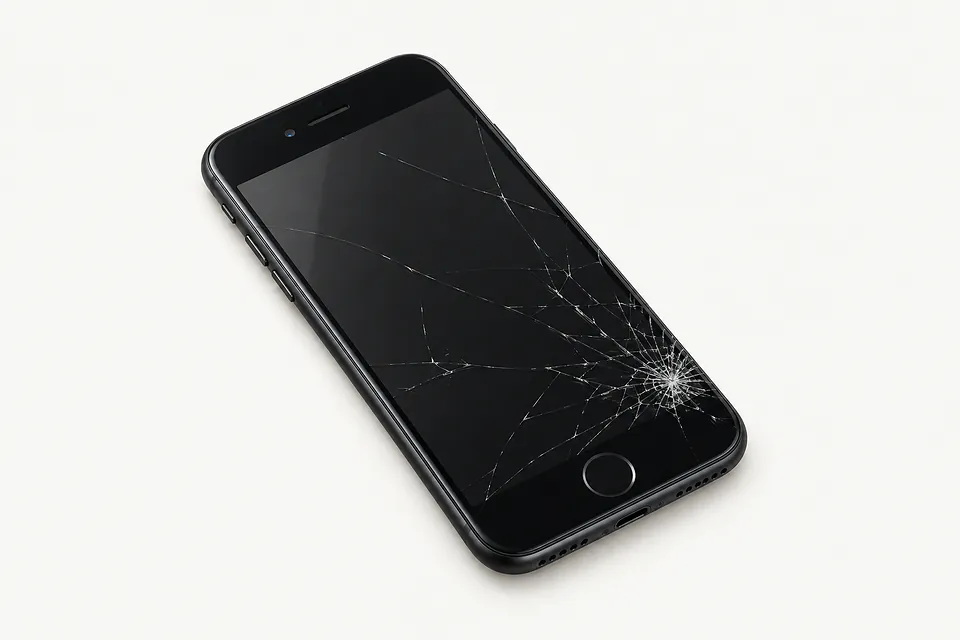
Common iPhone SE screen problems
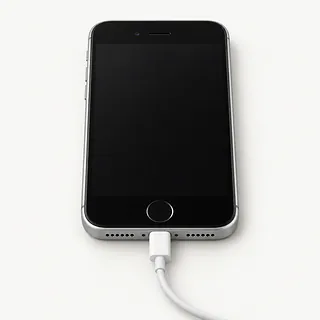
Black screen with calls coming through
The screen can fail while the rest of your iPhone SE keeps running. A software freeze can look similar, so force restart it first. If it still rings without lighting up, a shop can connect another LCD to check.
Find a repair near you: Black screen with calls coming through
Touch won't respond along one edge
A narrow strip of missed taps often means part of the touch layer has stopped working. With the glass dry, try that area in a different app. The same dead strip across apps makes a screen fault more likely.
Find a repair near you: Touch won't respond along one edge
Camera opens with no picture
Readable menus and a blank camera view suggest trouble with Camera or the camera itself. Close the app, open it again and test each camera separately.
Find a repair near you: Camera opens with no picture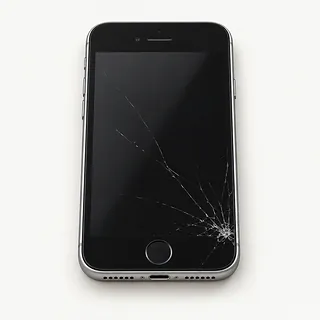
Cracks across the screen
Pressure can crack the cover without spoiling the image below it. Both layers usually come out together during replacement because they're bonded, although specialist glass repair may save an undamaged LCD.
Find a repair near you: Cracks across the screen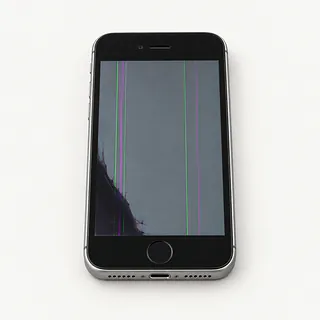
Screen flashes with colored lines
Flickering beside colored stripes usually points to a broken panel, even under smooth glass. Changing just the cover won't remove those lines.
Find a repair near you: Screen flashes with colored linesScreen taps things without contact
Wet glass can cause ghost touch, as can a failing screen. After wiping it dry, leave the unlock keypad alone if stray taps persist to avoid wrong passcode attempts.
Find a repair near you: Screen taps things without contact


How the iPhone SE screen gets replaced
The repairer checks missed taps, picture faults and whether a blank phone still makes sounds. A test LCD helps show whether replacing the screen would fix the symptom. Mention any liquid contact.
The part needs to match your SE generation. The first-generation iPhone SE has a 4-inch screen, while the second and third generations use a 4.7-inch LCD. Replacement usually includes bonded glass and the panel. Ask if the replacement is an Apple part, a refurbished original or an aftermarket LCD.
Keeping fingerprint unlock working usually means transferring the original home button because Touch ID is paired to your phone. The earpiece and front camera also need careful handling. The newer SE models need fresh sealing adhesive, though that doesn't make them waterproof. Final checks should include touch at the edges, brightness, sensors, cameras, call sound and fingerprint recognition.
Should you fix your iPhone SE screen
A bent frame makes a screen-only repair less straightforward. Tell the repairer if the charging cable keeps losing contact or the battery needed service before the fall. Cracked rear glass on second-generation and third-generation SE models also needs separate work.
Keeping an older SE makes sense if it still runs your banking app, handles calls and gets the software updates you need. Check those points for your exact generation. Ask which LCD the shop can get and have it named in writing alongside the other repairs.
Check your photo backups before giving up on the phone. Restoring touch could let you copy pictures that never synced, even if you've decided to replace it. Tell the shop if saving those pictures is the main reason for fixing the screen.
Ask about the screen and the repair
Can you check the home button with me?
Try fingerprint unlock at drop-off and again at pickup. The working home button normally moves to the replacement screen. Include typing, both cameras and a call through the earpiece in those checks.
Who makes this screen?
Have the quote say if you're getting a new Apple LCD, a refurbished Apple display or an aftermarket part. That choice can change how colors look and how well the screen responds.
If it starts tapping by itself, is that covered?
Ask how the warranty handles a faulty screen or damage caused while installing it. Read the exclusions too, especially for another drop or contact with liquid.
Which checks need my phone unlocked?
Find out what needs testing with personal apps accessible. Offer to type the code yourself, and don't agree to a reset unless you've discussed your files.
Will you contact me before trying another repair?
Set a stopping point if a screen swap doesn't solve the fault. Get a fresh quote before approving anything else.
Is there a fee just for checking it?
Confirm what you'd owe if you decide against having the screen replaced.
Save your files and note the symptoms
Make a backup while you can
Back up the iPhone SE to iCloud or a computer if touch still responds. Check that it finished, and mention photos with no other copy if the backup fails.
Describe exactly what went wrong
Record when the trouble began and any fall or splash. Mention a spreading corner crack, missing letters or ringing behind a black display.
Plan access for testing
Some checks need your passcode. Arrange to type it yourself where possible.
Keep your Apple password available
Know the password for your Apple Account. Turn off Find My only when asked, then turn it back on afterward.
Take the extras home
Remove the case and keep loose accessories. Ask if the SIM can stay with you unless it's needed to test calls.
Related repairs
iPhone SE Screen Replacement: common questions
How do I find local help with iPhone SE screen replacement?
Nationally, 5 shops list iPhone SE screen replacement on their websites. Look up your city, then phone someone nearby to check whether they can work on the exact model you have.
What should I expect to pay for iPhone SE screen replacement?
Damage that calls for more work can mean a higher bill. To discuss iPhone SE screen replacement costs, call, name the model, explain what's wrong and check which charges the estimate includes.
What affects how long my iPhone stays at the shop?
Ask the shop how the damage could affect the timing. Check how busy they are when you call for an estimate.
Can other damage make replacement the better choice?
Age alone doesn't tell you whether to keep a device. Get a quote and think through the cost, what else needs fixing, which files you need and how much you want to keep using it.
Should I bring anything with my iPhone for repair?
If you're able to use the device, copy accessible files and note its full model name and how it failed. Check by phone about keeping the case on, taking the charger and dealing with the passcode.
Why is my iPhone SE working but the screen is black?
A black screen with calls still ringing can mean the display has failed, though another internal fault can cause it too. Try a force restart, then ask for screen testing if nothing changes.
Why is my iPhone SE touch screen not working?
Broken touch hardware and frozen software can both leave an iPhone SE unresponsive. Try force restarting. A stubborn dead corner, especially following a knock, points more toward screen damage than a temporary freeze.
Why is my iPhone SE screen flickering?
Flickering can signal damage to the iPhone SE display, especially when it starts after a knock. Try restarting once. If flashing continues or appears with lines and dark patches, ask for a screen test.
Can you fix a cracked iPhone SE screen?
An iPhone SE with cracked glass is usually repaired by swapping the whole screen. Keeping the panel underneath is an option only when it's undamaged and working, and the repairer has equipment for glass-only work.
Will Touch ID work after an iPhone SE screen replacement?
Touch ID can keep working if the original paired home button is undamaged and transferred carefully. A new third-party button won't bring fingerprint unlock back, so screen replacement alone won't fix an already broken sensor.
Will replacing my iPhone SE screen fix a black camera screen?
New screen glass is unlikely to fix a camera view that remains black while photos and messages look normal. Reboot the iPhone SE and check each camera separately before assuming the display is responsible.