
Find Phone Battery Replacement Near You
In their own words, 102 shops offer phone battery replacement. Browse the states to find help close to home.
Phone repair in Philadelphia, PAPhone repair in Cherry Hill Township, NJPhone repair in Deptford, NJPhone repair in Wilmington, DEPhone repair in Willow Grove, PA
Phone battery symptoms and their causes
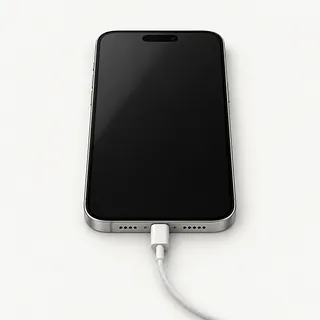
iPhone won't start
Charging trouble can look like a dead battery. Try a charger and cable that work with another compatible phone, then force restart yours using the steps for that model. If it rings when someone calls, it's running despite the black screen.
Find a repair near you: iPhone won't start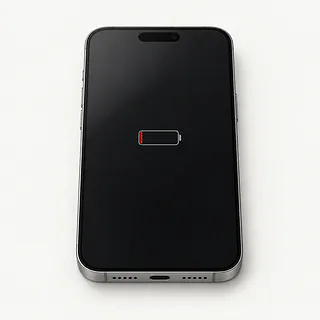
iPhone battery health warning
A service warning in battery settings usually means the battery is worn. Shutdowns and a phone that has become slow are worth mentioning alongside that warning.
Find a repair near you: iPhone battery health warning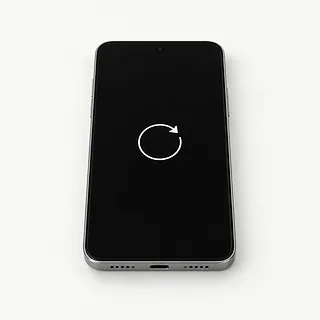
Phone reboots during use
An aging battery sometimes can't supply the power a phone needs during a demanding task. Software can also make it reboot. Write down which app was open and what happened just before the restart.
Find a repair near you: Phone reboots during use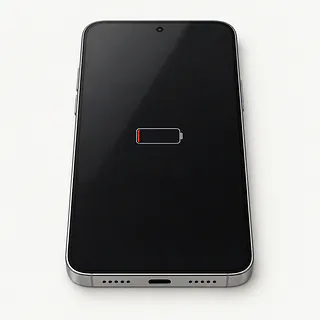
Phone battery draining fast
A bright screen and apps running in the background use charge even with a healthy battery. Check the battery usage breakdown before assuming the battery needs replacing.
Find a repair near you: Phone battery draining fastPhone shuts down with battery left
Stored charge isn't much help if the battery can't deliver enough power. A worn battery can shut the phone down while the gauge still shows charge.
Find a repair near you: Phone shuts down with battery left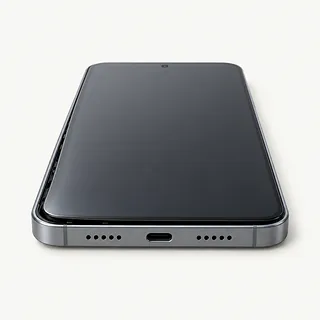
Phone case separating
Battery swelling can push the screen or back glass outward. Stop using the phone, disconnect its charger and arrange for a shop to check it. Don't squeeze the case or try to flatten the raised glass.
Find a repair near you: Phone case separating


What happens during phone battery replacement
A phone that won't turn on needs charging checks before anyone blames the battery. A shop can test the charger connection and cell, then check for other faults if those tests don't explain why it won't start.
Some batteries lift out under a removable back, while sealed phones take more work to open. Adhesive gets replaced where it's used to secure the cell. Give the exact model when booking, such as iPhone 11 or iPhone 14, so the part matches. Original batteries and aftermarket cells can differ in quality, so get the proposed part named in writing.
Seals around the opening need replacing, and disconnected cables go back before the case closes. Afterwards, testing should include charging, startup, touch and any built-in unlock sensors, plus running without the cable attached. Ask about model-specific setup and check what the battery settings show before you pick it up.
When a new battery makes sense
Replacing the battery makes sense when constantly needing a charger is the main thing spoiling a phone you still like using. Age matters less than whether its software still gets security updates and your everyday apps work properly.
Other broken parts change the decision. A loose charging port or camera that won't focus needs separate work, so ask for a written quote covering each fault. Confirm that a suitable battery is available for the exact model.
Files stored nowhere else can justify repairing a phone you don't intend to keep. Explain that recovering those files is the goal before approving work, and discuss anything that could erase them.
Questions before a phone battery replacement
Can you compare how it works before and after?
Have charging, touch, cameras and fingerprint or face unlock checked at both stages. Note anything that already fails.
Does the quote name the cell and sealing materials?
Original and aftermarket batteries vary in quality. Ask who supplies the replacement, plus how the glued battery and opened housing will be secured again.
What access to personal content would you need?
Photos and messages can be visible on an unlocked phone. Arrange access for specific tests, and enter account passwords yourself if needed.
If the battery isn't faulty, what would testing cost?
Agree on the testing charge separately from replacement. A cable or charging port fault won't be fixed by installing another cell.
How would a return under warranty work?
Get the claim steps and exclusions on paper. Check that the terms discuss problems with the part as well as the work.
Will you stop if the original symptom remains?
Decide what happens after a failed swap. Another part or a software reset should require your permission.
Before handing over your phone
Describe the first sign of trouble
Note when fast battery drain or repeated restarts started. Mention a fall, splash or software update, and give the full iPhone, Samsung or Pixel model.
Flag any bulging
A raised back or separating screen can mean battery swelling. Don't connect a charger or squeeze it shut, and tell the shop before bringing it.
Protect the files still on it
Make a backup while the phone is usable and isn't swollen. Confirm that your photos and other needed files were included.
Decide how testing access will work
Discuss entering your passcode in person. Apple and Google passwords should stay private.
Check requests to change account settings
Get a reason before turning off Find My or another account lock. Make any agreed change yourself.
Set aside extras
Leave unrelated accessories behind. Take out physical SIM or storage cards if present, and remove an easily detachable cover.
Related repairs
Phone Battery Replacement: common questions
Where should I start looking for phone battery replacement?
102 shops say they do phone battery replacement. Choose your city, then call with your exact model and explain what's wrong.
How can I find out what phone battery replacement will cost?
To get a price for phone battery replacement, call and explain what's failing on your particular model. The fault affects how much work is needed, so ask for the quote to spell out that work.
Do I need to leave it with the shop for long?
The fault and the shop's queue both matter when estimating how long phone battery replacement might take. Call before visiting to talk through the expected wait.
What should I think about before paying for phone battery replacement?
Get a quote for phone battery replacement before deciding. Compare the cost with how much you still use the device, how old it is, anything else that's broken and any files you need from it.
Where should I start when preparing for phone battery replacement?
Back up files you can reach while your device is working, and write down its exact model plus what stopped working. When booking by phone, check whether the charger should come along, the case should stay on and a passcode will be needed.
How do I check battery health on my iPhone?
Tap Battery in your iPhone's Settings, then open the health menu if your model supports it. Its name depends on which iPhone and software you're using. A service warning matters, but so does a phone that turns off while it still shows charge.
Why is my iPhone battery draining so fast?
A worn battery, power-hungry apps or weak cellular reception can make an iPhone drain fast. Check which apps use the most power in Settings under Battery. Replacement helps with a worn cell, but it won't stop heavy app use from consuming charge.
Why won't my iPhone turn on?
An iPhone that won't start may have no charge, a failed battery or trouble with its charging connection or screen. Stop charging if the screen or back is lifting. Otherwise, test another charger, cable and outlet, then try a force restart using the steps for that iPhone.
Will a battery replacement fix my phone that keeps restarting?
A new battery can help if the old one is causing the restarts. It won't fix a software fault or another broken part. Write down what was running when the phone restarted and what the charge reading said.
How do I know if my Samsung phone needs a battery replacement?
A Samsung phone that cuts out despite showing charge, or drains much faster than it used to, may have a worn battery. Apps can also explain fast drain. Glass lifting away from the body can mean swelling, so stop charging it and have a shop check it.
Will an iPhone battery replacement erase my data?
Changing an iPhone battery doesn't normally erase what's saved on the phone. Keep a backup in case something goes wrong during the work. Make clear that erasing the phone or restoring software needs your permission.