
Find Charging Port Repair Near You
In their own words, 83 shops offer charging port repair. Browse the states to find help close to home.
Phone repair in Philadelphia, PAPhone repair in Deptford, NJPhone repair in Cherry Hill Township, NJPhone repair in Willow Grove, PAPhone repair in Wilmington, DE
Common charging port problems
Phone not charging
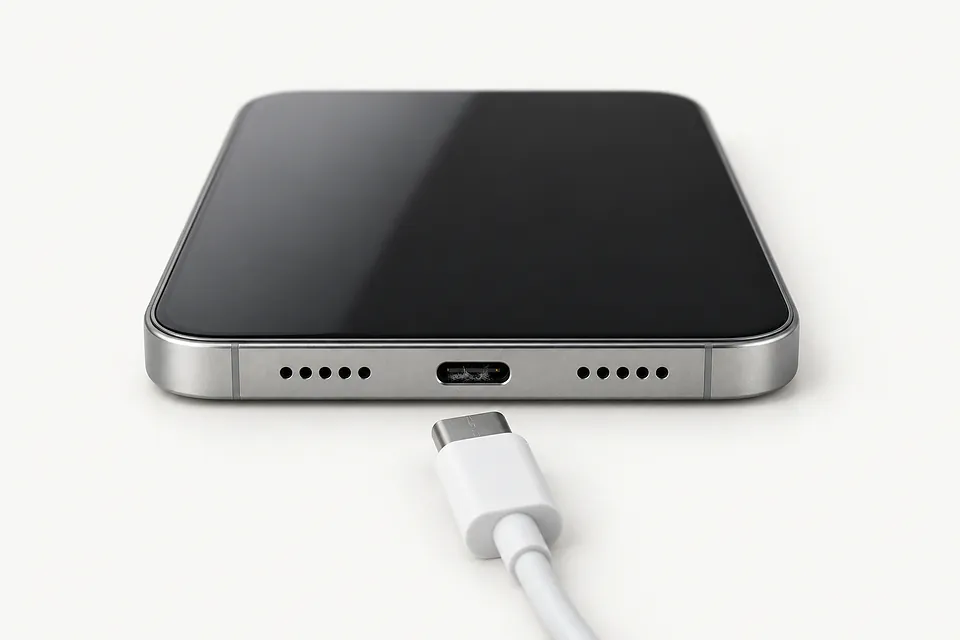
A failed cable or charger can leave the phone looking dead. Try another cable, power adapter and outlet before blaming the port. If it still won't charge, a shop can test the battery and charging connections separately.
Find a repair near you: Phone not charging
iPhone won't charge when plugged in
Pocket lint can stop the plug from reaching the contacts even though it looks connected. Check whether it seats fully. Don't push harder to make a partly seated plug work.
Find a repair near you: iPhone won't charge when plugged inCharging cable won't stay in
Packed lint is the usual culprit when a plug slips out. With the phone off and unplugged, gently lift loose lint with a plastic toothpick. Stop if it resists, and don't use metal or press against the contacts.
Find a repair near you: Charging cable won't stay inPhone only charges at an angle
A worn plug or bent port contacts can make charging depend on cable position. Try a different cord. Wedging it sideways keeps pressure on the port and can make things worse.
Find a repair near you: Phone only charges at an angle
Samsung phone won't charge
A moisture warning blocks cable charging while the port is wet. Disconnect the charger and let the port dry naturally. Repeatedly plugging it back in won't dry the contacts.
Find a repair near you: Samsung phone won't chargeWireless charging works but cable doesn't
Working wireless charging points toward the cord or charging port. It doesn't prove the port needs replacing. Mention this difference when describing the fault, along with which cables you've tried.
Find a repair near you: Wireless charging works but cable doesn't


How a charging port gets fixed
The shop starts with a working charger and cable, then checks for packed lint, loose contacts and signs of liquid. Cleaning may be enough. If power still won't reach the battery, the technician checks whether the port or something farther inside has failed.
On many phones, replacing the port means swapping a flex cable or small board. Other devices need soldering because the connector attaches to the main board. The iPhone 5 through iPhone 14 families use Lightning, while iPhone 15 and later models use USB-C.
Ask which attached parts, if any, need moving to the replacement assembly. Final checks should confirm that the plug seats properly and charging stays steady. Where the port also carries data, a computer connection should be tested too.
Keeping the device or replacing it
Working wireless charging gives a compatible phone another way to take power. It won't bring back cable accessories or wired file transfers. If you use those connections, leaving the port broken means giving them up.
A phone that ran well before its port broke may be worth repairing, even if it's older. Check for suitable replacement parts and continuing software updates. A cracked screen, tired battery and bent frame make it a bigger job than a port swap.
Tell the shop about photos that aren't backed up before work starts. If the phone won't turn on, ask whether repairing the charging connection could let you copy them. Have the written estimate name port work and other repairs separately.
Questions before a charging port repair
How would you handle charging trouble that returns?
Ask for the warranty terms covering the installed port and the work. A repeat charging fault and a port broken by another knock may be treated differently.
Can you rule out the charger and packed lint?
A dead charging cable can look like a failed port. Cleaning and checks with working accessories help show what actually needs replacing.
Can testing happen without sharing my passcode?
Find out which checks require access beyond the lock screen. Arrange to unlock the device in person where practical.
Where would the new port come from?
Request the supplier and whether the part is new or taken from another device. Also ask if installing it involves soldering.
What is billed if the repair attempt doesn't work?
Get charges for testing and unsuccessful work in writing, including what applies if you stop after the initial checks.
Will you check more than the charging symbol?
A charging icon alone doesn't show that the connection stays steady. Include battery level changes and any supported USB data connection in the final checks.
What to bring and what to save
Copy files while power remains
Use Wi-Fi for a backup if your device supports it and the broken port prevents a cable connection. Check that your photos and files actually reached the backup.
Record the charging behavior
Note when charging stopped, any moisture alert and whether the plug feels loose. Name the cables and chargers you've already tried.
Set limits on unlocking
Agree which tests need your passcode and who may use it. Offer to unlock the screen at the counter.
Leave account locks enabled
Ask why a repair needs an account setting changed. If required, disable Find My yourself without handing over your Apple password.
Pack the suspect cable
Ask whether to bring the charger too. Remove the case and retain removable SIM and memory cards unless they're needed for testing.
Related repairs
Charging Port Repair: common questions
Where should I start looking for charging port repair?
83 shops say they do charging port repair. Choose your city, then call with your exact model and explain what's wrong.
What goes into the price of charging port repair?
The cost of charging port repair depends on your model and what is wrong. Call with both and ask what the quote covers.
Should I expect a long wait for charging port repair?
Until the shop understands the damage, they may only be able to give a broad estimate for charging port repair. Phone to discuss the likely wait and how their schedule could affect it.
What matters most when choosing between repair and replacement?
A device you no longer use may still hold files you need. Ask for an estimate of charging port repair, then weigh the cost against its age, other faults and how useful it could be to you before choosing.
Where should I start when preparing for charging port repair?
Note exactly which model needs attention and what you noticed when it broke, then copy files if it's still working. Before heading out, call about taking the charger, leaving the case fitted and what you should do about the passcode.
Why won't my iPhone charge when plugged in?
A cable that looks fine can still be broken inside, and lint can stop the plug from reaching the contacts. Try charging with a different cord and adapter, then restart your iPhone if it still has power.
How do I clean my iPhone charging port?
Use a wooden toothpick to gently lift loose pocket lint after unplugging your iPhone and turning it off. Don't press against the contacts or force anything that won't come out easily. Avoid metal tools.
Why does my phone only charge at an angle?
A plug that only works when tilted usually has a poor connection from packed lint, a worn cable end or a broken port. Don't keep bending it to get a charge. Check whether another cable sits straight and stays connected.
Why is my Samsung phone not charging?
Moisture, packed lint and a faulty charging cable can all stop a Samsung phone charging. A liquid warning means leaving the cord unplugged until the port is dry. For a dry phone, swap the cable and adapter first.
Why does wireless charging work but my charging port doesn't?
Successful wireless charging points to trouble with the cable, adapter or port when wired charging fails. Test a compatible charger with a different cord before agreeing to a port replacement.
Can you replace the charging port on an iPhone?
Yes, an iPhone can get a replacement charging port that matches its model. An iPhone 13 keeps its Lightning connection, and an iPhone 15 keeps USB-C. A port repair won't turn an older iPhone into a USB-C phone.