
Find iPhone SE Repair Near You
In their own words, 18 shops offer iPhone SE repair. Browse the states to find help close to home.
iPhone SE Repair by city
iPhone SE symptoms worth checking
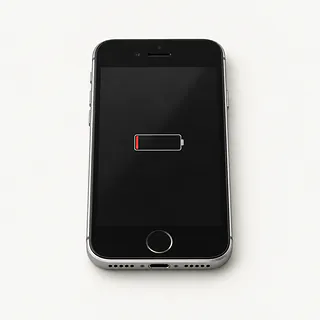
Battery draining fast
A worn battery stores less charge than it used to. Check Battery Health in Settings under Battery for a service recommendation, and check which apps are using the charge.
Find a repair near you: Battery draining fast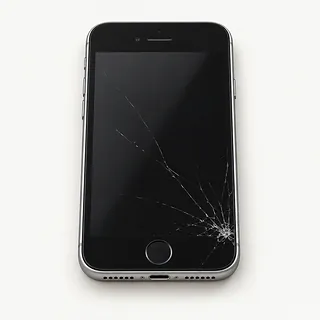
Screen cracked or showing lines
A fall can crack the glass and hurt the LCD underneath. Lines, dark patches or leaking ink shapes usually mean the display panel is broken too.
Find a repair near you: Screen cracked or showing lines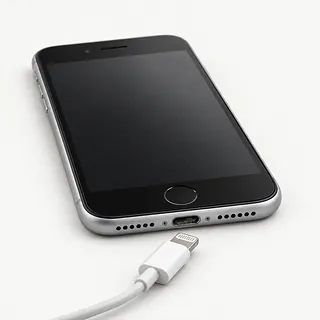
iPhone SE won't charge
Packed pocket lint can keep the Lightning plug from reaching its contacts. Try another cable and power adapter before blaming the port or battery.
Find a repair near you: iPhone SE won't charge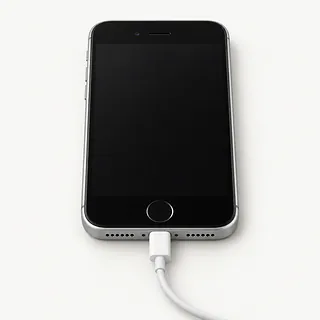
Black screen but phone still works
An SE that rings despite a dark screen may have a failed display. Try a force restart first, since frozen software can also leave it black.
Find a repair near you: Black screen but phone still works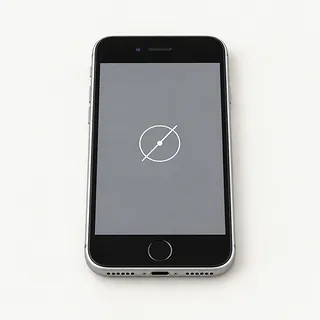
Touch screen not working
A broken touch layer can leave a strip of glass ignoring your finger. Restart, then try again with a clean, dry screen.
Find a repair near you: Touch screen not working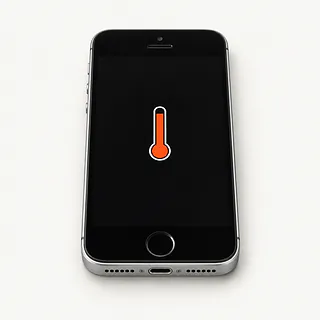
iPhone SE getting too hot
Games and charging can warm the phone. Unplug it and let it cool away from sunlight if a temperature warning appears.
Find a repair near you: iPhone SE getting too hotPhone won't turn on
A dead screen can look like a dead battery. A shop can test both, along with whether power reaches the phone through its charging port.
Find a repair near you: Phone won't turn on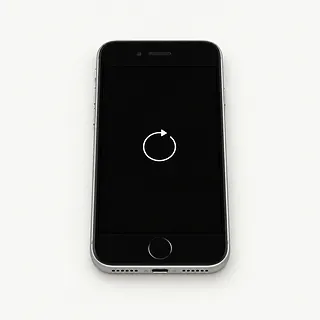
iPhone SE keeps restarting
Battery faults and software trouble can both interrupt startup. Note whether restarts happen while unplugged or when opening an app, since that helps narrow the cause.
Find a repair near you: iPhone SE keeps restarting


What an iPhone SE repair involves
A shop should check what still works before opening the SE. Calls coming through with no picture point toward screen trouble. For charge that disappears quickly, the battery reading and app usage help decide if a new cell would help.
The SE generation matters when ordering parts. The original has a 4-inch display, while its two successors use 4.7-inch LCD screens. Broken front glass usually comes out with the panel beneath it. Moving your existing home button onto the replacement keeps its paired Touch ID sensor with the phone. Port repairs usually involve changing the Lightning flex cable, and battery replacement removes the worn cell.
Ask how you'll unlock the phone for testing afterward. Make a call, record some sound, take photos and check swipes, fingerprint recognition and wired charging. The later SE models also need new screen sealing adhesive after opening. That doesn't make them waterproof.
Should you repair your iPhone SE
Replacing a worn battery can make sense for an SE you still like using. The same goes for a cracked display if the frame, cameras and charging port are sound. Ask for a written quote naming the replacement part and confirming that it is available for your generation.
Check software support before committing to an older SE. It needs to handle your regular apps and receive the security updates you require. Fixing its screen won't change those limits.
Photos without a backup deserve a separate conversation. Tell the repairer which files you need before approving work that could erase them. Saving those files may still matter even if you choose a replacement phone.
Questions to ask about iPhone SE repair
Is there a bill if you can't fix it?
Get the testing charge settled upfront, including what happens when the fault won't show itself.
Does screen replacement include keeping my fingerprint sensor?
Swapping in a third-party home button won't restore Touch ID. For a working sensor, ask how it will be transferred without replacing it.
Who would use my unlocked phone?
Find out what staff need to open during testing. You can discuss unlocking in person, and any erase needs separate agreement.
How do you handle a repair that fails again?
Read the repair coverage before agreeing to work. It should explain how faults with supplied parts or mistakes during installation are handled, including any further charges.
Can you check the other features too?
Charging, cameras, speakers and touch should get a check on arrival and at pickup. Ask for existing faults to be recorded.
Where do your SE displays and batteries come from?
Have the quote distinguish Apple parts from aftermarket ones. Confirm the SE generation too, since the first model has a smaller screen than its successors.
What to do before drop-off
Write down the first sign of trouble and what was happening when it appeared. Useful details include charge dropping during camera use, a black display while calls still ring, or restarts that began after a fall.
Make a backup on your computer or through iCloud if the SE responds, and confirm it finished saving. If the phone won't start, explain which photos or messages have no other copy and require permission before anything gets erased.
Discuss entering your screen code at the counter for tests. Have your Apple login ready, keeping the password to yourself. Disable Find My only if requested, and enable it again once the work is done. Take your case and removable SIM home unless testing needs the SIM, and include a charging cable only when requested.
Related repairs
iPhone SE Repair: common questions
Where can I get iPhone SE repair close to home?
With 18 shops saying they offer iPhone SE repair, you can start by looking in your city. Your next step is to call about the model and problem.
How much should I set aside for iPhone SE repair?
What you pay depends partly on which model you have. Give its full name when asking for a quote, and explain the problem too.
Can I get a time estimate before bringing it in?
For iPhone SE repair, a shop can estimate the wait, but that estimate may change as they learn more about the damage. Call to request a rough timeframe that also accounts for their workload.
Is a repair quote enough to tell me whether to replace a device?
Replacing a device and getting data off it can be separate decisions. Request a quote before spending, and judge it against the device's age, any other damage and what the device and its contents mean to you.
Where should I start when preparing for iPhone SE repair?
Note exactly which model needs attention and what you noticed when it broke, then copy files if it's still working. Before heading out, call about taking the charger, leaving the case fitted and what you should do about the passcode.
Why is my iPhone SE battery draining so fast?
A worn battery or apps using lots of power can make an SE drain quickly. Check Battery Health under Settings, Battery, then look at app usage there. A service message points toward battery replacement, but drain alone doesn't prove the battery needs changing.
Will an iPhone SE screen replacement affect Touch ID?
A screen swap can preserve fingerprint access if the SE's existing button is intact and transferred with care. Ask the shop to check Touch ID before starting. If the sensor is already broken, a new display and aftermarket button won't fix it.
Why won't my iPhone SE charge when plugged in?
The SE may be getting no power because its charger, cable or Lightning port isn't making a connection. Try a known working cable and power adapter at another outlet. A plug that won't go all the way in can point to pocket lint.
Why is my iPhone SE screen black but the phone still works?
A black picture with calls still coming through points toward screen trouble or stuck software. Force restart the SE first. If that changes nothing, testing the LCD panel and its connection can help explain why the phone makes sounds without showing anything.
Why is my iPhone SE overheating?
Heavy use, charging or a hot place can heat the SE up. Unplug it and set it somewhere shaded without running apps so it can cool naturally. If it gets hot again while sitting unused, ask a shop to check the battery and other hardware.
Why does my iPhone SE keep restarting?
Repeated SE restarts can come from software, a worn battery or another hardware fault. Back up first if it stays usable, then check for an iOS update. Note whether restarting follows charging, camera use or a drop.