
Find iPhone 17 Pro Screen Replacement Near You
Nationwide, 3 shops say they can help with iPhone 17 Pro screen replacement. Head to your city's page to see who's close by.
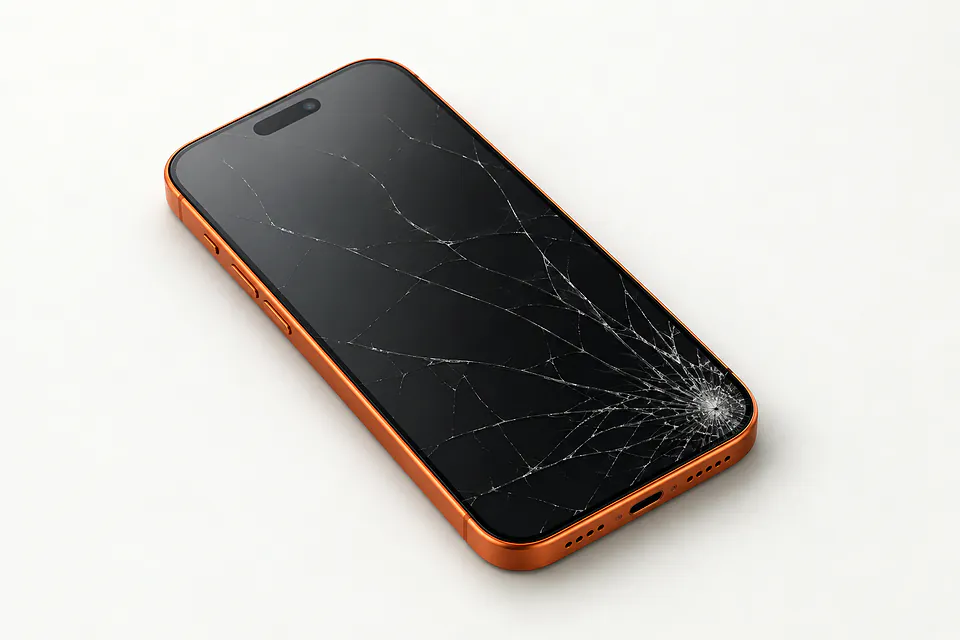
iPhone 17 Pro screen faults
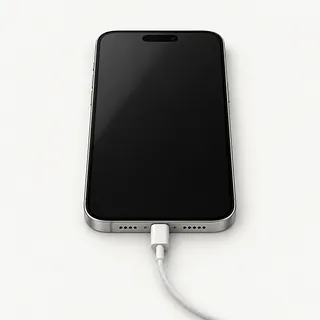
Screen went black without shutting down
A failed screen can leave an iPhone 17 Pro buzzing on the desk with no visible picture. Give it a force restart to rule out a software stall. If that changes nothing, a repairer can connect another panel to check the cause.
Find a repair near you: Screen went black without shutting down
Touch stops across part of screen
A dead patch after an impact often comes from broken touch hardware. Clean the glass and dry your hands, then try restarting. Notice if a swipe stops at one spot even after changing apps.
Find a repair near you: Touch stops across part of screen
Camera opens to black
The camera or its app is more likely to blame when everything outside Camera looks normal. Reopen it and test the selfie view as well as the rear view before booking a screen swap.
Find a repair near you: Camera opens to black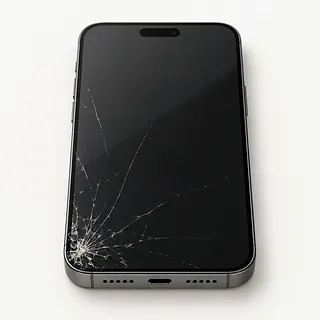
Front glass has split
A split across readable text may be confined to the cover glass. It's glued to the OLED below, which is why replacing the entire display assembly is usual.
Find a repair near you: Front glass has split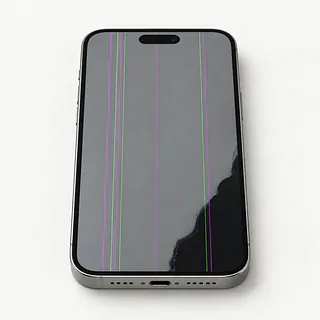
Screen keeps flickering
Flickering alongside purple blotches suggests a damaged panel, even under unmarked glass. A restart is worth trying if there are no marks and the flashing began without a knock.
Find a repair near you: Screen keeps flickeringKeyboard enters letters untouched
A wet surface can trigger extra letters, as can failed touch parts inside the screen. Dry off any droplets and avoid typing a passcode while the phone adds its own entries.
Find a repair near you: Keyboard enters letters untouched


How iPhone 17 Pro screen replacement works
Checking the frame and testing touch come before installing a screen on your iPhone 17 Pro. Tell the shop about liquid exposure or anything else that quit after the fall. When the phone makes sounds without showing an image, another display can help pinpoint what broke.
Screen replacement normally removes the glass with the panel underneath, even when only the cover looks cracked. Get the proposed part named in writing. An aftermarket display can differ from a refurbished Apple screen in color, brightness and touch, so confirm the source and that it's OLED.
During removal, the repairer protects the front camera and face recognition hardware, keeping the earpiece safe too. Parts attached to the damaged screen are moved over where the repair requires it. After adding new sealing adhesive, the shop tests swipes across the whole surface, image quality, sensors, both cameras, call sound and Face ID. Water resistance can still be lower after opening.
Keep the iPhone 17 Pro or replace it
Files stuck behind a dead screen can be reason enough to repair it. A readable display with working touch may let you save a recording or message thread that never reached your backup. Tell the repairer what needs copying before anyone suggests erasing the phone.
There's little reason to give up a recent iPhone 17 Pro over cracked glass alone. If it did its job before the accident, continued Apple security updates and compatibility with your work apps help make the case for keeping it. Find out which replacement screens the shop can get.
A twisted frame or broken camera adds another repair to the decision. Get the whole job quoted in writing, then ask yourself if you'd want to use the phone once those faults were fixed.
Ask about the replacement screen
What would I owe if the picture stays black?
Agree what you'll pay if installing a screen doesn't solve the fault. Ask the repairer to call before trying anything else.
Do you charge for checking it if nothing gets fixed?
Testing can carry its own fee. Get that written down, including what applies if you take the phone home unrepaired.
Could I enter my passcode when you need to test it?
Your code opens messages and photos too. Work out who needs access, and say that deleting files requires your approval.
Can you check the other features with me?
Compare camera pictures, face unlock, touch response, earpiece sound and sensor checks at drop-off and pickup. Note anything that already fails.
Would missed swipes be covered by your warranty?
Read what the warranty says about defective screens and installation errors. A fresh crack could rule out a claim.
Which OLED screen can you get for the iPhone 17 Pro?
Confirm the part is available and ask where it comes from. Apple originals, refurbished panels and aftermarket replacements can differ in brightness and color.
Get your iPhone 17 Pro ready for repair
Jot down what went wrong and when, including any drop or splash. A screen that flashes when you wake it or types the wrong letter is worth describing exactly.
Back up the phone to iCloud or your computer while you can still use it, then check that the copy finished. Tell the shop about photos that aren't saved elsewhere if broken touch stops you.
Ask which tests need your passcode and arrange to unlock the phone yourself if practical. Have the password for your Apple Account ready in case the repairer asks you to turn Find My off. Turn it on again after repair. Take the case off, detach any card holder and keep loose accessories unless they help show the fault.
Related repairs
iPhone 17 Pro Screen Replacement: common questions
How do I find local help with iPhone 17 Pro screen replacement?
Nationally, 3 shops list iPhone 17 Pro screen replacement on their websites. Look up your city, then phone someone nearby to check whether they can work on the exact model you have.
What should I expect to pay for iPhone 17 Pro screen replacement?
The cost of iPhone 17 Pro screen replacement depends on your model and what is wrong. Call with both and ask what the quote covers.
How much time should I allow for iPhone 17 Pro screen replacement?
Call for a rough estimate before taking your iPhone 17 Pro in. It may change with the shop's workload or what they find when checking it.
What makes my iPhone worth repairing?
Start by getting a quote, then look at what you'd be spending to keep the device. Its age, other damage, the data it holds and how much use you expect from it should all shape your decision.
What do I need to do ahead of iPhone 17 Pro screen replacement?
Copy your files somewhere else if the device still works, then note its full model number and anything that happened before it failed. Find out by phone if you should pack its case or charger and whether you'll need your passcode.
Why is my iPhone 17 Pro working but the screen is black?
A failed screen can leave the phone ringing with nothing visible. Force restarting may clear a software hang, but a phone that stays dark needs testing before you agree to a replacement.
Why is my iPhone 17 Pro touch screen not working?
The picture can look fine while the touchscreen has failed. Rebooting can help with temporary software trouble, but it won't mend physical damage. Missed taps that began with an impact may call for a new display.
Why does my iPhone 17 Pro screen tap by itself?
A faulty touchscreen can press keys by itself, a problem known as ghost touch. Reboot once to see if it stops. Keep track of where it happens, and don't type sensitive details while unwanted presses continue.
Does my flickering iPhone 17 Pro screen need replacing?
A flicker doesn't automatically mean you need another screen. Reboot and check whether it returns. If the flashing comes with odd colors or dark spots after an impact, damage to the panel becomes more likely.
Can you fix a cracked iPhone 17 Pro screen without replacing the display?
A specialist may be able to keep the OLED panel and change just the cracked glass if picture and touch work properly. Separating those bonded layers takes special equipment, so the usual repair replaces them together.
Will screen replacement fix my iPhone 17 Pro camera black screen?
A screen replacement usually won't fix a black camera preview if menus and photos display normally. The camera or its software may be responsible. Restart the phone and explain that only the camera view goes black.