
Find iPhone 17 Repair Near You
According to their own websites, 16 shops take on iPhone 17 repair. Go to a state or city to look closer to home.

iPhone 17 Repair by city
What's wrong with your iPhone 17
OLED panels sit beneath the front glass on iPhone 17, iPhone Air, iPhone 17 Pro, iPhone 17 Pro Max and iPhone 17e. That panel can break even when the glass looks untouched.

iPhone 17 Pro Max not charging
A cable that only works when held sideways may have a damaged plug or be sitting in a worn port. Swap the cable and adapter without bending the connector.
Find a repair near you: iPhone 17 Pro Max not charging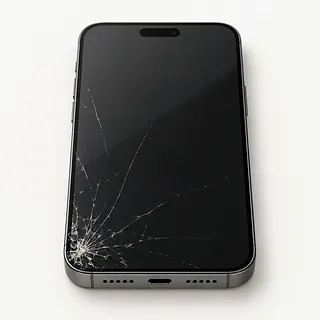
iPhone 17 Pro screen broken
Colored lines or an ink-like blotch after an impact usually mean the OLED panel is broken. Changing only the outer glass won't fix the picture.
Find a repair near you: iPhone 17 Pro screen broken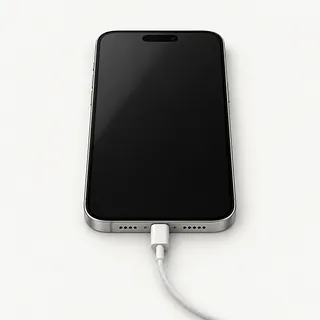
Phone rings with no picture
Ringing tells you there's still power. Force restarting can clear a software freeze, and a shop can connect a working screen if the display stays dark.
Find a repair near you: Phone rings with no picture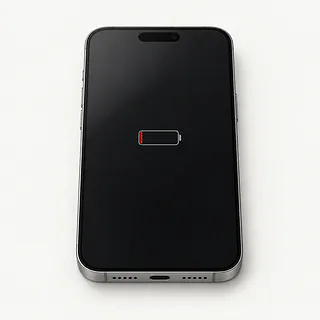
Battery runs down with little use
Background apps can drain charge with the screen off. The Battery menu shows which apps used power, while its health reading helps check for battery wear.
Find a repair near you: Battery runs down with little useiPhone won't power on
A broken display can look just like an empty battery. Check for vibrations or sounds when you connect a charger you know works.
Find a repair near you: iPhone won't power on
Keyboard ignores some letters
One dead strip across the keyboard after a knock points to the screen. Restart the phone after wiping away any water on its surface.
Find a repair near you: Keyboard ignores some letters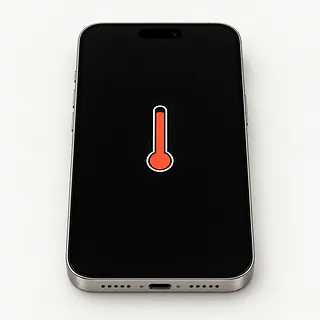
Phone overheats while charging
Sun through a car window can heat the case further during charging. Disconnect the charger and move the phone into shade if it gets unusually hot.
Find a repair near you: Phone overheats while charging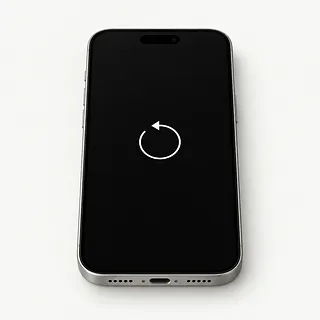
Apple logo keeps appearing
A startup loop can come from iOS trouble or a hardware fault. Note whether it reaches the lock screen before starting over.
Find a repair near you: Apple logo keeps appearing


From testing to reassembly
Bring the cable that keeps disconnecting when you move the phone. The repairer can compare it with another cable and look for pocket lint packed into the USB-C port. If wireless charging works, the cable, charger or port is more likely to blame than the battery.
A worn port usually means replacing its separate flex cable. For screen work, the glass normally comes out with the display bonded underneath. This family uses OLED, but some aftermarket screens substitute LCD and can look different. Before approving a replacement, ask about the panel type, attached sensors that need moving and any setup afterward.
Fresh adhesive goes around the opening during reassembly. Try dragging an icon across the screen to check for dead spots, then unlock with your face and take a photo. Connect your charging cable again, make a call and check that the original complaint is gone.
Deciding what to keep
Fixing a cracked display makes sense if that's all that's wrong and the phone still suits you. A frame bent at the corner or a camera that won't focus changes the job. Get the full repair quote in writing, with the proposed screen type, and confirm that part is available.
An iPhone 17 is still a recent phone, so age alone isn't a reason to replace it. Software support matters more as it gets older, especially if an app required for work needs a newer iOS version.
A replacement phone won't retrieve voice memos left on this one. Check your backup for anything you can't lose. If those files are missing, discuss recovering them before agreeing to an erase, even if you don't plan to keep using the broken phone.
What to settle before leaving your iPhone
Which exact screen or battery would you install?
Ask for the maker and source of the replacement. This family uses OLED displays, so check for an LCD substitute and confirm the part is available for your model.
Would the warranty cover missed taps after a screen replacement?
Get coverage for parts and labor on paper, including the exclusions. A cracked replacement screen and one that stops responding may be treated differently.
Can you write down what works before starting?
A cracked screen can still have working Face ID. Check face unlock, cameras, touch response and USB-C charging together, then repeat those checks at pickup.
Who needs access to my unlocked phone?
Set boundaries around tests that need a passcode. Agree that erasing data requires separate permission.
Is testing charged if nothing gets repaired?
Ask about the fee even if you take the phone home without a repair.
What happens if the proposed part doesn't fix it?
Settle how unsuccessful work is billed. Require another written quote before approving further replacements.
Before handing over your iPhone 17
Save a backup before an unreliable touchscreen stops responding completely. Use a computer or iCloud, check the saved copy's date, and say which files couldn't be backed up. Add a short note describing when the fault started and what brings it on, such as the screen going dark when you open the camera.
Arrange to unlock the phone for checks that require its passcode. Make sure you can sign into your Apple Account without sharing its password. Turn Find My off only when Apple requests it or your repair shop needs it disabled. Restore that setting once repairs are done.
Leave the cover and detachable accessories at home unless they're needed to demonstrate the problem. There's no removable SIM in United States versions, and a repair leaves the eSIM in place. Don't wipe the phone unless your shop requires that step. Keep a note of your cell provider and account details in case you need to set up the eSIM again.
Related repairs
iPhone 17 Repair: common questions
Who can I ask about fixing my iPhone?
Use the state and city links to explore 16 shops that list this service. Call before making the trip and describe the problem with your model.
How much does iPhone 17 repair cost?
More extensive damage may raise the price of iPhone 17 repair. Call to explain what's stopped working, give the model name and check how the quoted amount breaks down.
Why can iPhone 17 repair take longer than expected?
A shop's first estimate for iPhone 17 repair may change after they examine the damage. Contact them by phone to discuss timing, including how much work they have waiting.
Would I be better off replacing my iPhone 17?
Tell shops about any other damage when you request an estimate for iPhone 17 repair. Once you have the cost, decide what you're willing to spend given the device's age, how often you'd use it and any data you need.
What should I check about backups and accessories before iPhone 17 repair?
Make a backup of anything you can still access on the device, and jot down its exact model plus the symptoms. During your call, ask how to handle any passcode and whether the case or charger should come with you.
Why is my iPhone 17 not charging when plugged in?
A cable that no longer works or lint keeping the plug loose can leave the phone without power. Borrow a working charger and cord to test it. Charging on a wireless pad makes the wired parts more likely suspects than a worn battery.
Does iPhone 17 Pro Max screen replacement include the glass?
Yes, a replacement screen normally comes with its glass already attached. A hairline crack with a clear picture and working touch may qualify for glass replacement alone. That takes special equipment to separate the cracked cover from the OLED underneath.
Why is my iPhone 17 screen black but the phone still works?
A screen fault can leave an iPhone 17 ringing with nothing on the display. Try a force restart first, since a software freeze can look similar. If the picture doesn't return, the screen and its connection need testing.
How do I clean my iPhone 17 charging port?
Use soft bristles to ease visible lint out of a dry port without pushing it deeper. The brush should be nonmetallic and clean, and the phone needs to be off with nothing plugged in. Leave tightly packed lint for a shop to remove.
How do I know if my iPhone 17 needs a battery replacement?
Battery Health recommending service is a stronger clue than needing your charger more often. Tap Battery in Settings to see the capacity reading and any service message. A new gaming habit can drain even a healthy battery.
Why is my iPhone 17 overheating?
Charging, running a demanding game or leaving the phone in a hot car can make it heat up. If it gets excessively hot, unplug it, stop using it and move it out of direct sunlight. Let it cool naturally before using it again.