
Find Phone Screen Repair Near You
109 shops say they do phone screen repair. Choose your state or city to find someone nearby to call.
Browse US cities with phone screen repair
When a phone display stops working
iPhone screen black with sound
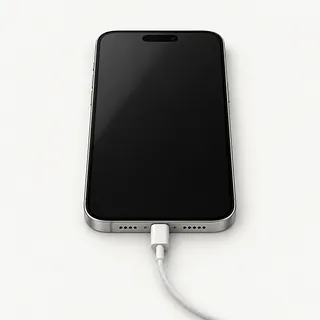
An iPhone that makes sounds behind a dark screen may have a broken display or frozen software. Follow Apple's force restart directions for that iPhone model. A screen test can help if it stays dark.
Find a repair near you: iPhone screen black with sound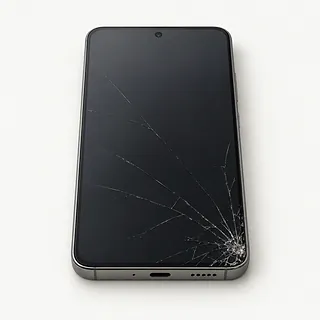
Screen cracked after a drop
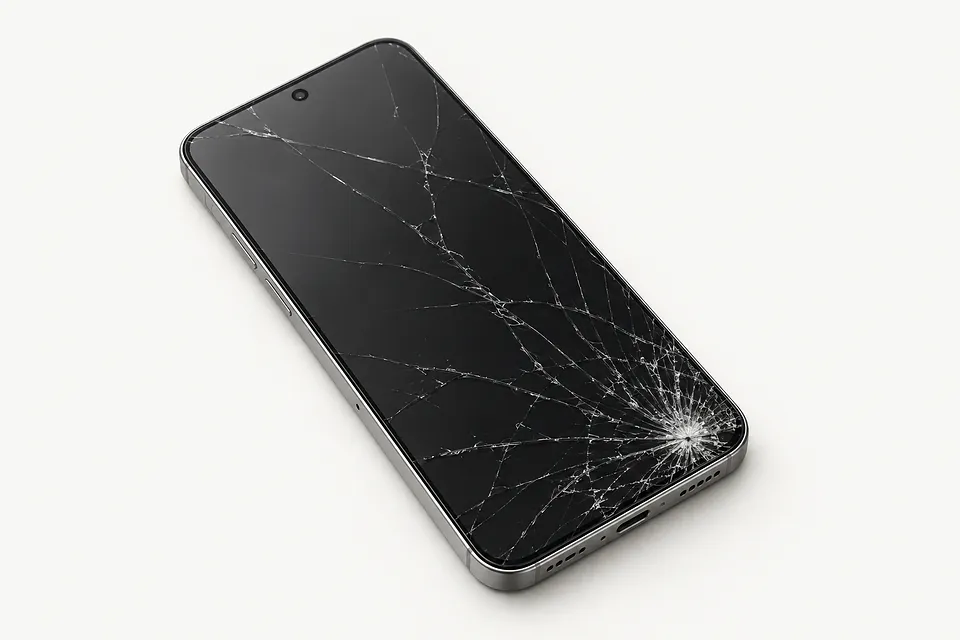
A hairline crack spreading from one corner can leave the image untouched. That doesn't make it a simple glass swap. The front layers are stuck together, so screen repair usually means changing both.
Find a repair near you: Screen cracked after a drop
Screen taps things on its own
Ghost touch often points to damage in the part that reads your taps. Clean and dry the screen first. Note where unwanted taps happen and whether other areas ignore your finger entirely.
Find a repair near you: Screen taps things on its own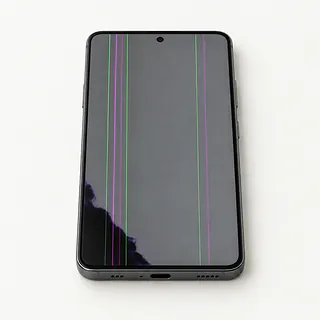
Spreading black patch on screen
A growing ink-like blotch usually means the display panel is damaged. Replacing the cover glass alone won't fix that patch, even if touch still responds there.
Find a repair near you: Spreading black patch on screenDisplay keeps flickering
Flashing that starts after a fall often comes from the panel, especially with colored bands beside it. Without an obvious impact, a restart is worth trying before blaming the hardware.
Find a repair near you: Display keeps flickering
Black image only in camera
A blank viewfinder with normal text and icons elsewhere points toward the camera or app. Reopen the app and try a restart before agreeing to screen work.
Find a repair near you: Black image only in camera


How a phone screen gets replaced
A black picture doesn't prove the display needs replacing. The repair starts with checking what's still working and testing the screen, rather than ordering a part from that symptom alone.
The broken glass usually comes out with the display panel bonded beneath it. For an iPhone 15, ask if the new screen is OLED like the original. Some aftermarket replacements use LCD panels, which can look different. Find out who made the part or whether it's a refurbished original.
Small parts attached to the old screen may need moving onto its replacement. The repairer protects face or fingerprint sensors, the front camera and the earpiece during this work. Once installed, the display gets checked for a clear picture and touch across its surface. Camera views, sensor operation and earpiece audio get tested too.
Should you fix the screen or replace the phone
An otherwise healthy phone is a stronger candidate for screen repair than one with several faults. Think about its age, battery condition and remaining software support, especially if it already struggles with the apps you use.
Ask for a written quote that names the screen type and includes any other damage found. A bent frame or liquid damage changes the decision. Confirm that a suitable replacement part is available before agreeing to the work.
Photos and messages may matter more than keeping the phone itself. If nothing is backed up, say that before work begins. Restoring access to the display can help with copying data, but other faults may prevent access.
Questions for the repair counter
Which screen will you install, and where does it come from?
Ask for the part type and supplier. Original-manufacturer screens, refurbished originals and aftermarket replacements can differ in brightness, color and touch response.
What does the repair warranty cover?
Get the terms in writing, including how faulty touch or flicker is handled. Check exclusions for another drop or liquid exposure.
What will you test before and after opening the phone?
The checks should cover touch, picture, cameras, sensors and the earpiece. Recording what already works makes a new fault easier to spot.
Will you need my passcode?
Ask which checks require an unlocked phone and who can access it. Agree on access before sharing a code.
Is there a testing charge if the repair doesn't go ahead?
Get that answer before approving work, including what happens if the fault turns out to be elsewhere.
What happens if the replacement doesn't fix it?
Set a clear stopping point. Further testing or extra parts should need your approval.
Getting ready for a screen replacement
Finish a backup first
A usable display gives you a chance to save photos and other files. Confirm the backup succeeded rather than assuming it ran.
Strip off accessories
Remove the cover and retain loose extras. For phones with a removable memory card or physical SIM, agree whether either card needs to stay.
Bring the symptom history
Write when trouble began, whether it followed an impact and what still works. A green line and a cracked corner are different clues.
Plan how to unlock it
Some checks require a passcode. Arrange access for those checks and ask who will handle personal information.
Keep control of account locks
Change account settings only after the reason is clear. Turn off Find My yourself if required, without handing over your Apple account credentials.
Related repairs
Phone Screen Repair: common questions
How do I find local help with phone screen repair?
Pick a city when looking for phone screen repair. The 109 shops around the country list the work on their own sites, so call someone local with the model name and describe the problem.
What should I expect to pay for phone screen repair?
Replacing a part can change the total for phone screen repair. Mention your model during the call and ask whether the quoted price covers both the part and the labor to fit it.
Should I expect a long wait for phone screen repair?
Let the shop know what happened when calling for a time estimate for phone screen repair. Their answer may be tentative until they assess the damage and check their workload.
How should I compare a repair quote with buying another device?
Get a quote for phone screen repair before deciding. Compare the cost with how much you still use the device, how old it is, anything else that's broken and any files you need from it.
Is there anything to sort out before phone screen repair?
Make a backup of anything you can still access on the device, and jot down its exact model plus the symptoms. During your call, ask how to handle any passcode and whether the case or charger should come with you.
Why is my iPhone working but the screen is black?
Ringing with a blank screen means the phone is still running, even though there's no picture. Force restarting may bring it back. If it stays dark, testing can tell whether replacing the display would help.
Why is my iPhone touch screen not working?
A damaged display assembly can stop responding to touch even when the picture looks normal. Restart the iPhone first. Persistent dead areas or taps that register on their own are reasons to test the screen.
Can a cracked phone screen be fixed without replacing the display?
Glass-only repair is possible when the display underneath is undamaged, but it takes specialist equipment. Most screen repairs swap the whole assembly because the front glass is bonded to the panel.
Do iPhone 11 and iPhone 13 screen replacements use the same screen type?
The standard iPhone 11 uses LCD, while the iPhone 13 uses OLED. Some aftermarket replacements for OLED models use LCD instead, so ask which panel will be installed and how it compares with the original.
Why is my iPhone screen flickering?
Flickering can be a sign that the display panel is damaged, especially after a drop. Try restarting the phone, and note any lines or colored patches that appear alongside the flicker.
Will fingerprint unlock work after a Galaxy S23 Ultra screen replacement?
Fingerprint unlock should be tested after a Galaxy S23 Ultra screen replacement, and fingerprints may need registering again. Its sensor sits beneath the display, so working touch alone doesn't confirm that fingerprint reading works.