
Find PS5 Repair Near You
Browse cities across the country to find 33 shops that list PS5 repair. Before you go, call with your model and explain what's wrong.
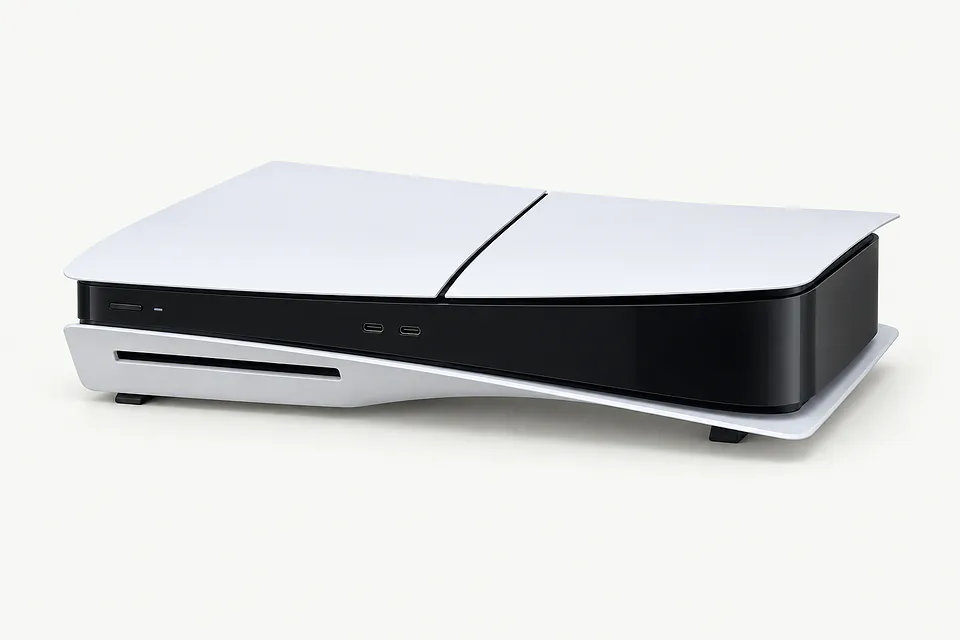
Browse US cities with PS5 repair
Common PS5 and controller problems
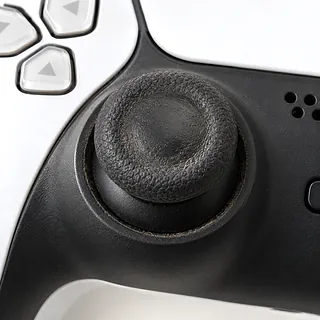
Analog stick keeps drifting
Stick wear is a common reason aiming wanders after you let go. Dirt can also cause unwanted movement. On standard DualSense controllers, a shop usually fixes worn sticks by desoldering the old module and installing a replacement.
Find a repair near you: Analog stick keeps drifting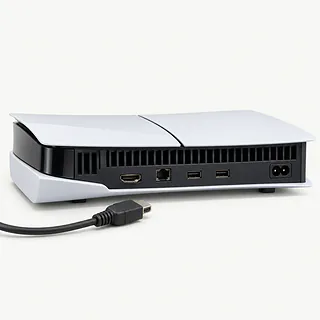
HDMI plug no longer fits
A yank on the cable can bend the PS5 HDMI port. Stop if the plug meets resistance. Neither settings nor restarting can straighten broken contacts.
Find a repair near you: HDMI plug no longer fits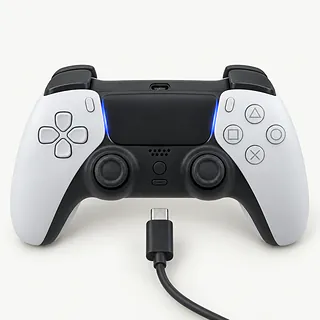
Controller battery won't charge
Cable trouble, a worn USB-C port and battery failure can all interrupt charging. Test a spare USB-C cable with another powered USB port before assuming something inside has failed.
Find a repair near you: Controller battery won't charge
PS5 turns off by itself
Heat can shut the console down when dust clogs its fan or heatsink. Keep ventilation openings uncovered. Shutdowns alone don't prove the liquid metal needs attention.
Find a repair near you: PS5 turns off by itself
DualSense isn't connecting
A cable can deliver power while lacking the wires needed for USB pairing. Use one marked for data transfer between the controller and PS5, then press PS.
Find a repair near you: DualSense isn't connectingConsole won't power on
An unseated power cord is easy to miss after moving furniture. Check its connection and try a working outlet. Tell the repair counter if there is sound without a light.
Find a repair near you: Console won't power onPS5 stays blue at startup
The blue light of death describes a console stuck before boot finishes. From a powered-off state, press and hold its power button through the second beep for Safe Mode. Read each option carefully because some erase saves.
Find a repair near you: PS5 stays blue at startup
Disc drive won't read games
Repeated failures across clean, undamaged discs point beyond a single scratched game. A repair shop can check disc loading separately from reading.
Find a repair near you: Disc drive won't read games


How PS5 faults get checked
A repair should begin with evidence of which part failed. The technician checks startup, tries known working accessories and looks at the port or controller involved. Give the exact console model, since the original PS5, Slim and Pro aren't identical inside.
Board soldering is involved in both HDMI port changes and standard DualSense analog stick replacement. A missing picture also calls for testing the chip next to the HDMI connector. Cooling work checks dust buildup and the fan, while handling liquid metal requires particular care.
Discuss what could happen to your saves before approving anything that could erase storage. Ask what will need reconnecting or setting up when the PS5 returns. Afterwards, the checks should match the complaint, from steady display output and successful booting to controller charging, pairing and movement with the sticks released.
Should the console or controller be replaced
Uncopied game saves are a reason to pause before swapping consoles. Tell the shop you want to keep them, and ask if the proposed work would erase them. Don't assume replacing your PS5 will recover that progress.
One drifting DualSense doesn't mean the PS5 is worn out. Decide separately whether to repair that controller or buy another. For console trouble, a broken HDMI port is a more straightforward reason to repair than a port fault combined with repeated shutdowns. Have the quote spell out each repair and whether suitable parts can be found.
Keep age tied to what you need from the console. An original PS5 may still do everything you want, while a newer one with several faults may be worth replacing. Check whether Sony continues to release software updates for your model before spending more on repairs.
Questions before booking PS5 repair
How will you check that you've fixed the fault?
Describe exactly when it fails, such as shutting off during a game or refusing a disc. Ask them to repeat that check before starting and once the work is done.
Could this work erase my saved games?
Have them explain any risk to saves before you agree. If they want to open your profile, find out who needs it and why.
What's the replacement part, and where is it from?
Get its name and source on the estimate. With a PS5 HDMI port repair, ask how they've ruled out a fault in the video chip.
What would I pay if I decide against repairs?
Settle the charge for checking the console before leaving it. Extra work should need your approval, even after they've found the cause.
If the repair fails, what happens next?
Ask whether another attempt or a refund is covered, and have them write down the warranty limits.
Prepare your PS5 for drop-off
Check your backup
Use the console's backup options while its menus remain accessible. Tell the repairer if a power or display fault prevents saving a copy.
Set limits on login access
Keep online account credentials private and security settings enabled. Discuss whether a local user passcode is needed for the agreed tests.
Empty the drive normally
Remove any disc using the eject control. Mention a trapped game instead of trying to pull it out.
Disconnect before packing
Shut down and unplug the console, including its HDMI cable. Ask which controller, charging cable or external storage is needed.
Record the pattern
Note when trouble began and what triggers it. Include shutdowns during games, a flashing light or movement when nobody touches the sticks.
Related repairs
PS5 Repair: common questions
Who can I ask about fixing my PS5?
Find your city to see which of 33 shops say they do this work near you. Give them your model name when you call.
How can I find out what PS5 repair will cost?
More extensive damage may raise the price of PS5 repair. Call to explain what's stopped working, give the model name and check how the quoted amount breaks down.
Will PS5 repair take longer if the damage is severe?
Since a shop may discover more damage during PS5 repair, any initial time estimate can change. Ask over the phone how long they expect the job to take with their current workload.
Could PS5 repair make sense even if I want another device?
Start by getting a quote, then look at what you'd be spending to keep the device. Its age, other damage, the data it holds and how much use you expect from it should all shape your decision.
What do I need to do ahead of PS5 repair?
List your device's exact model and the signs of trouble, keeping a backup of files you can reach if it's working. Bring up the passcode when you call, and ask if the case and charger need to come too.
Can you fix stick drift on a PS5 controller?
A worn stick can be replaced on either DualSense controller type. For the standard model, that means soldering work at a shop. On the Edge, the stick module comes out without desoldering.
Can a PS5 HDMI port be fixed without taking it apart?
There's no external fix for a snapped PS5 HDMI connector. A shop has to open the console to desolder the old port and install another. The video chip beside that port can also be damaged, so port replacement alone may not restore the picture.
Why is my PS5 controller not charging?
No charge doesn't automatically mean a dead controller battery. Check with another USB-C cable and a separate power source. If neither helps, testing the charging port and battery can narrow down what's wrong.
Why does my PS5 keep overheating?
Blocked vents or dust packed inside can stop a PS5 from shedding heat. Move anything pressed against the vents. If it still overheats, a shop can check the heatsink and fan for dust before touching the liquid metal.
Why is my PS5 disc drive not reading discs?
Fingerprints, scratches or a failing drive can keep a PS5 from reading a disc. Try a clean game disc that works in another PS5. If that loads, the first disc is more likely to be the problem.
Why is my PS5 stuck on a blue light?
A PS5 that keeps pulsing blue without turning white has failed to finish booting. Start with it powered off, then hold power. Release at the second beep to try Safe Mode, and leave options that delete your saves alone.