
Find PS5 Controller Repair Near You
Browse cities across the country to find 9 shops that list PS5 controller repair. Before you go, call with your model and explain what's wrong.
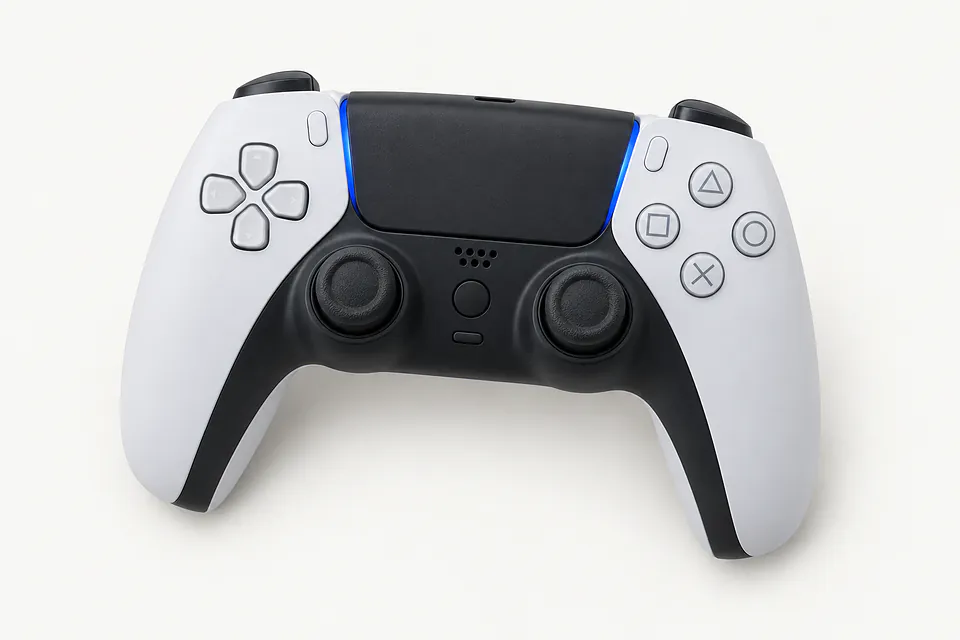
PS5 Controller Repair by city
Common PS5 controller problems
Note which controls misbehave and what changes when you plug the controller in. That helps separate a charging complaint from trouble connecting.
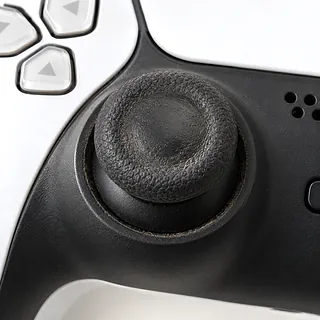
Stick keeps pulling to one side
Wear in an analog stick can send a direction signal while it rests in the middle. Dirt can cause similar drift. Software updates are worth checking, but cleaning won't repair worn contact surfaces inside a standard DualSense stick.
Find a repair near you: Stick keeps pulling to one side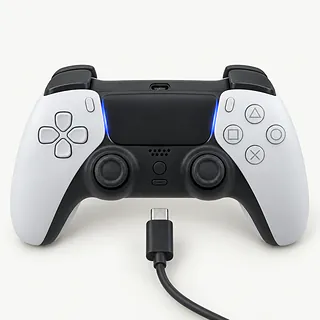
Battery stays empty when plugged in
Poor contact at the USB-C connector can interrupt charging, though the cable deserves a check first. Use another cable and a working USB power source. A shop can test the battery and charging connection separately before choosing a part.
Find a repair near you: Battery stays empty when plugged in
Controller lights up but won't connect
Getting power doesn't mean the controller has paired with the PS5. Restart your console, attach a cable marked for data transfer and use the PS button to pair.
Find a repair near you: Controller lights up but won't connect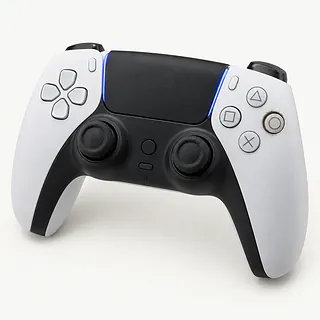
Trigger catches halfway through a press
A damaged or displaced trigger mechanism can catch as it moves. Don't force it through the sticking point. Mention a recent fall, especially if the trigger started rubbing against the controller shell.
Find a repair near you: Trigger catches halfway through a pressButtons only work with a hard press
Dirty or worn contacts can miss a light press while registering a harder one. Pressing harder doesn't fix the cause. The repair may involve cleaning inside or replacing the affected button parts.
Find a repair near you: Buttons only work with a hard press


How DualSense faults get fixed
The technician needs to catch the controller doing what you described. That might mean watching the aim wander with thumbs off the sticks or checking why charging stops when the cable moves. For pairing trouble, a USB cable capable of transferring data helps rule out the cable.
Replacing an analog module on a standard DualSense involves soldering. An Edge takes a removable stick assembly instead. Ask what replacement sticks the shop installs, including whether Hall effect parts are available for your controller and how they'll be calibrated.
A battery change also needs a charging check through the USB-C port. After reassembly, each repaired control should register presses and release properly. Stick tests should cover the center and outer edges, followed by wired and wireless connection tests and pairing again if necessary.
When controller repair makes sense
A DualSense with a worn battery can be worth keeping if its sticks stay centered and its triggers still feel right. Add a loose charging port or buttons that miss presses, and replacement starts to make more sense. Ask which parts need changing and whether they're available for that controller version.
For drift on a DualSense Edge, a replacement stick module doesn't require soldering. A worn stick in the standard DualSense usually does, so check what the repair actually includes.
Check for Sony firmware updates before writing off an older controller. If it still has software support and suits your games, age isn't much reason to replace it. Saved progress lives on the console, so there's no game data inside the controller to recover.
Choosing someone to repair your PS5 controller
Is this stick repair soldering work?
Standard DualSense stick modules are soldered in. The Edge uses removable modules, so make sure the repairer knows which controller you're bringing.
Can you check the fault before taking it apart?
Show them the camera creeping or charging stopping when the cable moves. Ask them to repeat that test after the repair, along with checking the other controls.
What part are you putting in?
Get the part maker's name and ask where it's supplied from. For a replacement stick, find out if it's the usual sensor type or Hall effect.
If it comes back with the same fault, what's covered?
The written warranty should explain what happens if the repaired stick drifts again. Check the exclusions and any fee for checking a returned controller.
Do I pay for testing if I skip the repair?
Settle that fee before handing it over. Ask about failed repair attempts too, and get a written quote before replacement work begins.
Before handing over your PS5 controller
Make a fault note
Write down when the trouble began and exactly what happens. Charging without connecting is different from taking no charge at all.
Mention earlier repairs
Tell the repairer about replaced sticks or a previous battery swap. Say which version you have, standard DualSense or Edge.
Check which extras are needed
Ask before bringing a charging dock or the PS5 itself. Remove an attached headset and any added cover unless they help show what's wrong.
Leave the account alone
Game saves aren't stored in the controller, so there's nothing there to back up. Testing its controls shouldn't require an online password or account changes. If you're bringing the console too, ask about access to its local user.
Related repairs
PS5 Controller Repair: common questions
Can I search by city for PS5 controller repair?
With 9 shops saying they offer PS5 controller repair, you can start by looking in your city. Your next step is to call about the model and problem.
What should I expect to pay for PS5 controller repair?
Until someone knows the fault, a price for PS5 controller repair may be only a rough estimate. Describe the symptoms by phone, share your model's full name and check which work is covered.
Can I get a time estimate before bringing it in?
More extensive damage can make an early estimate for PS5 controller repair less accurate, and a busy shop may need longer to start. Call to request a timeframe for the whole job.
Am I putting too much money into my PS5?
Before committing to more work, ask for a quote and list any other faults. Weigh the device's age and the cost against how much you depend on it and the files you want to keep.
What do I need to do ahead of PS5 controller repair?
If the device works well enough to copy files, save what you can and note its model number and symptoms. Call to check what to do about a passcode, protective case or charger.
Why does my PS5 controller have stick drift?
PS5 controller drift usually comes from dirt or wear inside an analog stick module. The controller registers movement with the stick untouched, so a character walks or the camera turns without input.
Can you fix stick drift on a PS5 controller?
Yes, PS5 controller drift can often be repaired by replacing a worn stick module. Standard DualSense modules are soldered onto the board, so replacement involves desoldering and soldering rather than just swapping the thumb cap.
Why is my PS5 controller not charging?
A bad cable, damaged USB-C port or worn battery can stop charging, and the power supply matters too. If changing the cable and power source makes no difference, a shop can test the port and battery.
Why won't my PS5 controller connect?
A PS5 controller may need pairing again, and a cable that only charges can't carry the data needed for wired pairing. Connect it to the PS5 with a USB cable that supports data, then press the PS button.
Can I fix PS5 controller drift without replacing the stick?
Cleaning sometimes helps dirt-related drift, but it won't undo a worn stick module. Update the controller firmware before booking work, and ask a shop to check whether dirt or wear is causing the movement.
Can I replace the stick module on a DualSense Edge?
An owner can swap an Edge stick module as a complete unit. The ordinary DualSense doesn't use that removable design, and changing its analog module involves desoldering the old part.