
Find iPad Charging Port Repair Near You
As of October 2026, 72 shops in California, New Jersey, New York, Pennsylvania, and Texas have iPad charging port repair on their website service lists. The cost listed by 7 shops on their websites runs $59 to $250 as of October 2026. For people stopping by in person, 66 shops say on their websites that they take walk-ins.
Check your city for iPad charging port repair
Common iPad charging port problems
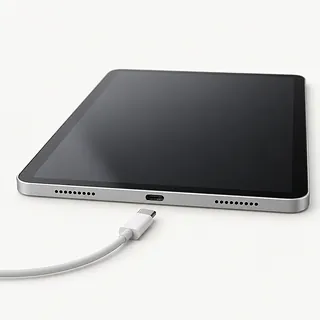
iPad won't take a charge
A dead adapter, damaged cord or failed port can leave an iPad unresponsive. Start with another USB charging cable and adapter connected to a working wall outlet. Let an unusually warm or cold tablet return to its operating temperature, then follow Apple's force restart instructions.
Find a repair near you: iPad won't take a chargeiPad needs its charging cable tilted
Charging that depends on sideways pressure suggests a worn cable end or loose port contact. Compare it with a different cable. Don't keep wedging something under the plug to hold the connection together.
Find a repair near you: iPad needs its charging cable tiltedCharging keeps disconnecting
Loose contacts can repeatedly interrupt power even when the cable looks intact. Watch for the charging indicator disappearing as the plug shifts. Tell the shop if several cords behave alike, since that helps separate cable trouble from a port fault.
Find a repair near you: Charging keeps disconnectingCable won't slide into iPad
Lint compressed at the back of the opening can leave the plug sticking out. Check that the case isn't in its way first. Stop pushing if you see bent metal or a cracked center piece in a USB-C connector.
Find a repair near you: Cable won't slide into iPad
iPad loses charge while plugged in
The tablet can use more power than its adapter delivers, especially during demanding apps. Close the app and test charging without using the iPad. Continued battery loss also calls for checks beyond the port, including the adapter and battery.
Find a repair near you: iPad loses charge while plugged in


What iPad charging port repair involves
The first job is separating a port fault from a charger, battery or software problem. A shop can measure incoming power and check the plug's contact inside the opening. A battery that won't hold a charge needs different work from a connector that won't pass power.
Removing compacted lint may restore contact. For a physically broken port, the replacement part and repair method depend on the precise iPad model. Opening the front requires care with the glass, display cables and any nearby paired sensors. An ordinary replacement Touch ID sensor won't restore fingerprint access.
Before pickup, the technician checks that charging stays connected and the battery level increases. Tests should also cover USB data transfer, the display and any buttons or sensors handled during the repair.
When charging port repair makes sense
If your iPad still handles homework or video calls, a broken connector can be worth fixing. Ask if a matching port is available, and mention a battery that drains quickly or glass cracked around the charging end. Get those repairs included in the written quote.
An older iPad needs a software check too. Check whether Apple still sends it security updates and whether your everyday apps support it. Replacing the port won't help an app that needs a newer iPadOS version.
Check your backup before giving up on the tablet. School notes or family pictures missing from it may still be on the iPad. Tell the shop you want those files saved before agreeing to anything that erases them.
What to ask about the charging repair
Will you record how it charges before starting?
Describe any cable angle that changes charging. Have the shop repeat that check after repair and record whether touch and buttons still work.
Does the port need replacing or could cleaning solve it?
Lint packed inside the opening can stop a plug from going all the way in. Ask what testing shows before agreeing to replacement.
Which replacement are you planning to use?
Request its source, condition and compatibility with your model in writing. Lightning and USB-C iPads don't use interchangeable charging ports.
What access to my data does this work require?
Ask for the specific checks that need an unlocked iPad. Set limits on access and require consent before anything gets erased.
Are labor and repeat charging faults covered?
Read the written repair warranty for exclusions and return steps. A loose connection after pickup is worth asking about specifically.
Can you explain the charges if testing or repair stops?
Separate the testing fee from payment for a failed replacement. Agree who approves another attempt if the iPad still won't charge.
Before leaving your iPad for repair
Back up while there's battery left
Use iCloud if the iPad still runs and the charging port won't connect to a computer. Confirm the backup finished.
Write down what makes charging stop
Note when it began, any fall or spill, and which cables and adapters you've tried. Include a plug that needs sideways pressure.
Bring the cable that acts up
Ask to bring your charging cable and adapter for comparison. Remove the case and keyboard, and keep an unneeded physical SIM with you.
Agree on passcode access
Find out which checks require unlocking. Offer to enter the code at drop-off instead of leaving it written with the tablet.
Keep control of Find My
If asked to disable Find My, get the reason and change it yourself. Don't share your Apple Account password.
Related repairs
iPad Charging Port Repair: common questions
What affects the repair bill for my iPad?
To get a price for iPad charging port repair, call and explain what's failing on your particular model. The fault affects how much work is needed, so ask for the quote to spell out that work.
Is there a usual wait for iPad charging port repair?
More extensive damage can make an early estimate for iPad charging port repair less accurate, and a busy shop may need longer to start. Call to request a timeframe for the whole job.
Is a repair quote enough to tell me whether to replace a device?
Have shops quote the work before you choose. Then judge the expense by your device's age, how useful you find it, any additional damage and the value of its saved files.
Where should I start when preparing for iPad charging port repair?
Jot down the full model number and how the trouble started so you can explain it when you call. Ask about bringing a charger, keeping the case attached and unlocking the device, and back up files if it works.
Why is my iPad not charging when plugged in?
A bad cable or charger can leave your iPad plugged in without actually charging. Try an outlet you know works, then swap one accessory at a time. If that doesn't help, let a hot or cold tablet return to its operating temperature, then force restart it.
Why does my iPad only charge at an angle?
Charging only at an angle points to poor contact between the cable and port. Try a different cable without forcing it sideways. Packed lint or a worn connector can stop the plug from seating properly.
Can an iPad charging port be repaired?
A damaged iPad charging port can often be repaired or replaced. The work depends on the model and what broke inside. Testing first helps separate a connector fault from battery trouble or another fault inside the tablet.
How do I clean my iPad charging port?
Turn the tablet off and unplug its cord before gently removing loose lint with a plastic toothpick or a wooden one. Keep the tip away from metal contacts, and stop if anything resists. Let a shop check anything stuck firmly inside.
How do I force restart an iPad that won't charge?
The forced restart depends on whether your iPad has a Home button. With one, hold Home and the top button until Apple's logo appears. Without one, quickly press and release the volume button nearest the top button, repeat with the farther volume button, then hold the top button until the iPad restarts.
Does the charging symbol mean my iPad port is working?
The charging symbol means the iPad detects charging, but it doesn't rule out an intermittent port fault. Apple shows a lightning bolt on the status bar battery icon or a large battery icon on the Lock Screen. Note whether that indicator disappears when the cable shifts.