
Find iPad Battery Replacement Near You
As of October 2026, 86 shops in California, Illinois, New Jersey, New York, Pennsylvania, and Texas have iPad battery replacement on their website service lists. There's a price for this repair on 15 shops' own websites, and those prices are $45 to $299 as of October 2026. Each of 74 shops says on its website that it welcomes people who walk in.
Cities to check for iPad battery replacement
iPad power and charging trouble
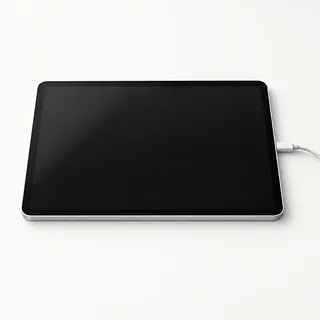
iPad won't start
A charger that isn't working can leave the battery empty. Plug into another outlet with a different cable and charger. If the iPad makes notification sounds despite the dark screen, the display may be the trouble.
Find a repair near you: iPad won't start
iPad restarts on its own
Weak battery power and software crashes can both make an iPad reboot. If opening a particular app sets it off, check for an update to that app. Note whether restarts also happen when you're just reading or typing.
Find a repair near you: iPad restarts on its own
Battery runs down too fast
An older battery holds less energy, but games and high screen brightness can drain a healthy one too. Open Settings, then Battery, to see which apps used the charge.
Find a repair near you: Battery runs down too fast
Screen bulging away from the iPad
Swelling inside the battery can raise the glass enough to leave a visible gap. Unplug the tablet and stop using it. Don't squeeze the edges together or try to flatten the screen.
Find a repair near you: Screen bulging away from the iPadiPad shuts off with charge remaining
The battery indicator can still show charge when a weak battery can no longer keep the iPad running. Write down the reading you saw and what was open when it quit.
Find a repair near you: iPad shuts off with charge remaining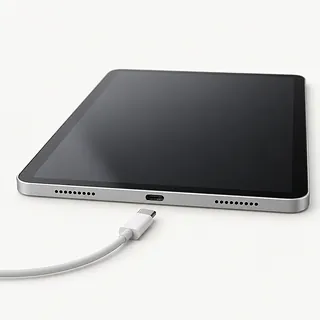
iPad only works plugged in
A failed battery may explain why pulling the cable makes everything go dark. A shop can check whether the battery takes a charge and supplies power once unplugged.
Find a repair near you: iPad only works plugged in


How the iPad battery gets replaced
A shop first checks if the iPad accepts charge and can run from its battery. Repeated restarts also call for software checks. Swapping a battery won't fix a broken charging port or a failing display.
Opening starts at the screen, with its cables and any nearby home button protected. The battery is glued inside, so the technician releases that adhesive before installing the matching part. A bend in the body needs attention before the screen goes back because pressure from the frame can crack glass.
Fingerprint unlocking depends on a paired sensor, so a third-party replacement button won't restore Touch ID. Battery work should preserve that original part. Before pickup, testing should check battery operation, charging stability, screen image, taps across the glass and the controls disturbed during opening.
Is an iPad battery replacement worthwhile
Replacing a worn battery makes sense when short battery life is the main thing stopping you from using the iPad. Check that the model still gets security updates and runs your needed apps. Fresh battery capacity won't change those software limits.
Cracked glass or a bent body can add work because the screen comes off to reach the battery. Ask if a suitable battery is available, then get a written quote covering the other faults too.
Back up anything you can still access before repair. If important files exist only on this tablet, say so before approving an erase or exchange. Ask whether the proposed service returns your original iPad.
Questions to ask about iPad battery replacement
Where does the replacement battery come from?
Ask who makes it and whether it's new or previously used. Have the battery's source recorded on your quote.
What points to the battery rather than the charging port?
An iPad that won't start doesn't automatically need a battery. Ask how charging and power use will be checked before and after the swap.
What happens if the screen cracks during removal?
The screen comes off to reach the glued battery. Agree who pays for breakage during opening, and have existing cracks or bends recorded.
Which battery faults does your repair warranty cover?
Get written terms for a battery that won't hold a charge or starts swelling. Check exclusions and whether coverage includes labor.
Who can use the iPad while it's unlocked?
Set limits on access to photos, messages and apps. Erasing the tablet should require separate consent.
What would I owe if testing or replacement doesn't help?
Separate the testing charge from payment for an unsuccessful battery swap. Settle both before approving work.
Prepare for an iPad battery swap
Back up while it still runs
Save a backup to iCloud or a computer and check that it completed. Tell the shop if sudden shutdowns prevent a backup.
Write down the battery behavior
Note when draining or restarts began, whether the charge reading jumps, and what happens when you unplug it. Include any drop or spill.
Arrange access for testing
Ask which checks require unlocking. Offer to enter the device passcode at drop-off for tests you can stay for.
Keep control of account settings
Keep your Apple Account password private. If Find My needs turning off, ask why and change it yourself.
Separate accessories from the tablet
Take off the case and detachable keyboard unless needed to show the fault. Keep the Pencil and any removable SIM unless requested for testing.
Related repairs
All iPad repairAll tablet repairiPad battery replacement cost across the US
iPad Battery Replacement: common questions
What's the likely bill for iPad battery replacement?
Your exact model and the damage affect the price. When you call, describe what happened and ask what you would be paying for.
Should I expect a long wait for iPad battery replacement?
Your wait for iPad battery replacement depends partly on the damage and the jobs ahead of yours. Ask for a time estimate during your call, keeping in mind that it can change.
Should I pay for iPad battery replacement if I rarely use the device?
A device you no longer use may still hold files you need. Ask for an estimate of iPad battery replacement, then weigh the cost against its age, other faults and how useful it could be to you before choosing.
What is worth writing down before iPad battery replacement?
List your device's exact model and the signs of trouble, keeping a backup of files you can reach if it's working. Bring up the passcode when you call, and ask if the case and charger need to come too.
Does my iPad need a new battery if it won't turn on?
An iPad that won't turn on may have a charging or software fault rather than a dead battery. Try another compatible charger, cable and outlet, then follow Apple's force restart steps for your model.
Why is my iPad battery draining fast?
Fast draining can come from battery wear or from what the iPad is doing. Review app activity under Settings, then Battery, and lower the display brightness to see whether usage explains the change.
Will replacing the battery stop my iPad from restarting?
Restarts may stop after battery replacement when unstable battery power is the cause. An iPad can also reboot because of software trouble or another broken part, so replacing its battery isn't a cure for every restart.
Why does my iPad only work when it's plugged in?
An iPad that dies as soon as you remove the cable may have a failed battery. Other faults in its power hardware can look similar, so testing should confirm what needs replacing.
Does iPad battery replacement need a new screen too?
Battery replacement doesn't automatically require a new screen, though the existing screen must come off to reach the battery. Cracked glass or breakage during removal can add screen work to the repair.
Can a bad iPad battery make the screen lift?
A swollen battery can push an iPad screen away from its frame, although loose adhesive can also leave a gap. Stop charging, turn the iPad off and don't press the screen back down. A shop can check the cause.