
Find Samsung Tablet Repair Near You
Based in California and Texas, 16 shops offer Samsung tablet repair, according to their websites. People can drop by without booking at 16 shops, whose own websites say that walk-ins are welcome.
Samsung Tablet Repair by city
What's wrong with your Galaxy Tab
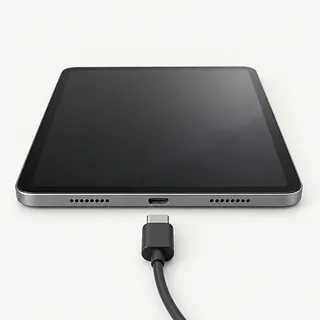
Tablet doesn't charge when plugged in
The power adapter can fail even when the cord looks intact. Swap in compatible charging accessories and use another outlet. A connector that needs pressure to keep charging may have a damaged cable end or port.
Find a repair near you: Tablet doesn't charge when plugged in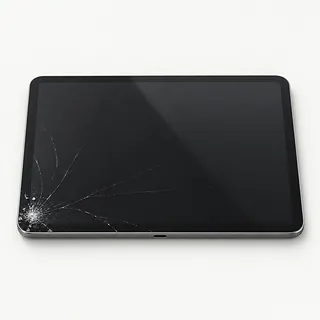
Screen has cracks and colored lines
Lines following a fall suggest more than surface glass broke. Mention missing picture areas and changes in touch response when requesting Samsung tablet screen repair, since the visible crack doesn't describe the whole job.
Find a repair near you: Screen has cracks and colored lines
Galaxy Tab won't start
Software can lock up with nothing visible onscreen, and a fully drained battery can look similar. Samsung recommends charging and a forced restart for a blank display. Continued silence doesn't prove the battery alone has failed.
Find a repair near you: Galaxy Tab won't startTablet needs constant charging
An older battery stores less energy, though high screen brightness and heavy app use also shorten each charge. Review the battery activity under Settings. A screen lifting away from the case can signal battery swelling, so stop using and charging the tablet.
Find a repair near you: Tablet needs constant charging
Part of screen won't respond
A damaged touch layer can leave one area dead while the rest works. Restart first to rule out a temporary software lockup.
Find a repair near you: Part of screen won't respond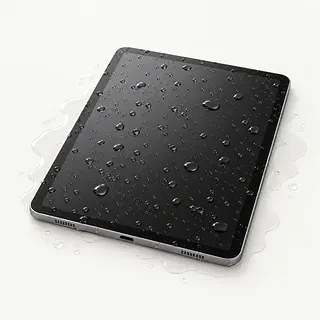
Tablet flickers after liquid spill
Liquid reaching internal connections can cause flickering or shutdowns. Remove external power and shut it down if it responds. Surface dryness doesn't tell you what's happening inside.
Find a repair near you: Tablet flickers after liquid spill


What gets checked during tablet repair
A repairer needs to reproduce the symptom before choosing what to replace. A tablet that makes notification sounds with no image needs different checks from one that draws no power. Describe what happened just before it stopped working, including a fall or spill.
Parts need to match your specific Samsung tablet, including its model number. The work might involve the screen, battery or charging connector, but opening methods differ across models. Nearby cables and working parts moved during access need to be put back carefully.
Back up personal files before service if the tablet still works. Ask whether the planned work involves erasing storage, since that would mean setting up the tablet again. Final tests should revisit the original symptom, then cover image quality, taps, physical controls and battery charging.
Should you repair your Samsung tablet
Repair makes more sense when one fault is keeping an otherwise useful Samsung tablet out of service. Look at its overall condition, including the frame and battery, rather than deciding from the cracked corner alone.
For an older model, confirm that needed parts are available and check whether its software still supports your work. Security updates matter even when browsing and videos still run. Ask for a written repair quote so you can judge the proposed work against your plans for the tablet.
Data can justify a separate repair conversation even if you're ready to buy another device. Explain that retrieving locally saved files takes priority before approving anything that clears storage.
What to ask about your Galaxy Tab
How is the bill handled if the fault remains?
Replacing a suspected part might leave the original symptom unchanged. Establish what remains payable and when another repair would need your consent.
What checks come with the repair?
Request a record of working features at drop-off and pickup. A Galaxy Tab screen job should include touch checks across the display.
Who supplies the part, and has it been used?
The quote should match your Samsung tablet's exact model. For a replacement screen, discuss brightness, colors and supported pen input.
Is there a separate charge for finding the fault?
Have testing charges written down, including what applies when you choose not to proceed.
Who would have access to personal files?
Discuss Maintenance Mode if available and which checks require unlocking. Photos and account access deserve clear limits, including permission before a reset.
Would a repeat fault fall under the warranty?
Request written coverage for both labor and parts, along with exclusions. Clarify how to report trouble after pickup.
Before leaving your Samsung tablet
Save what you can
Back up accessible photos, documents and other personal files. Check that the saved copies open on another device.
Look for Maintenance Mode
If Maintenance Mode is available on your tablet, turn it on to hide personal data during service. It doesn't replace a backup.
Agree on unlocking
Find out which tests need your screen lock code and ask to enter it at the counter.
Handle account changes yourself
Keep Samsung and Google account passwords private. Ask why any account setting needs changing before doing it yourself.
Take out removable extras
Remove the case, detachable accessories and any SIM or memory card unless needed to reproduce the fault.
Describe the symptom
Note when trouble began, any drop or spill, and chargers tried. Mention charging that cuts out when the plug moves.
Related repairs
Samsung Tablet Repair: common questions
How much does Samsung tablet repair cost?
If your Samsung Galaxy Tab needs a replacement part, that can affect the bill. Give the model name when you call, describe the fault and ask what's covered by the quote.
Would a busy shop need extra time for Samsung tablet repair?
For Samsung tablet repair, a shop can estimate the wait, but that estimate may change as they learn more about the damage. Call to request a rough timeframe that also accounts for their workload.
What should I think about before paying for Samsung tablet repair?
Check whether the files you care about are saved somewhere else. Then get an estimate before making a decision, comparing the cost with your device's age, any further damage and the use you'd get from keeping it.
Can I do anything at home to prepare for Samsung tablet repair?
Jot down the full model number and how the trouble started so you can explain it when you call. Ask about bringing a charger, keeping the case attached and unlocking the device, and back up files if it works.
Why is my Samsung tablet not charging?
Charging trouble can start outside the tablet, so check the adapter, cord and outlet first. Use compatible replacements for the test. If moving the plug interrupts charging, the connection needs checking before approving a new port.
Why won't my Samsung tablet turn on?
Battery trouble and a screen fault can both look like a tablet that won't start. Use a force restart as an initial check. Mention any notification sounds because a silent device and one running without a picture need different checks.
Can a cracked Samsung tablet screen be replaced if touch still works?
Yes, a screen can need repair while its touch controls still respond. Your tablet's construction and the condition of the picture underneath decide what gets replaced. Confirm the repair covers all broken layers before agreeing to it.
Will Samsung tablet screen replacement fix lines or black spots?
Lines and dark patches can disappear with a new display if the panel caused them. A glass-only repair leaves the picture-producing layer unchanged. Ask for the source of the fault to be checked first.
Can the battery in a Samsung tablet be replaced?
Yes, battery replacement is possible on Galaxy Tab models, but battery access varies. Unexpected shutdowns or short battery life are reasons for a battery check, not proof that a new one will solve the problem.
Can a Samsung tablet be repaired after water damage?
Liquid exposure doesn't automatically make a Galaxy Tab unrepairable, but the affected parts need checking. Disconnect the charger and power the tablet off. Describe the liquid involved and any attempts to turn it on afterward.