
Find iPad Screen Repair Near You
40 shops say they handle iPad screen repair. Select a city to see who works in your area.
iPad Screen Repair by city
Pennsylvania
Cracks, missed taps and black screens
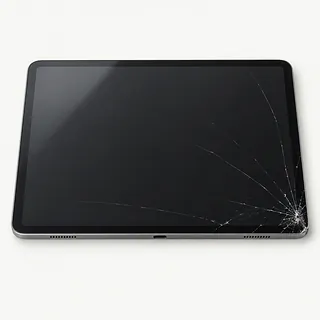
iPad screen shattered
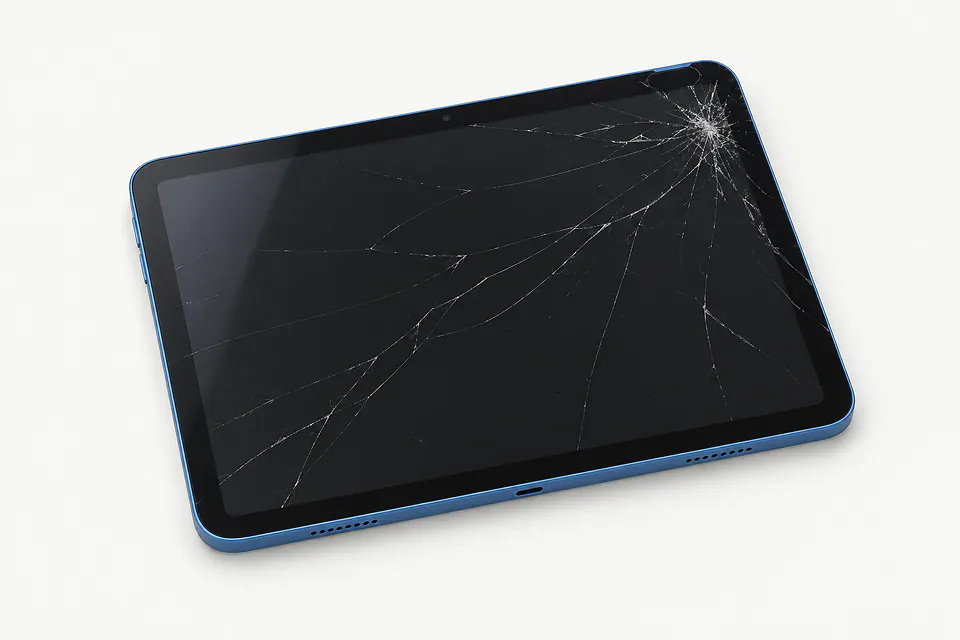
Cracks from a drop can affect both the outer glass and the image below. Laminated iPad Air, iPad Pro and iPad mini screens usually get replaced as an assembly, even when the picture remains clear.
Find a repair near you: iPad screen shattered
Touch stops responding
Unresponsive sections often point to a broken digitizer, the layer that reads your finger. Restart first if the screen isn't visibly cracked. A frozen app can look like failed touch, especially if the problem stays inside that app.
Find a repair near you: Touch stops responding
Black screen with sound
Hearing alerts from a blank iPad suggests it has power, but doesn't prove the screen needs replacing. Use the model's force restart sequence. A shop can check the display before committing to screen work.
Find a repair near you: Black screen with sound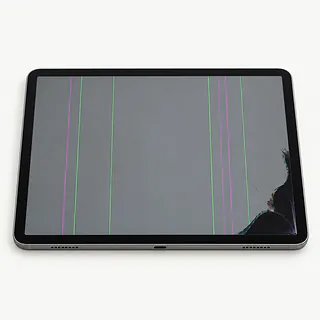
Colored stripes across the picture
Colored bands that appeared after the tablet was crushed or dropped usually come from the display underneath the glass. The surface can feel smooth despite a broken panel below it.
Find a repair near you: Colored stripes across the picture
Apps open without touching the screen
Unwanted input can follow a crack, although wet glass and charging accessories can also interfere with touch. Disconnect the charger and dry the screen. If restarting changes nothing, describe the false taps when requesting a screen repair quote.
Find a repair near you: Apps open without touching the screen


How the screen gets checked and replaced
A screen quote should follow checks for power, visible image faults and missed touches. A blank panel can have causes beyond the screen itself. The technician also looks for dents or twists that could leave fresh glass sitting under pressure.
Laminated iPad mini, iPad Air and iPad Pro versions usually need the bonded screen unit replaced. On a standard iPad with separate layers, the repair may involve only the touch glass if the image panel passes testing. The exact model matters more than how large the crack looks.
Keeping the existing paired sensors matters for fingerprint or face unlocking. A replacement sensor from a third party won't restore those features, though Apple's setup process supports certain genuine replacements on recent models. Once the screen is secured, the technician tests brightness, taps across the whole surface, physical controls and charging, plus Touch ID or Face ID where present.
Deciding whether to keep the iPad
Screen repair makes sense when the iPad otherwise does its job and the body can hold replacement glass correctly. A tablet with failing touch, a tired battery and a twisted case needs a quote that covers all of that work.
Age matters through software support and usable parts. Check that your required apps still run and that Apple still provides security fixes for the model. Ask what screen part is available and get the proposed work in writing.
Unbacked photos or documents can change the decision. Explain that keeping the contents matters before agreeing to an erase or device exchange. A replacement tablet won't bring back files stored only on the broken one.
Before agreeing to a replacement screen
Which replacement screen does the quote include?
Ask for the part's maker, condition and source in writing. Glass alone may be enough on some standard iPads, while laminated models generally need the display assembly.
Does your warranty cover missed taps and lifting edges?
Get the exclusions as well as the coverage. Check whether both the replacement part and labor are included.
Can you check the frame and record working features?
A bent body can crack the replacement screen. Touch response, picture quality and fingerprint or face unlock need checks before work starts and after the new screen is installed.
Who would have access to my unlocked iPad?
Agree which tests need the iPad unlocked and who can use it. A reset should need separate permission.
What testing charge applies if I decline?
Clarify what remains payable if you reject the quote or testing finds more than a broken screen.
If touch still fails, what happens next?
Ask how an unsuccessful screen replacement affects the bill and who approves further work.
Before handing over your iPad
Back up before touch gets worse
Start an iCloud backup if you can still use the screen, or save a backup to a computer. Check that it finished.
Discuss unlocking before leaving
For tests that require access, ask to unlock the iPad at the counter. Keep the Apple Account password private. If you're asked to disable Find My, get a reason and make the change yourself.
Leave loose extras at home
Bring the tablet without its case or keyboard unless either helps show the fault. Set the Apple Pencil aside, and remove a physical SIM if you have one that isn't needed for testing.
Explain how it started
Jot down when trouble began and what the iPad was doing, such as opening apps without a tap or losing the picture when picked up.
Related repairs
iPad Screen Repair: common questions
Can I search by city for iPad screen repair?
The 40 shops you can search by city all say they offer this service. Ask about your model and fault before deciding where to go.
How much should I set aside for iPad screen repair?
Tell the shops your model name and what stopped working, then ask about cost. The estimate should account for the work and any parts needed.
When can I expect my iPad back?
Even after a shop estimates the time for iPad screen repair, unexpected damage or a growing backlog can make that estimate less accurate. Phone them to discuss how long to allow.
Is a repair quote enough to tell me whether to replace a device?
Saving files may be worth paying for even if you choose to replace the device. Request a quote before settling on iPad screen repair, and check whether the device's age and other damage change how much you'd spend to keep it.
What should I check about backups and accessories before iPad screen repair?
Copy your files somewhere else if the device still works, then note its full model number and anything that happened before it failed. Find out by phone if you should pack its case or charger and whether you'll need your passcode.
Why is my iPad touch screen not working?
The touch layer can break even when the glass looks intact and the picture stays clear. If restarting doesn't help, describe exactly where taps fail, such as letters along one side of the onscreen keyboard.
Does an iPad black screen mean I need a screen replacement?
A black screen alone doesn't prove the display needs replacing. A charging problem or software fault can also leave it dark. Try another working cable and charger, then a force restart using Apple's instructions for your model.
Can just the cracked glass on my iPad be replaced?
On standard iPads with separate glass and display parts, a glass replacement may leave the original picture panel in place. Lines across the image or dark blotches can mean the panel underneath is broken too.
Do iPad Pro, iPad Air and iPad mini screen repairs replace the whole display?
With a laminated screen, the usual repair changes both the cracked glass and the picture panel together. Even a hairline crack with no missing pixels can mean replacing that bonded part.
Will Touch ID or Face ID work after iPad screen replacement?
Working Touch ID or Face ID can survive a screen repair when its original paired parts stay intact. A generic sensor won't restore a broken one. If a sensor needs replacing, ask whether that iPad supports Apple's calibration process for a genuine part.
Will replacing my iPad screen delete my photos?
Replacing an iPad screen doesn't normally erase photos, apps or other stored content. A reset or a separate fault can change that. Keep a backup if possible and require your permission before anyone erases the tablet.