
Find Xbox Repair Near You
47 shops say they do Xbox repair. Choose your state or city to find someone nearby to call.
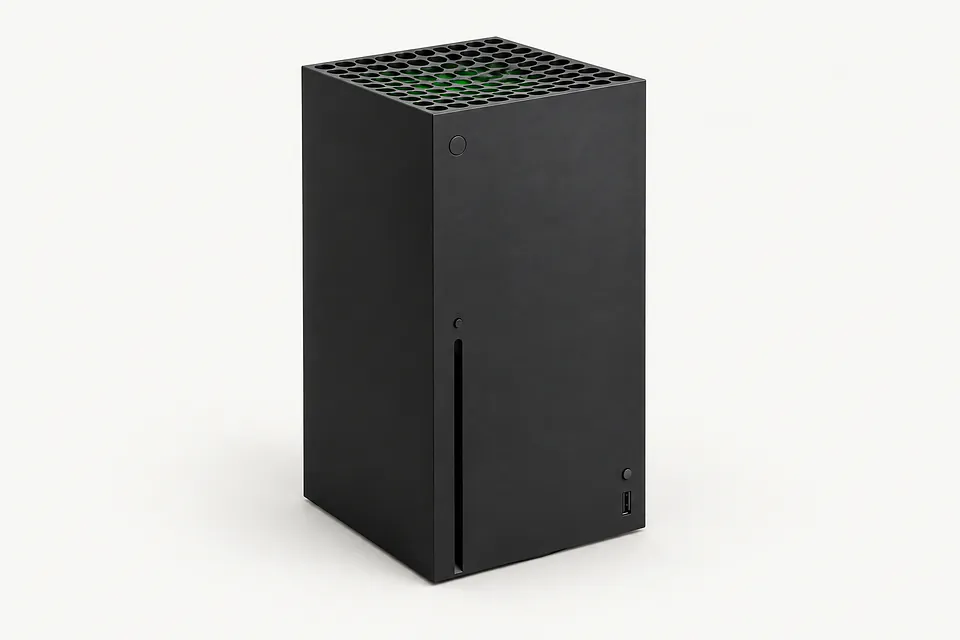
Across the country: cities with Xbox repair
Why an Xbox stops working
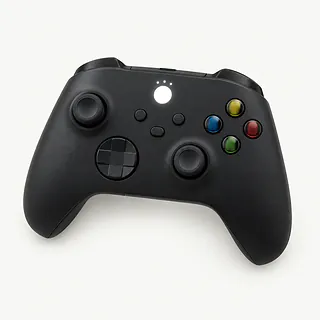
Controller won't connect
Pairing trouble can come from controller firmware. On supported controllers, use the Xbox Accessories app to update it, then retry the connection.
Find a repair near you: Controller won't connect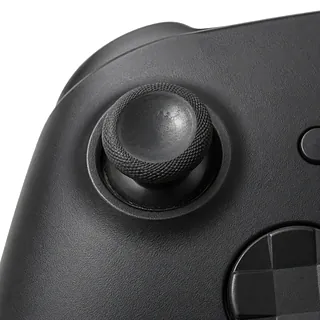
Xbox controller stick drift
A worn stick module can register movement with your thumb off the stick. Replacing that module fixes drift caused by wear, though cleaning or recalibration sometimes helps with other causes.
Find a repair near you: Xbox controller stick drift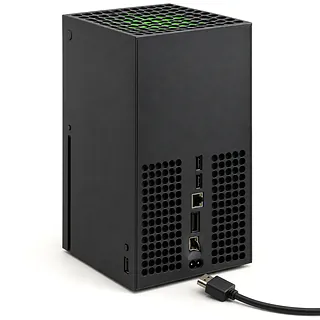
HDMI cable feels loose
A pulled cable can bend the Xbox HDMI port or break its solder joints. A shop can replace the soldered port after checking the surrounding board.
Find a repair near you: HDMI cable feels looseXbox black screen
The TV input or HDMI cable may be the trouble. Select the matching input and try another cable before blaming the console.
Find a repair near you: Xbox black screen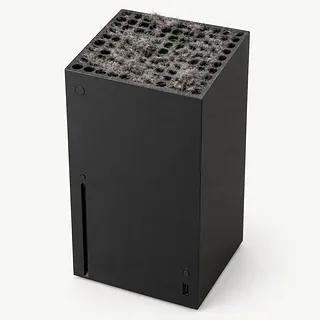
Xbox overheating
Blocked vents and dust packed inside can trap heat. Give the console room to breathe, especially if the fan sounds like a hair dryer.
Find a repair near you: Xbox overheating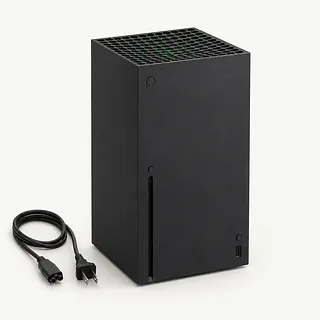
Controller won't turn on
Dead AA batteries or a depleted rechargeable pack are the first suspects on a wireless controller. Try fresh batteries if it takes replaceable cells.
Find a repair near you: Controller won't turn onXbox turns off by itself
Heat or a power fault can cause shutdowns. Check that the power cord sits firmly and try a different outlet.
Find a repair near you: Xbox turns off by itself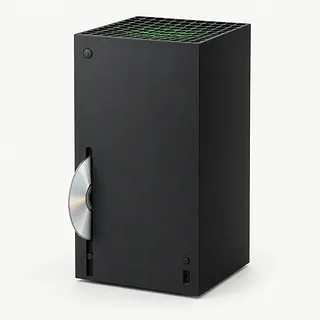
Xbox won't read discs
A scratched disc can look like drive failure. Test another compatible game disc. Repeated failures across clean discs point toward the drive.
Find a repair near you: Xbox won't read discs


How Xbox repair work gets checked
A black screen doesn't prove the Xbox HDMI port is broken. The repairer tries another cable and TV connection, then looks for bent pins or a port pulled loose by the cable. A full power cycle comes before repair. Hold the console's power button until it shuts off, unplug it, then reconnect it.
A torn HDMI port needs soldering work to remove it and install a replacement. For controller drift, the repairer checks stick response before deciding whether a worn module needs replacing. A controller that won't connect may only need a firmware update through the Xbox Accessories app.
Ask what will happen to saved games before approving a reset, and have the controller paired again if needed. The finished Xbox should produce a steady picture during a game. Controller checks cover buttons, connection and whether the character stays put with both thumbs off the sticks.
What to weigh before fixing an Xbox
Fixing an Xbox HDMI port makes less sense if the console also overheats and spits out disc errors. You could get the picture back and still have a machine that won't play your games. Have a shop test those faults together so the quote covers everything that's broken.
An old Xbox isn't finished just because it's old. If you still enjoy its games, check whether Microsoft supports its software and whether parts can be found for the repairs it needs. Before choosing a replacement for physical games, confirm that it has a disc drive and plays your particular titles.
Don't leave saved progress out of the decision. Missing backups may give you a reason to keep the original machine, so discuss those saves before anyone erases its storage.
What to ask about an Xbox repair
Give the exact Xbox model when calling. Mention whether the fault affects the console or controller, and what you've already tried.
Which replacement part would you use?
Ask where the part comes from and whether it's new or taken from another device. For stick drift, ask specifically about replacing the stick module.
What will you test before and after repair?
The checks should cover the reported fault and anything disturbed during the work. An HDMI repair should include testing the picture on a connected display.
Could this work erase saved games?
Agree that a reset needs your permission. Ask whether anyone needs access to your profile and how they'll test without seeing private account details.
Is there a testing fee if I decline?
Get the fee terms in writing before leaving the Xbox, including what applies if the fault cannot be repaired.
What does the repair warranty cover?
Check whether coverage includes both the replacement part and the work. Get clear instructions for reporting a fault that returns.
Before dropping off your Xbox
Protect saved games
On Xbox One and Xbox Series consoles, saved games sync with the Xbox network while you're signed in and connected. Mention any saves that haven't synced.
Write down the symptoms
Note what happened first, when it began and what makes it happen again. Include a pulled HDMI cable, a spill or an error message.
Try a power cycle
Hold the power button until the Xbox shuts off, unplug the console, then reconnect it. Record whether anything changes.
Arrange account access
Keep your Microsoft account password private. Discuss testing access and mention sign-in locks or family restrictions.
Remove personal extras
Eject a disc using the normal controls, then turn the console off before unplugging external storage. Leave a trapped disc alone and mention it at drop-off.
Confirm what to pack
Ask which accessories are needed, including the external power brick for an original Xbox One with a power fault.
Related repairs
Xbox Repair: common questions
Where can I get Xbox repair close to home?
Pick a city when looking for Xbox repair. The 47 shops around the country list the work on their own sites, so call someone local with the model name and describe the problem.
How much would I pay to have my Xbox fixed?
With Xbox repair, cost depends on what needs to be done to your device. Ask for a quote using the model name and the symptoms you've noticed.
How long does Xbox repair take?
Let the shop know what happened when calling for a time estimate for Xbox repair. Their answer may be tentative until they assess the damage and check their workload.
Could Xbox repair make sense even if I want another device?
Get the quoted cost first, then decide how much keeping the device is worth to you. Think about its age, damage beyond the main problem and files you care about as part of that choice.
Is there anything to sort out before Xbox repair?
Make a backup of anything you can still access on the device, and jot down its exact model plus the symptoms. During your call, ask how to handle any passcode and whether the case or charger should come with you.
Why won't my Xbox controller connect?
A firmware update often gets an Xbox One or Series controller connecting again. Check for controller updates in the Xbox Accessories app, and try pairing again with fresh AA batteries or a charged pack.
How do I fix stick drift on my Xbox controller?
Xbox controller stick drift usually calls for replacing the stick module, though cleaning or recalibration sometimes helps. Describe which direction the character moves with your thumb off the stick.
Can a broken Xbox HDMI port cause a black screen?
Yes, a pulled HDMI cable can bend or break the port and leave the screen black. Replacing that port takes soldering. Test another cable and check the TV's selected input before blaming the port.
Why is my Xbox overheating and turning off?
Poor airflow can make the console overheat and stop running. Give it breathing room instead of squeezing it between other electronics. Repeated shutdowns can also come from a power fault, so cooling isn't the only thing to check.
Why won't my Xbox controller turn on?
Dead batteries can leave an Xbox Wireless Controller completely unresponsive when it's running on battery power. Try fresh AAs or recharge the battery pack following the pack's charging instructions before blaming the controller.
Why won't my Xbox read discs?
A dirty or scratched disc may be the reason your Xbox won't load a game. Try a different compatible disc to separate a bad disc from a drive fault. Xbox Series S has no disc drive.