
Find Switch Lite Repair Near You
4 shops say they do Switch Lite repair. Choose your state or city to find someone nearby to call.
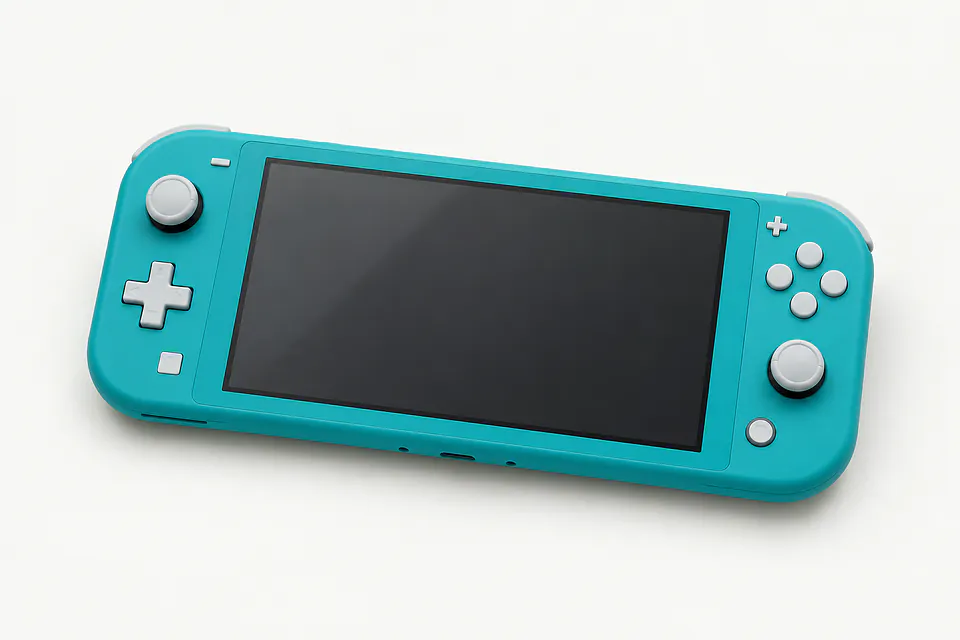
Shops that list Switch Lite repair
No town has enough of them for its own page yet, so here they are directly. Not paid placements.
- Geek GuysHaddonfield, NJ
- Orada Tech RepairHazlet, NJ“Nintendo Switch Lite”
- Red Tree TechLansdale, PA“Nintendo Switch/Switch Lite”
- iColorWilmington, DE
Why your Switch Lite stopped working
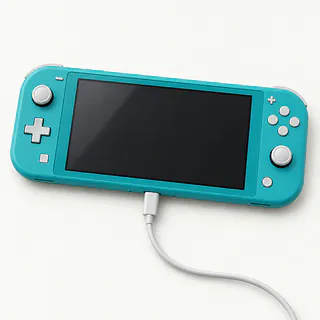
Switch Lite stays black
The battery may simply be empty, even if plugging it in gets no response at first. Leave a Nintendo charger plugged into the Lite and a wall outlet to charge it, then try turning it on.
Find a repair near you: Switch Lite stays black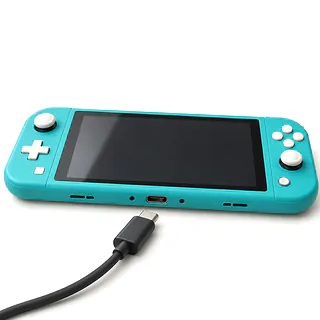
Charging cable only works tilted
A loose USB-C port or pocket lint packed behind the plug can make charging cut out. Holding the cable sideways isn't a fix and can strain the port further.
Find a repair near you: Charging cable only works tilted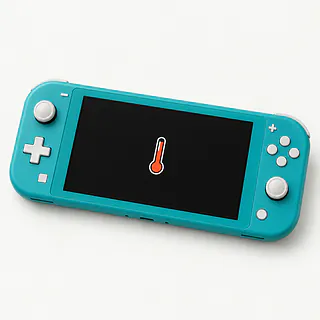
Fan loud and console hot
Dust can clog the cooling system until the fan sounds like a hair dryer. Scraping or clicking suggests the fan itself may be worn. A shop can check both before installing another fan.
Find a repair near you: Fan loud and console hot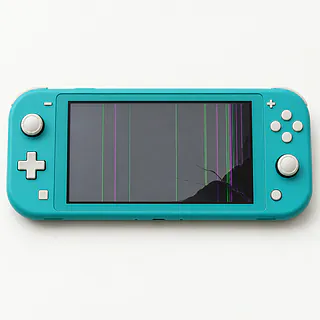
Switch Lite screen has dark patches
Blotches after a knock usually mean the display underneath has broken, even when the front feels smooth. Note whether touch still works and how much of the picture you can see.
Find a repair near you: Switch Lite screen has dark patches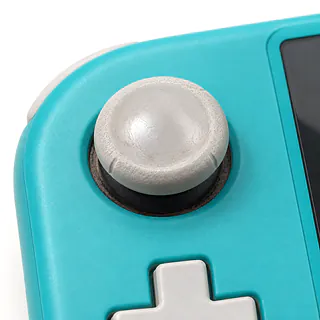
Switch Lite stick drift
A worn stick can scroll through menus with your thumb nowhere near it. Open System Settings and use its stick calibration option. If wear is the cause, the usual repair is a new analog module inside the console.
Find a repair near you: Switch Lite stick drift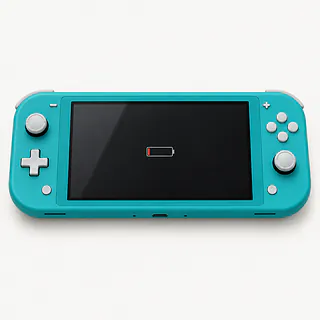
Back of console bulging
A swollen battery may be bowing the shell outward. Unplug the handheld and stop using it without trying to flatten the bulge.
Find a repair near you: Back of console bulging


Inside a Switch Lite repair
A Lite that makes sound with no picture needs different checks from one that won't start at all. Tell the technician which happens, and bring the charger you've been using. They'll check incoming power for a dead console and the display if it runs without a picture.
Replacing a Lite's stick means opening the console because its controls stay attached. The technician swaps the worn module and calibrates the new stick. Screen repairs start with separate checks of the image and touch response. A rattling fan gets checked for wear and anything caught against it.
At pickup, try the buttons and touch near each screen edge. Move each stick, then let go to check that it stops sending movement. Port work needs a charging test, and cooling repairs need a game running to check for heat warnings or scraping.
When replacing the Lite makes sense
One bad battery is a different job from a battery, loose port and cracked display together. Mention everything that's wrong, including faults you've learned to put up with. Ask the repairer to put the full job in writing and confirm they can get the parts.
An older Lite can still be worth keeping if handheld play suits you. Check with Nintendo that the games and online features you use are still supported. If you want TV play, another Lite won't give you that.
Ask what happens to your saves if you replace the console or agree to a reset. Don't assume another handheld will contain your progress. A single worn stick may be reason enough to repair the one you have.
What to ask about Switch Lite repairs
If charging fails again, do you cover another look?
Ask which repeat tests or repairs you'd pay for under the warranty. Get the answer in writing, including anything that would cancel coverage.
Will you try the game that makes it shut down?
Name the game and describe what happens before the Switch Lite cuts out. Starting it at the counter won't show much if it only fails during play.
What brand of part goes in?
Have the maker named on the repair quote, along with whether the part is unused or salvaged. For drift, check that they're replacing the worn stick rather than cleaning it.
Do you need access to my Nintendo account?
Keep your password private and discuss which checks you can help them run. Make clear that resetting the handheld needs your permission because saves could be lost.
What's the bill if you can't fix it?
Separate the charge for finding the fault from payment for attempted work. Also ask what you'd owe if you stopped the work after testing.
Before handing over your Switch Lite
Save evidence of the fault
Film a flickering picture or record a rattling fan if possible. Add when it began and anything that happened just beforehand.
Protect game saves
Check each compatible game's cloud backup through Nintendo Switch Online while the menus work. Tell the repairer about games without cloud backup, since copying microSD files won't preserve their progress.
Set boundaries for testing
Explain parental restrictions and arrange the access needed for a test game. Don't pass along the password used for your Nintendo account.
Remove loose belongings
Once the handheld is off, empty both card slots and take off the case. Keep extra controllers at home unless they're part of the complaint.
Confirm what to pack
Ask which charging equipment should accompany a Switch Lite that won't take a charge.
Related repairs
Switch Lite Repair: common questions
Where can I get Switch Lite repair close to home?
Nationally, 4 shops list Switch Lite repair on their websites. Look up your city, then phone someone nearby to check whether they can work on the exact model you have.
Could the damage change what I pay for Switch Lite repair?
Your model and the work it needs affect the total. Ask for an estimate when you call, including any parts that may need replacing.
Can a shop estimate how long Switch Lite repair will take?
Your wait for Switch Lite repair depends partly on the damage and the jobs ahead of yours. Ask for a time estimate during your call, keeping in mind that it can change.
Can other damage make replacement the better choice?
Age alone doesn't tell you whether to keep a device. Get a quote and think through the cost, what else needs fixing, which files you need and how much you want to keep using it.
Is there anything to sort out before Switch Lite repair?
Get your model number and a short account of what happened ready for the call about Switch Lite repair. Ask about the charger, case and passcode, and back up any files you can if the device is working.
Why won't my Switch Lite turn on?
Your handheld may simply lack enough charge to start. Leave it connected to the official power adapter using an outlet you've checked with another device, then retry the power button. A repairer can look for a battery or charging fault if there's still no response.
Why won't my Switch Lite charge?
The charger or port may be faulty, though the trouble can also be inside the console. Test it with a working Nintendo power adapter plugged into a different outlet. Holding the cable sideways to make it charge can strain the port.
Can a Switch Lite screen be replaced?
A broken Switch Lite screen can be replaced, but the picture and touch response should both be checked first. Tell the shop if there's a crack across the surface, colored lines or a spot that won't respond, since those symptoms help narrow down the parts needed.
How do I fix Switch Lite stick drift?
Calibration may help with drift, but replacing the analog stick is usually the lasting fix. You'll find the calibration option under System Settings, and stick replacement means taking the Switch Lite apart because its controls are built in.
Why is my Switch Lite overheating or the fan loud?
Blocked airflow or a fan problem can make a Switch Lite run hot or noisy. Keep the vents clear, and tell the shop if you hear rattling or the console shuts down during play.
Why won't my Switch Lite work with a TV dock?
There's no television mode on this model, so connecting a dock leaves games on the handheld's own screen. A USB-C port repair can fix a broken port, but cannot add video output.