
Find Joy-Con Repair Near You
Nationwide, 8 shops say they can help with Joy-Con repair. Head to your city's page to see who's close by.
Joy-Con Repair by city
Shops that list Joy-Con repair
No town has enough of them for its own page yet, so here they are directly. Not paid placements.
- KhemTech Repair - DeptfordDeptford, NJ
- Geek GuysHaddonfield, NJ
- KhemTechPennsauken, NJ
- Quick Phone Fix N MorePhiladelphia, PA“Controller repair (Xbox, PS4/PS5, Switch Joy-Cons)”
- Quick Phone Fix N MorePhiladelphia, PA“Controller repair (Xbox, PS4/PS5, Switch Joy-Cons)”
- iColorWilmington, DE
- KhemTech Repair - Concord MallWilmington, DE
- Quick Phone Fix N MoreWyncote, PA“Controller repair (Xbox, PS4/PS5, Switch Joy-Cons)”
Why Joy-Con controls stop working
Joy-Con stick drifts
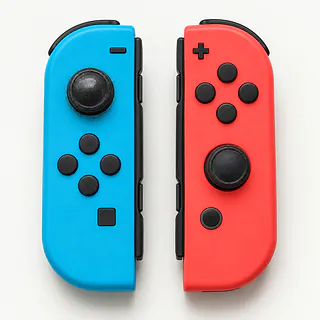
Menus that scroll with nobody touching the stick are a familiar sign of drift. Open System Settings and try Calibrate Control Sticks. A replacement analog module is usually the lasting repair for a worn stick.
Find a repair near you: Joy-Con stick drifts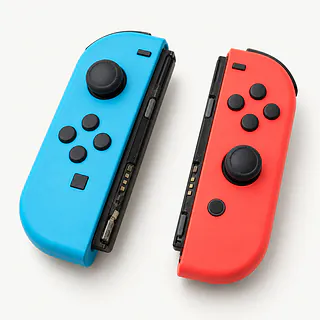
Joy-Con slides off the console
A worn latch or rail can let an original Joy-Con slip upward without its release button being pressed. It may also disconnect as it shifts. This applies to the sliding controllers for Switch and Switch OLED, not the magnetic models.
Find a repair near you: Joy-Con slides off the consoleJoy-Con side buttons stopped working
Broken SL or SR controls can leave sideways play unusable even though the stick and larger buttons still respond. Tell the repairer which small button fails and if it feels stuck or still clicks.
Find a repair near you: Joy-Con side buttons stopped workingJoy-Con isn't charging
An empty battery indicator doesn't prove the battery needs replacing. The charging connection may have failed instead, so a shop can check that power gets into the controller before swapping parts.
Find a repair near you: Joy-Con isn't chargingJoy-Con dies during a game
A worn battery may show a full charge yet run down well before its partner does. Stop playing and disconnect charging if the shell bulges. Don't squeeze the raised plastic closed.
Find a repair near you: Joy-Con dies during a game


What Joy-Con repair involves
A Joy-Con that works detached yet loses connection on the console points toward a rail fault on an original controller. These models slide downward along side rails, where a little latch holds each one in place. A worn latch can let the controller slip off without being released. For one that stays empty, the repairer tests charging contact before blaming the battery.
Drift gets checked with your thumb clear of the stick. If calibration doesn't correct it and the module is worn, the repairer opens that Joy-Con and installs a replacement. Dead side buttons need separate tests. Switch 2 uses magnetic controllers with rear release buttons, so sliding rail parts don't apply.
The new stick gets calibrated, then tested in each direction and released to check that movement stops. Other checks cover the remaining buttons, whether the battery takes charge and reconnection for attached and wireless play.
Should you repair a Joy-Con
Drift alone is a reason to keep a Joy-Con with working buttons and a sound battery. A loose latch plus broken side buttons makes it a bigger job. Have the repairer include each fault in writing before agreeing to stick replacement.
An older controller doesn't need retiring just because of its age. Ask about the exact part it needs and check Nintendo's controller update instructions for your console. If parts can't be found, another compatible controller may be the practical answer.
Saved games aren't stored inside the Joy-Con, so choosing a replacement won't mean starting your games over. You can replace the faulty controller separately and keep using its working partner.
Before choosing a Joy-Con repair shop
Can you test it attached and detached?
An original Joy-Con that works when detached but drops out when attached points to a rail connection fault. Ask them to try it both ways, then repeat those checks after fixing it.
What part are you planning to install?
Have the quote name the replacement's brand and condition. Say if the controller belongs to a Switch 2, whose magnetic attachment differs from the older sliding Joy-Con.
If the new stick fails, who pays to replace it?
A warranty might cover the stick without paying someone to replace it. Get parts, labor and exclusions spelled out on paper.
Can I unlock the settings for testing?
Keep your Nintendo login to yourself. If the console comes along, discuss parental controls and tell the repairer to call before resetting or deleting anything.
What do I owe if it stays broken?
Ask about charges for testing and a repair attempt that fails. Also check the bill if you hear the proposed fix and decide to take the controller home.
Before handing over your controllers
Describe the fault before packing
Say which side has trouble and when it started. A loose controller, a dead SL button and a stick that pulls left need different checks. Mention liquid or a fall.
Check which equipment to bring
Confirm whether the repairer wants your console or charging gear along with the controller. Specify original Joy-Con or a Switch 2 controller.
Prepare the Switch if it's coming
Back up game saves where supported, then shut down and eject removable cards. Detach controller covers and leave extra grips behind.
Agree on access for testing
Unlock parental restrictions yourself if they prevent the agreed checks. Don't put your Nintendo password in the repair notes.
Include results from home
If you've tried stick calibration, say what changed. For disconnects, note whether the controller stayed connected during detached play.
Related repairs
Joy-Con Repair: common questions
Where can I take my Nintendo Switch for repair?
You can search states and cities for Joy-Con repair from 8 shops who say they take on the work. Once you've chosen a city, call to describe the problem and give the full model name.
Why might I get different quotes for Joy-Con repair?
You can help the shops price the job by naming your model and describing the fault. Ask which work that estimate would cover.
Should I expect a long wait for Joy-Con repair?
Let the shop know what happened when calling for a time estimate for Joy-Con repair. Their answer may be tentative until they assess the damage and check their workload.
Should I repair or replace my Nintendo Switch?
If there's other damage, a quote for Joy-Con repair may cover only part of what needs doing. Get the cost before choosing, then think about the device's age, whether you'd use it again and any files you need.
What should I bring when I go for Joy-Con repair?
Ask by phone what to bring for Joy-Con repair, mentioning the case and charger, and check how to handle passcodes. Record which model you have and what's failing, then save accessible files if you can still operate the device.
How do I fix Joy-Con drift?
Try Calibrate Control Sticks in System Settings first. If movement continues with your thumb off the stick, replacing the analog stick module is usually the lasting repair.
Why does my Joy-Con still drift after calibration?
The stick may be worn out, and calibration can't fix that wear. If the camera keeps turning after you've calibrated, replacing the stick is usually what stops it.
Why does my Joy-Con keep disconnecting?
A faulty rail can interrupt an original Joy-Con's connection while it's attached. Compare attached and detached play, then tell the repairer which one cuts out.
Why won't my Joy-Con charge?
A battery fault or poor charging connection can stop a Joy-Con charging. Check whether the console recognizes the controller when attached, then have the connection and battery tested before approving a replacement.
Can Switch 2 Joy-Con drift be fixed?
Controller drift may be repairable with a replacement stick if calibration hasn't helped. Tell the shop it's for Switch 2 so it can check for the right part before you bring it in.
Is Switch Lite drift a Joy-Con repair?
A drifting Switch Lite needs work on the handheld itself because neither controller comes off. Try stick calibration first. If a stick needs replacing, the repairer has to open the console.