
Find Steam Deck Repair Near You
As of October 2026, 3 shops in New Jersey have Steam Deck repair on their website service lists. The hours posted by one shop include Sunday, though none of these shops show a late weekday close. For a visit without booking ahead, 3 shops accept walk-ins, according to their own sites.
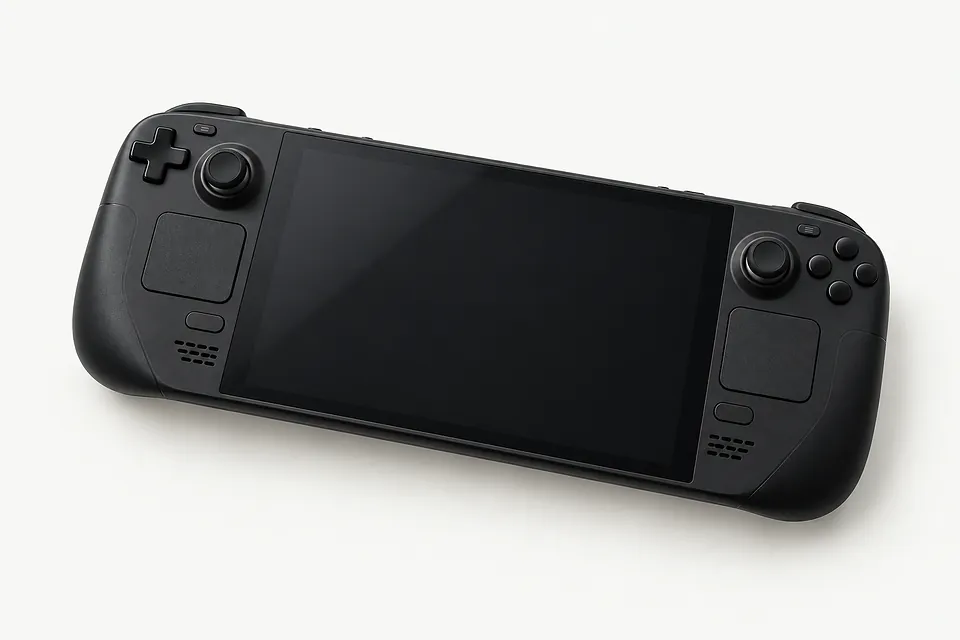
Steam Deck Repair by city
Shops that list Steam Deck repair
No town has enough of them for its own page yet, so here they are directly. Not paid placements.
- Geek GuysHaddonfield, NJ
- Orada Tech RepairHazlet, NJ“Steam Deck”
- PS Electronics INCRahway, NJ
Steam Deck faults and their causes

Steam Deck won't turn on
An empty battery or a stalled system can leave the Deck looking dead. Connect its charger directly to a working outlet and allow it to charge before trying power again. Mention any sound or fan movement when describing the fault.
Find a repair near you: Steam Deck won't turn on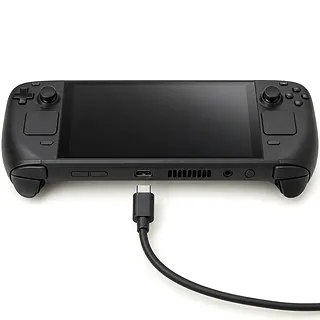
Steam Deck not charging
A worn cable or lint inside the USB-C port can interrupt charging. Try another compatible charger. If charging cuts out when the plug shifts, a shop can test the connection before deciding between port, battery or board work.
Find a repair near you: Steam Deck not charging
Cracked screen or missing picture
A crack with black patches or colored lines usually means the screen needs replacing. Sound without a picture doesn't prove the display itself has failed. Replacement screens need to match the LCD or OLED model.
Find a repair near you: Cracked screen or missing picture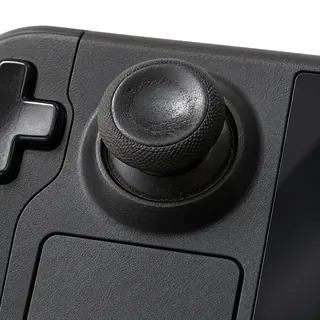
Steam Deck stick drift
Thumbstick wear usually explains movement after you let go. Check another game before blaming the hardware, since control settings can change how slight input registers. Persistent wear-related drift is usually fixed by replacing the thumbstick module.
Find a repair near you: Steam Deck stick drift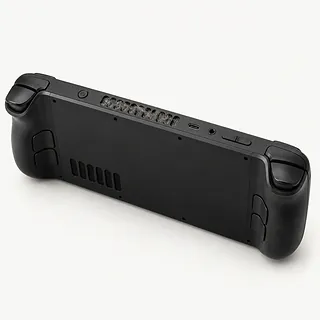
Fan rattles or gets loud
A demanding game can make the fan louder without anything being broken. Scraping or rattling suggests fan wear or something catching inside. Keep the vents clear of bedding, and mention shutdowns separately from noise.
Find a repair near you: Fan rattles or gets loud


How a Steam Deck gets repaired
A technician starts by separating charging trouble from a Deck that runs with no picture. Checks cover power from a working charger, the USB-C port and battery. For drift, the stick input gets checked without anyone touching the controls.
Stick drift usually means replacing the thumbstick module. Valve supplies replacement screens, thumbsticks and fans, with the exact model checked before ordering. A broken port needs different work from a worn stick. Before a storage change, ask which local files can be copied and whether software needs reinstalling.
After repair, charging should hold steady and the Deck should start normally. Screen checks include touch and the picture across the display. A replaced stick needs its center and full travel checked, with calibration if needed.
When keeping a Steam Deck makes sense
Check for copies of your saves before replacing the Deck. If your game progress or personal files are stuck on it, tell the repairer what you need to keep before agreeing to erase anything.
One failed fan is a reason to ask about repair. A fall that cracked the screen and bent the case makes replacement worth weighing, especially if the battery was already struggling. Ask for the whole job in writing, including whether the required parts are available for that particular version.
Keep an older Deck's actual use in mind. If it still plays what you want and Valve continues supporting the software you need, its age alone doesn't call for replacement. Check those support details before approving work on several broken parts.
Before agreeing to a Steam Deck repair
Where would the replacement screen come from?
For a Steam Deck screen replacement, you want the maker's name and to know if the screen is new or used. Tell them which model you have, LCD or OLED.
Do I still pay if it can't be fixed?
Testing can carry a charge even if you leave with a broken Deck. Get that charge written down, plus what you'd owe for a fix that fails or work you turn down.
How will you check that the stick drift is gone?
Comparing stick movement before and after a thumbstick swap helps show whether it worked. Mention which game has a camera that creeps when you aren't touching the stick.
Who will use my account during testing?
Agree on a game they can open without browsing your other files. Wiping the Deck needs a separate yes from you.
If the new part fails, would I pay for labor again?
A warranty covering just the screen could leave you paying to have its replacement installed. The written warranty should explain which parts and work it covers, and what it leaves out.
Get your Deck ready for the counter
Leave a note with the Deck
Write when the trouble started and exactly what happens. The fan rattling only when you tilt the Deck is more useful than saying it's noisy. Mention a fall or spilled drink, too.
Take off the extras
Once it's shut down, pull out the microSD, remove any protective cover and unplug attachments, keeping the charger aside if it's needed for testing.
Copy the files you care about
Check that games using Steam Cloud have finished uploading their saves. Back up anything stored only on the Deck separately, including personal files.
Sort out the screen PIN
Agree how the shop will unlock the Deck to test it. Your Steam password should stay with you.
Related repairs
Steam Deck Repair: common questions
Where can I get a price for Steam Deck repair?
Until someone knows the fault, a price for Steam Deck repair may be only a rough estimate. Describe the symptoms by phone, share your model's full name and check which work is covered.
Can I get a time estimate before bringing it in?
Give the shop your model and describe the problem during your call. Ask what the wait might be given the damage and their schedule.
Can other damage make replacement the better choice?
Get the quoted cost first, then decide how much keeping the device is worth to you. Think about its age, damage beyond the main problem and files you care about as part of that choice.
How can I get ready for Steam Deck repair?
List your device's exact model and the signs of trouble, keeping a backup of files you can reach if it's working. Bring up the passcode when you call, and ask if the case and charger need to come too.
Why won't my Steam Deck turn on?
An empty battery or stuck startup can make a Steam Deck appear dead. Charge it from a different outlet using a suitable USB-C power supply, then force restart it. Report any startup audio that plays while the display stays black.
Why is my Steam Deck not charging?
Your Steam Deck may be getting no power because the charger has failed or lint prevents the USB-C plug from seating. Check with a different suitable charger. If moving the connector interrupts charging, mention that when booking repair.
Can a Steam Deck screen be replaced?
Yes, a broken Steam Deck screen can be changed, using the right replacement for the LCD or OLED version. With an uncracked screen that stays black, a shop can test whether the panel or the board is at fault before ordering parts.
How do you fix Steam Deck stick drift?
Swapping the drifting thumbstick module usually fixes a character that keeps walking after you let go. If it happens in only one game, check that game's controls first. After replacement, calibration and testing check that releasing the stick stops the movement.
Will I lose my saves during Steam Deck repair?
Your saved progress can stay intact during a display or stick repair because those jobs don't ordinarily need a storage wipe. Resetting the Deck or replacing its SSD puts local data at risk. Check cloud uploads for games with Steam Cloud support.