
Find Galaxy S24 Repair Near You
According to their own websites, 4 shops take on Galaxy S24 repair. Go to a state or city to look closer to home.

Galaxy S24 Repair by city
Shops that list Galaxy S24 repair
No town has enough of them for its own page yet, so here they are directly. Not paid placements.
- Smart Fone Doctor (Smartphone Doctor)Philadelphia, PA“Galaxy S24”
- Smartphone DoctorPhiladelphia, PA“Galaxy S24”
- Phoenixville Tech RepairPhoenixville, PA“Galaxy S24 Plus”
- iRepairWillow Grove, PA“Samsung Galaxy S24 Repair”
What's wrong with your Galaxy S24

Galaxy S24 Ultra screen cracked
A corner impact can crack the glass and break the AMOLED panel underneath. Colored streaks or an ink-like patch mean there's more to fix than the surface.
Find a repair near you: Galaxy S24 Ultra screen cracked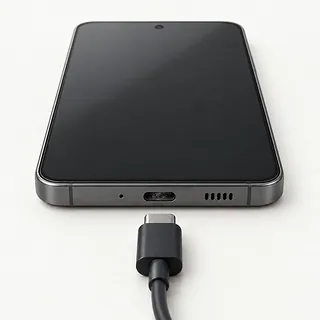
Galaxy S24 won't charge
Pocket lint can stop a USB-C plug seating fully. Try a working cable and power adapter first, and don't force a connector that won't slide in.
Find a repair near you: Galaxy S24 won't charge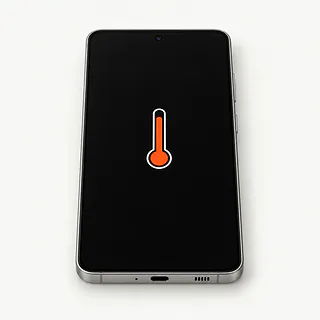
Phone gets too hot
Charging while playing a demanding game adds heat. Disconnect the charger and close the game. A shop can check the battery if the phone also gets hot sitting unused.
Find a repair near you: Phone gets too hot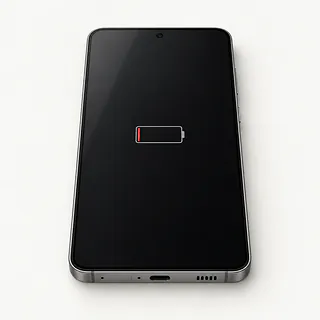
Battery runs down too fast
Heavy app use can resemble a worn battery. Check which apps used the charge in Settings before asking for a battery replacement.
Find a repair near you: Battery runs down too fast
Touch screen misses taps
Surface moisture can confuse touch, while a fall can leave dead areas. Wipe the glass dry and restart, then check whether the same keyboard letters still ignore presses.
Find a repair near you: Touch screen misses taps
Galaxy S24 keeps restarting
An app crash or battery fault can trigger repeated restarts. Note whether it happens during one particular task, and back up anything accessible.
Find a repair near you: Galaxy S24 keeps restarting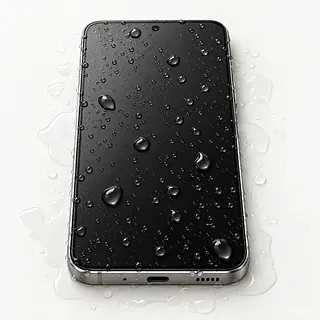
Phone won't charge after getting wet
A wet USB-C port triggers Samsung's moisture warning and stops wired charging. Unplug and turn off the phone. Rice won't clean liquid residue from inside.
Find a repair near you: Phone won't charge after getting wet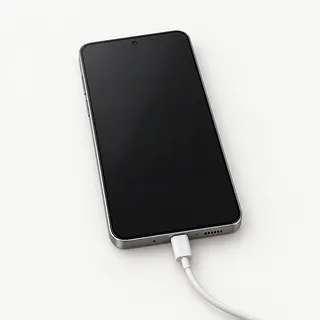
Screen black but phone rings
Ringing points toward a powered phone with no picture. If it hasn't gotten wet, try a force restart before a shop tests the display.
Find a repair near you: Screen black but phone rings


How Galaxy S24 faults get checked
Charging checks start with the cable and adapter before moving to the USB-C port. A blank phone gets checked for signs it's still running. Samsung Members can help test touch and battery health if you can unlock it.
Galaxy S24 screen replacement often uses an assembly containing both display and frame. Depending on the supplied part, existing parts move into that frame. Battery replacement swaps the worn cell, while charging tests show whether the port needs replacing.
You'll usually need to register fingerprints again after screen work because the reader sits beneath the display. Before taking the phone back, check taps around the edges, camera pictures, call audio and charging. On the S24 Ultra, include drawing with its built-in S Pen.
Should you repair your Galaxy S24
Ask about parts before committing to a repair. The replacement screen needs to fit your exact S24 model, and the quote should name everything being changed. Liquid inside adds uncertainty beyond a single cracked panel or broken port.
Count the model's age from its release, rather than when you bought it. The S24 family has a planned seven years of Samsung updates, which helps keep a working phone useful. Repeated faults still matter, especially if you'd want another phone even after repairs.
Missing backups can justify a separate attempt to recover data. Look for copies of messages and pictures on another device or account. If some are missing, explain that getting those files back matters more than using this phone again.
What to check with the repair shop
Do I still pay if a port swap doesn't help?
A new USB-C port won't solve a bad battery or a board fault. Get the charges for testing and attempted work written down, including what happens if you stop there.
Can I unlock it myself for the tests?
Touch and camera checks may need your passcode. Discuss doing those together, keep account passwords private and tell the shop to ask before deleting anything.
What screen are you planning to install?
New Samsung, refurbished Samsung and aftermarket screens aren't interchangeable descriptions. The quote should name the maker, say whether the panel has been used and spell out whether the frame gets replaced.
Can you check more than whether it lights up?
Try typing along the keyboard edges and unlocking with a fingerprint. For an Ultra, include drawing with its pen. Record what works now so there's something to compare when you pick it up.
What if charging starts cutting out again?
The written warranty should explain how the shop handles a returning fault and whether another repair carries a charge. Check what ends coverage, such as a fresh drop or splash.
Get your Galaxy S24 ready for repair
Confirm your files are saved
Save photos, contacts and documents while the Galaxy responds. Open some copied files on another device so an unfinished backup doesn't pass for a saved copy.
Arrange the unlock checks
Agree how the shop can test features behind the lock screen. Keep Samsung and Google passwords private, and make requested account or lock setting changes yourself.
Set aside loose belongings
Take off the case and retain a physical SIM if installed, unless agreed testing needs it. Ask whether to leave the S24 Ultra's pen for checks.
Write down the first symptom
Note when trouble started and what happened just before it. Mention a cable that only charges at an angle or a crack spreading from a corner.
Related repairs
Galaxy S24 Repair: common questions
Where can I take my Samsung Galaxy for repair?
In their own words, 4 shops offer Galaxy S24 repair. Pick a place in your city and ask whether they can work on your exact model.
Could the damage change what I pay for Galaxy S24 repair?
The cost of Galaxy S24 repair depends on your model and what is wrong. Call with both and ask what the quote covers.
How long does Galaxy S24 repair take?
You can ask the shops to explain what their time estimate depends on. When you call, mention the damage and check how busy they are.
What makes my Samsung Galaxy worth repairing?
Saving files may be worth paying for even if you choose to replace the device. Request a quote before settling on Galaxy S24 repair, and check whether the device's age and other damage change how much you'd spend to keep it.
What should I have ready when calling about Galaxy S24 repair?
If you're able to use the device, copy accessible files and note its full model name and how it failed. Check by phone about keeping the case on, taking the charger and dealing with the passcode.
Can Galaxy S24 Ultra screen replacement fix black patches?
Replacing a broken AMOLED panel can clear the black areas it causes. New glass alone leaves that broken panel in the phone, even if the crack on the surface looks tiny.
Why won't my Galaxy S24 charge when plugged in?
A bad cable or charging adapter, lint in the port or a wet port can keep the battery from charging. Swap the cable and charger, and test a different outlet. Disconnect the cord if a moisture alert appears.
Why is my Galaxy S24 battery draining fast?
Fast battery drain can come from power-hungry apps, weak signal or a worn battery. Check battery use in Settings for an app using an unusual amount of power. Samsung Members has a battery check that can help flag battery trouble.
Why is my Galaxy S24 screen black when the phone still rings?
A screen fault or frozen software can leave the Galaxy dark even though calls come through. Force restart it first, then have the screen connection and panel tested if nothing appears.
Should I put my Galaxy S24 in rice after dropping it in water?
Rice won't clean out what a spill leaves inside your Galaxy. Unplug it, power it off and wipe the outside dry without using heat. Ask a repairer to check inside before plugging it back in.
Why does my Galaxy S24 keep restarting?
Your S24 can keep rebooting because of faulty software, battery trouble or a problem on its board. If it stays usable, copy important files elsewhere and update the system and apps. Include any recent fall or spill when describing the fault.