
Find Controller Repair Near You
24 shops say they handle controller repair. Select a city to see who works in your area.
Controller Repair by city
Why sticks drift and controllers stop responding
PS5 stick drift
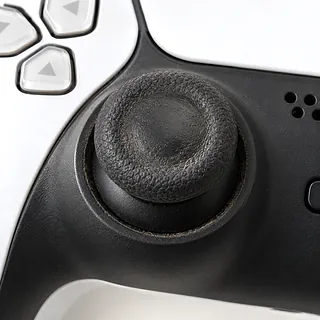
A worn or dirty analog stick can move the camera without your thumb touching it. Update the controller firmware first. Cleaning sometimes helps, but a worn module usually needs replacing.
Find a repair near you: PS5 stick drift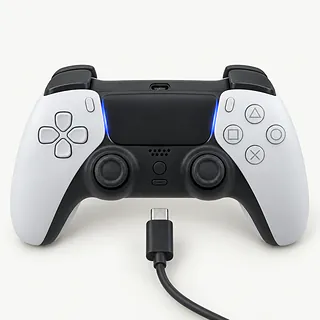
PS5 controller won't charge
Start with another charging cable and power source. A loose USB-C port or failing battery can cause similar symptoms, so replacing the battery without testing the port can miss the fault.
Find a repair near you: PS5 controller won't charge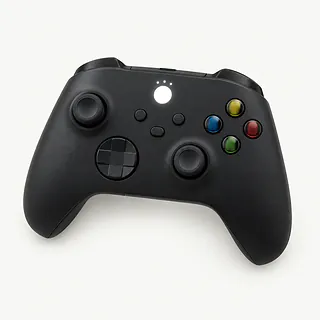
Xbox controller won't connect
Low battery power and lost pairing can leave an Xbox controller searching for its console. Check the batteries, restart the console and pair the controller again before suspecting broken hardware.
Find a repair near you: Xbox controller won't connect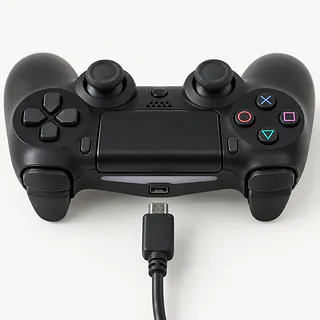
PS4 controller not charging
A worn cable or loose charging port can interrupt charging. If the plug only works when pushed sideways, stop bending it against the port.
Find a repair near you: PS4 controller not charging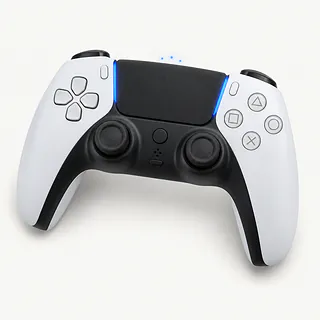
PS5 controller not connecting
A cable that only supplies power won't handle USB pairing. Try a USB data cable, then follow Sony's pairing steps before paying for connection repairs.
Find a repair near you: PS5 controller not connecting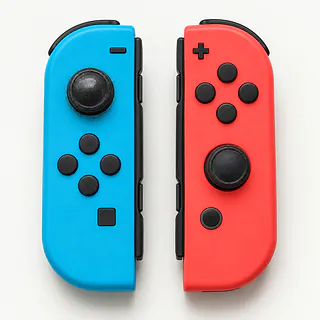
Joy-Con drift
Dirty or worn sticks can register movement at rest. Try stick calibration in the Switch settings. Calibration can't undo wear inside the stick.
Find a repair near you: Joy-Con drift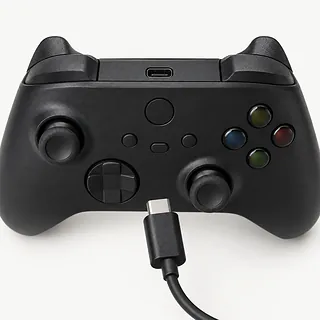
Xbox controller won't turn on
Check battery placement and try a known working power source suited to your model. If it stays completely dark, a shop can test the battery contacts, USB port and board.
Find a repair near you: Xbox controller won't turn on


How controller faults get fixed
A charging light doesn't prove that a PS5 controller's battery is gaining charge. The technician checks it with a known working cable, then tests the port and battery. For a sticking button, the useful checks are whether it springs back and whether each press registers.
The failed part sets the work. Replacing a soldered stick means removing it from the circuit board. DualSense Edge has removable stick modules instead. Dirt can sometimes be cleaned out, but cleaning won't undo wear inside an analog stick.
Before closing the shell, the technician reconnects any unplugged cables and checks that controls move without catching. New sticks need their readings checked, with calibration if supported. Testing afterward should catch missed presses, wandering input and charging that cuts out when the plug shifts. Wireless models also need a connection check.
Keep the controller or replace it
A controller that runs out of charge but otherwise feels right may be worth keeping. If the case is split and a trigger sticks too, get those faults included in the written quote.
Replacement parts need to fit the exact model, so ask what's available before agreeing to the work. An older controller still earns its place if it works with your console and can take any firmware update it needs.
Saved games aren't usually stored in a separate gamepad. On handhelds such as Steam Deck and Switch Lite, the sticks and game storage share the same device. Back up saves you can still reach, and ask whether the planned repair involves a reset.
What to ask about controller repair
Can I see the charges for an unsuccessful repair?
Get the checking fee and any charge for attempted work on paper. Include what you'd owe if you decide against going ahead.
How will you check a replacement stick's movement?
Record how it behaves on arrival, then compare that with the finished repair. Check that it returns to center, responds smoothly and hasn't left another control acting up.
What exactly are you installing?
A quote should identify the replacement's brand, source and condition. A used stick may already have wear, so ask why that part was chosen.
Where does your repair coverage stop?
Have the warranty spell out coverage for labor, installed parts and a repeat of the original fault. Keep the receipt with those terms.
Could this be the cable instead of the charging port?
Try another suitable charging cable before agreeing to a port replacement. A battery that won't hold a charge also needs different work from a loose port.
What to check and bring
Record what triggers the fault
Describe whether drift happens across games or whether pairing fails only with one console. Include when it began. A short video can show behavior that disappears during testing.
Check software and power
Install available controller updates and restart the connected system. If your PS5 controller won't charge, test a different suitable cable and power source.
Protect saves on handhelds
A controller alone normally needs no save backup. If the repair includes an entire handheld, use its supported backup options and remove game cartridges or memory cards unless requested for testing.
Discuss locks and account access
Ask why a handheld unlock code or account change is needed before agreeing. Repairing a separate controller generally doesn't require signing into your console account.
Pack only the agreed items
Leave grips and carrying accessories at home unless they affect the symptom.
Related repairs
Controller Repair: common questions
How can I check who offers controller repair nearby?
Pick a city when looking for controller repair. The 24 shops around the country list the work on their own sites, so call someone local with the model name and describe the problem.
What goes into the price of controller repair?
Your model and the fault can change the work required. Start the call with that, then ask how much that work would cost.
Is the wait for controller repair different from shop to shop?
Phone the shop to discuss the damage and request an approximate timeframe for controller repair. They cannot be certain of the finish date if the work needed or their schedule changes.
How should I compare a repair quote with buying another device?
Start by getting a quote, then look at what you'd be spending to keep the device. Its age, other damage, the data it holds and how much use you expect from it should all shape your decision.
Can I do anything at home to prepare for controller repair?
Make a backup of anything you can still access on the device, and jot down its exact model plus the symptoms. During your call, ask how to handle any passcode and whether the case or charger should come with you.
Can you fix stick drift on a PS5 controller?
Yes, a worn PS5 stick can usually be replaced. Standard DualSense controllers need soldering work for this repair. If the stick is dirty rather than worn, cleaning sometimes stops the unwanted movement.
Why is my PS5 controller not charging?
PS5 charging trouble can start with the cable, USB port or battery. Use another cable that you know charges a controller. Mention a plug that only works when held at an angle.
Why is my Xbox controller not connecting?
An Xbox controller can lose its pairing or lack enough battery power to connect. Check power, restart the console and pair the controller again. For models with wired play, a USB data cable helps check whether the fault is limited to wireless.
How do you fix Joy-Con drift?
Start with a controller software update and stick calibration in Switch settings. Those can correct some Joy-Con drift, while wear usually means replacing the stick. Cleaning can help when dirt is behind the movement.
Can Xbox controller drift come back after repair?
Xbox controller drift can return if cleaning leaves a worn stick in place, or if a replacement later wears or gets dirty. Ask which part was installed. Hall effect sensors avoid contact wear in sensing, but other moving parts can still wear.
Will a bigger dead zone fix controller drift?
A larger dead zone can hide slight drift, but it won't repair a worn stick. In games with that setting, small movements near the center are ignored. Raising it also means pushing the stick farther before movement registers.